
Best Speech & Voice AI tools (15+)
Discover 15+ best speech & voice AI tools. Compare features, pricing, and reviews. Free and paid options available.

Memorable Contact
Memorable Contact helps you remember people, save conversation details, find contacts using AI-powered search, and share digital business cards

AudioVideo
Turn podcasts, narration, voice recordings, or music into visual content with AudioVideo's audio-to-video AI generator.
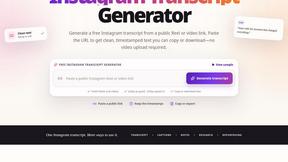
ScriptGecko
ScriptGecko turns public Instagram Reels and videos into clean, timestamped transcripts you can copy or download as TXT.


Elispeak
AI English speaking tutor for realistic conversation practice and instant feedback.
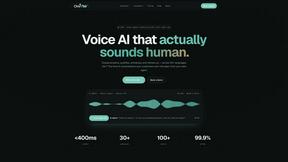
Oravaa
Oravaa is the viral Voice AI handling 12,847 live calls right now to qualify leads and support customers 24/7 in 30+ languages.
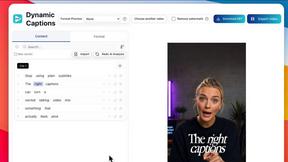
Subclip
Subclip revolutionizes video editing with AI for effortless auto-subtitles, voice cloning, and instant dubbing in multiple languages.

Hush Touch | Voice-to-Text for MacOS
Hush Touch transforms your voice into text offline on Mac, learning your vocabulary for smarter, accurate dictation.

AnveVoice
Transform your website with AnveVoice, the AI voice assistant that navigates, answers, and completes tasks through.

Glossa
Break language barriers with Glossa's fast, accurate AI translation for sermons in 100+ languages, all for just $5/hour.

Bantr: Offline & Unlimited TTS for Mac
Bantr is your offline, unlimited TTS solution for Mac, delivering natural voiceovers while ensuring your privacy and.

KaiCalls
KaiCalls is your 24/7 AI phone agent that instantly answers calls, qualifies leads, and books appointments while you.

Vowen
Vowen transforms your voice into text and commands, making your work faster and more efficient across all apps.
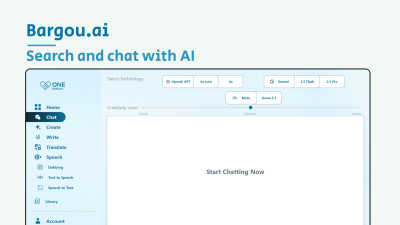
Bargou One
Join millions using Bargou One to create, translate, and communicate effortlessly across text, voice, and media.
FineVoice
Join 10M+ creators using FineVoice for instant, realistic AI voiceovers in 154 languages.
Popular Alternatives in Speech & Voice
About Speech & Voice AI tools
Speech and Voice tools help users convert between speech and text, generate synthetic voices, process audio for transcription, and build voice-enabled applications. This category includes text-to-speech engines, speech-to-text services, voice cloning platforms, podcast transcription tools, and voice assistant development frameworks.
Whether you are creating voiceovers for video content, transcribing meetings and interviews, building voice interfaces for applications, or generating multilingual audio content, these tools provide the voice technology infrastructure for modern audio and speech applications.
Compare speech and voice tools by their language support, voice quality, transcription accuracy, real-time capabilities, and pricing to find the right voice technology for your specific use case.
FAQs for Speech & Voice
What types of speech tools are listed?
This category includes text-to-speech generators, speech-to-text transcription services, voice cloning platforms, real-time voice translation tools, podcast transcription software, voice assistant builders, and audio processing tools.
How natural do AI-generated voices sound?
Modern text-to-speech tools produce remarkably natural voices with appropriate intonation, emotion, and pacing. Premium tools are nearly indistinguishable from human speech for many applications including audiobooks, videos, and customer interactions.
How accurate is speech-to-text transcription?
Leading transcription tools achieve accuracy rates above 95% for clear speech in supported languages. Accuracy depends on audio quality, accents, technical vocabulary, and background noise. Many tools improve with custom vocabulary training.
Can these tools clone my voice?
Yes. Several platforms offer voice cloning capabilities that can replicate your voice from sample recordings. These are used for personalized content creation, consistent brand voices, and multilingual dubbing with your own voice.
Do speech tools support multiple languages?
Yes. Most speech tools support dozens of languages for both text-to-speech and speech-to-text. Coverage and quality vary by language, with major languages having the best support. Check individual listings for specific language availability.
Are there free speech and voice tools?
Yes. Many tools offer free tiers with limited characters or minutes of processing. Open-source options exist for both text-to-speech and transcription. Paid plans unlock higher quality voices, more languages, and greater processing volumes.