
Subclip
Subclip revolutionizes video editing with AI for effortless auto-subtitles, voice cloning, and instant dubbing in multiple languages.
Visit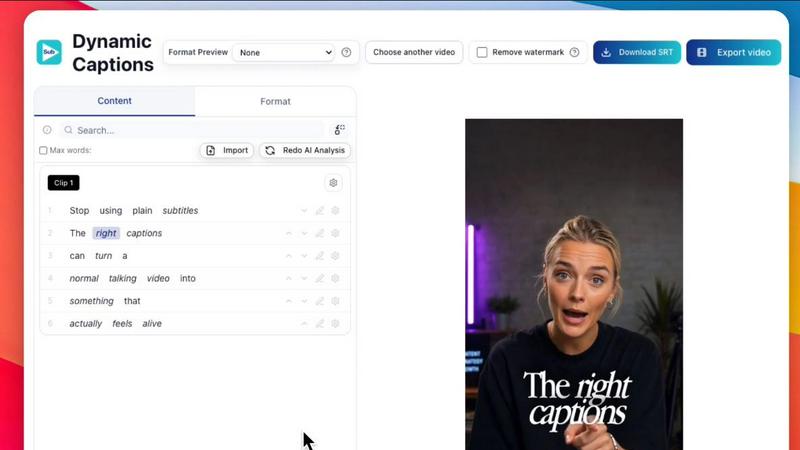
About Subclip
Subclip is an innovative AI-powered video editing tool designed specifically for creators, marketers, and educators seeking to streamline their video production workflow. By allowing users to edit videos in a text-based format akin to a document, Subclip simplifies the editing process, enabling fast and efficient modifications. Whether you're a YouTuber, podcaster, or course creator, Subclip's advanced features like voice cloning, silence removal, and automatic subtitle generation help you reclaim valuable time. The platform not only allows for seamless editing but also supports multi-language dubbing while preserving the original background music. With Subclip, you can produce high-quality videos quickly, making it an essential tool in the arsenal of anyone looking to enhance their content creation efforts. The freemium pricing model ensures that users can access basic features for free while having the option to upgrade for more advanced capabilities.
Features of Subclip
AI Clipping
Subclip's AI Clipping feature automatically identifies high-energy segments, punchlines, and emotional shifts in your videos, facilitating the selection of the most engaging clips. This saves hours of manual editing and helps creators focus on producing compelling content.
Voice Cloning
With Subclip's Voice Cloning feature, you can re-record parts of your video using an AI-generated version of your own voice. This allows for consistency in tone and emotion, making it easier to edit without the need for additional recording sessions.
Multi-Language Dubbing
Subclip supports dubbing your videos into over 21 languages, allowing you to reach a global audience without compromising the original message. The AI ensures that the tone and emotion of your voice are preserved, making the dubbing process seamless.
One-Click Auto-Captions
Generate dynamic auto-captions with just one click. This feature allows for unlimited subtitle generation in 48+ languages, ensuring that your content is accessible to a wider audience and enhancing viewer engagement.
Use Cases of Subclip
For YouTubers
YouTubers can utilize Subclip to quickly edit long-form videos into engaging short clips. The AI-powered tools simplify the process of scrubbing through footage, allowing creators to focus on content quality rather than time-consuming editing.
For Podcasters
Podcasters can take advantage of Subclip's audio enhancement features, such as noise removal and vocal clarity adjustments, to produce professional-sounding episodes. This means less time spent on audio editing and more time creating content.
For Educators and Coaches
Educators can dub their recorded lessons or training videos into multiple languages, making their content accessible to a wider range of students. The voice cloning feature ensures that the delivery remains consistent, enhancing the learning experience.
For Agencies and Freelancers
Agencies and freelancers can improve their output efficiency with Subclip's collaborative features, allowing teams to share projects and gather feedback seamlessly. The unlimited transcription and export capabilities further streamline the editing process.
Frequently Asked Questions
How does Subclip utilize AI for video editing?
Subclip employs advanced AI technology to automate the identification of key moments in video content, generate captions, and translate voiceovers, significantly reducing the time required for manual editing.
Can I use Subclip for free?
Yes, Subclip offers a freemium pricing model that allows users to access basic features for free. Paid plans are available for those who require more advanced functionalities.
What languages does Subclip support for dubbing and subtitles?
Subclip supports over 21 languages for dubbing and provides unlimited subtitle generation in 48+ languages, making it an excellent tool for reaching a global audience.
Is it easy to collaborate with my team using Subclip?
Absolutely! Subclip allows users to share projects easily within a collaborative workspace, enabling team members to provide feedback and make edits in real time.
Similar to Subclip

AudioVideo
Turn podcasts, narration, voice recordings, or music into visual content with AudioVideo's audio-to-video AI generator.
ScriptGecko
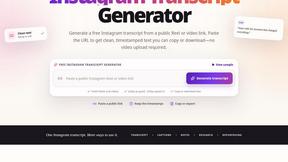
ScriptGecko turns public Instagram Reels and videos into clean, timestamped transcripts you can copy or download as TXT.


Elispeak
AI English speaking tutor for realistic conversation practice and instant feedback.
Oravaa
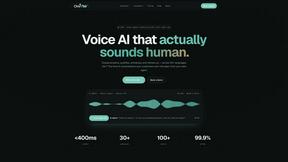
Oravaa is the viral Voice AI handling 12,847 live calls right now to qualify leads and support customers 24/7 in 30+ languages.

Hush Touch | Voice-to-Text for MacOS
Hush Touch transforms your voice into text offline on Mac, learning your vocabulary for smarter, accurate dictation.

AnveVoice
Transform your website with AnveVoice, the AI voice assistant that navigates, answers, and completes tasks through.

Glossa
Break language barriers with Glossa's fast, accurate AI translation for sermons in 100+ languages, all for just $5/hour.