
Hush Touch | Voice-to-Text for MacOS
Hush Touch transforms your voice into text offline on Mac, learning your vocabulary for smarter, accurate dictation.
Visit
About Hush Touch | Voice-to-Text for MacOS
Hush Touch is a groundbreaking voice-to-text application designed specifically for macOS, bringing a seamless dictation experience that feels both fast and natural. Perfect for professionals and casual users alike, Hush Touch operates completely offline, ensuring that your data remains private and secure. By utilizing a sophisticated blend of two Apple transcription engines and an advanced Apple Intelligence final pass, Hush Touch delivers remarkably accurate text transcription while learning your unique vocabulary over time.
Whether you are drafting emails, writing notes, or creating documents, Hush Touch enhances your productivity by allowing you to dictate hands-free. With a lightweight footprint of only 5.5 MB, it integrates effortlessly into your daily writing workflows, requiring minimal setup. Experience the freedom of voice dictation without the hassle of cloud dependencies, while also benefiting from features that improve punctuation, remove filler words, and enable you to communicate with clarity and precision. Hush Touch is not just an app; it’s a game-changing tool for anyone looking to elevate their writing efficiency.
Features of Hush Touch | Voice-to-Text for MacOS
Dual-Engine Recognition
Hush Touch employs a dual-engine recognition system that combines the strengths of DictationTranscriber and SFSpeechRecognizer. This powerful pairing not only ensures natural flow and accurate punctuation but also boosts your custom vocabulary recognition for more precise transcription results.
Custom Vocabulary
With the ability to learn from your corrections, Hush Touch can store up to 500 unique terms, including technical jargon and brand names. This feature allows the app to adapt to your specific needs, making it particularly beneficial for professionals in specialized fields who require accurate terminology.
Smart Text Processing
Hush Touch features intelligent text processing capabilities that remove filler words and auto-correct common errors in real-time. It even allows you to format lists and voice snippets for repeated phrases, enhancing your dictation experience and resulting in cleaner, more polished output.
100% On-Device Privacy
Privacy is paramount with Hush Touch, as it processes all voice data entirely on your Mac. This means there is no reliance on cloud services, ensuring that your voice and text are kept confidential. Enjoy peace of mind knowing that your data is secure and never leaves your device.
Use Cases of Hush Touch | Voice-to-Text for MacOS
Efficient Email Drafting
Hush Touch is ideal for busy professionals who need to draft emails quickly. Simply activate the app and start dictating your message without worrying about typing errors or formatting issues.
Seamless Note Taking
Students and professionals alike can benefit from Hush Touch when taking notes during lectures or meetings. The app allows for hands-free dictation, enabling users to focus on the speaker while capturing important information effortlessly.
Content Creation for Writers
Freelance writers and content creators can leverage Hush Touch to brainstorm and draft articles or blog posts. The app's ability to process natural speech means ideas can flow freely, without the interruption of typing.
Medical Documentation
Healthcare professionals will find Hush Touch particularly useful for dictating patient notes or medical reports. Its custom vocabulary feature ensures that medical terminology is accurately transcribed, streamlining the documentation process.
Frequently Asked Questions
How does Hush Touch ensure accuracy in transcription?
Hush Touch combines two advanced Apple transcription engines with an Apple Intelligence final pass, which helps refine and enhance the accuracy of the transcribed text. Additionally, the app learns your unique vocabulary over time for better results.
Can I use Hush Touch offline?
Yes, Hush Touch is designed to work entirely offline, meaning that all voice processing occurs on your Mac. This ensures that your data remains private and secure, without any cloud dependency.
What kind of devices is Hush Touch compatible with?
Hush Touch is specifically built for macOS, ensuring seamless integration with Mac devices. Its lightweight design allows it to run efficiently without taxing system resources.
Is there a trial version available for Hush Touch?
Absolutely! Hush Touch offers a 7-day free trial with no credit card required. This allows potential users to experience the app's capabilities firsthand before committing to a purchase.
Explore more in this category:
Similar to Hush Touch | Voice-to-Text for MacOS


Verla AI
Verla is an AI academic assistant for university and college students, combining AI essay writing, academic research, AI detection, AI humanization

Memorable Contact
Memorable Contact helps you remember people, save conversation details, find contacts using AI-powered search, and share digital business cards

screenRIG
Signage and kiosk infrastructure for AI agents. Your agent publishes images, video, streams, web pages and apps to screens via one plugin.screenRIG is
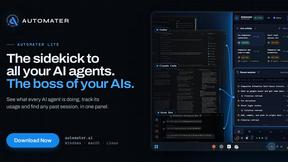
AUTOMATER.ai
A tray helper for every AI coding tool: sessions, alerts and usage in one place
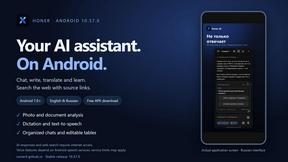
Honer AI
Android AI assistant with chat, web search, photo and document analysis, and voice input.

WidgIq
Provide an AI-powered customer support widget for your website

ReadyHermes
Your own hosted Hermes Agent in a minute: memory, self-learning skills, schedules, a real browser and 1,000+ app connections.