

Explore 20 alternatives to Opal. Compare features, pricing, and find the best fit for your needs.

Vocaryn
AI job-application agent: ranks jobs by fit with your confirmed experience, tailors your resume to each and applies on the employer's site.
How Long How Many Tool
Timers and hourly checks to figure how out long until a certain time or how many days away.
FloatText - Floating Clipboard
A floating clipboard for Android & Windows. Save, manage, and copy multiple text snippets instantly without switching apps.

Emailyy
Free email tools for signatures, subject lines, HTML previews, word counts, and email headers. Browser-based, simple to use, and no signup required.

Uniclip
Clip pages, take full-page screenshots and batch-capture list data to Notion, Feishu, Obsidian, Markdown, CSV or JSON.
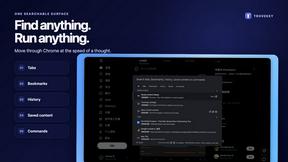
TroveKey
Search tabs, Chrome bookmarks and history, run browser commands, and save webpages and social posts locally—no account.

KS-Agents
AI platform for HR leaders: spot burnout by cohort, map who your organization runs on, and keep expert knowledge before people leave.
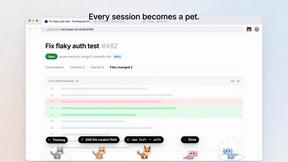
Agent Pets
Your Claude Code & Codex sessions as pets in Chrome. Approve, deny and reply to your coding agents from any tab.
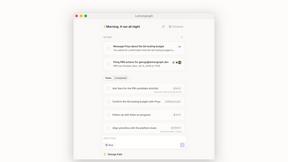
Lemongraph
Almost every conversation ends with a promise. Lemongraph keeps track of them for you and lines up your day the way you would.
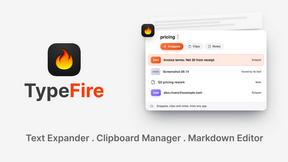
TypeFire
Type a few letters, get the whole reply. Markdown notes as files you own. Find anything you copied.
LightScreen
Free light screen tool online. Turn any display into a flashlight, ambient light, or solid-color screen. No download or sign-up.
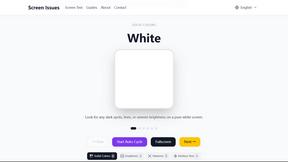
Screen Issues
Free Online Screen Test Tool - Instantly diagnose dead pixels, lines, color issues, and flickering. Multiple test modes, no download needed.

Context Board
Context Board brings your numbers, docs, clients, content and day into one workspace that Claude and Codex can read and update.

@fuck.it - email with attitude
Private email. Pure. Secure. Exclusive. No ads, no tracking, no data selling. GDPR compliant, EU-hosted.

FreeVideoGenerator
Free AI video generator: turn text prompts and photos into video clips with Sora 2, Veo 3.1, Wan and more. Free starter credits, no watermark download
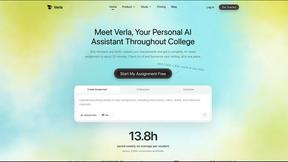
Verla AI
Verla is an AI academic assistant for university and college students, combining AI essay writing, academic research, AI detection, AI humanization

About Opal Alternatives
Opal is a cutting-edge visual workspace that revolutionizes project management and note organization for users who prefer a spatial approach to their workflow. Designed specifically for solopreneurs, consultants, agency owners, and creatives, Opal transforms the way you interact with your ideas and projects by providing an infinite digital canvas. This allows you to arrange documents, links, and notes in a way that mirrors the physical workspace, making it easier to recall where you placed critical information. As users delve into the world of productivity tools, they often seek alternatives to Opal for various reasons. These may include considerations like pricing, specific features that suit their unique needs, or compatibility with certain platforms. When searching for an alternative, it’s vital to evaluate factors such as user interface, customization options, integration capabilities, and overall ease of use to ensure the chosen solution aligns with both personal preferences and professional requirements.
FAQs about Opal Alternatives
What is Opal?
Opal is a visual knowledge and project management workspace that empowers users to organize their projects and notes intuitively. It allows individuals to arrange their ideas and files on an infinite digital canvas, making information retrieval straightforward and efficient. The platform is particularly beneficial for users who prefer a spatial memory approach to organizing their thoughts and tasks.
Who is Opal for?
Opal is designed for a diverse range of users, including solopreneurs, consultants, agency owners, and writers. It caters to anyone whose work relies on managing conversations, details, and promises, providing a visually engaging way to keep all active projects and creative ideas organized. The platform is ideal for those who seek a more intuitive alternative to traditional note-taking and project management tools.
Is Opal free?
Opal offers a range of pricing options tailored to different user needs, but it is not a completely free tool. Users can explore various tiers that provide access to different features and capabilities. To understand the specific plans and their respective costs, it's best to visit Opal's official website for the most current information.
What are the main features of Opal?
Opal's main features include an infinite digital canvas for organizing notes, documents, and links visually. Users can drag and drop elements to create a personalized workspace that mimics a physical desk. Additionally, Opal emphasizes a spatial memory approach, allowing users to remember the location of their ideas instead of just the content itself, which enhances productivity and reduces frustration.