
Opal
Opal is your ultimate visual workspace that keeps all projects and notes organized for instant access, boosting your productivity effortlessly.
Visit
About Opal
Opal is an innovative visual knowledge and project management workspace tailored for individuals who think spatially. It offers a unique solution for those weary of losing important notes in convoluted folders or missing out on brilliant ideas buried within traditional applications. Opal provides an infinite digital canvas where users can effortlessly drag and drop notes, documents, files, and links, allowing for a visual organization reminiscent of a physical desk. This spatial memory approach not only enhances recall but also makes information retrieval instantaneous and stress-free. Designed for solopreneurs, consultants, agency owners, and writers, Opal ensures that your active projects, client details, and creative ideas remain visible and accessible, enabling you to transition from searching to executing your best work seamlessly.
Features of Opal
Infinite Digital Canvas
Opal's infinite digital canvas allows users to lay out all their projects, notes, and ideas visually. You can arrange, stack, and group information however you like, making it easy to create an organized workspace that reflects your thought processes.
Visual Organization
Unlike traditional apps that require you to file information away, Opal lets you place information where your brain expects it to be. This intuitive feature helps you remember not only what you have but also where it is located at a glance.
Multi-View Capability
Opal allows you to open multiple documents side by side, giving you the flexibility to work on various tasks simultaneously. This feature enhances productivity by keeping everything you need within sight, minimizing the need to switch between tabs or applications.
Quick Information Retrieval
With Opal, you no longer have to waste time searching for notes or client information. This tool is designed to keep everything accessible on one screen, ensuring that you can find what you need in seconds, thus preserving your flow and focus.
Use Cases of Opal
Project Management
For project managers handling multiple clients and tasks, Opal provides a visual overview of all ongoing projects. You can quickly access project notes, deadlines, and client information, ensuring nothing falls through the cracks.
Content Creation
Writers and content creators can benefit from Opal's visual organization by laying out their ideas, drafts, and research in one cohesive space. This helps to keep track of various versions and concepts without losing any creative thoughts.
Client Management
Consultants can utilize Opal to manage client interactions and details efficiently. With everything in sight, it becomes easy to keep track of meetings, follow-ups, and client-specific notes.
Idea Generation
For creative professionals, Opal serves as a brainstorming hub. You can visually map out ideas, concepts, and strategies, allowing for easy modifications and the cultivation of innovative solutions that are readily accessible.
Frequently Asked Questions
What makes Opal different from traditional note-taking apps?
Opal distinguishes itself by offering a visual workspace that allows users to place information in a manner that aligns with their cognitive processes. Unlike traditional apps that require filing, Opal encourages a spatial memory approach for easier recall.
Can I collaborate with others in Opal?
Yes, Opal is designed to facilitate collaboration. You can share your workspace with others, allowing team members to contribute, view, and edit content in real-time, enhancing teamwork and communication.
Is there a learning curve to using Opal?
Opal's intuitive design aims to minimize the learning curve. Most users find they can quickly adapt to the interface and begin organizing their information without extensive training.
Is Opal suitable for large teams?
Absolutely! While Opal is ideal for solopreneurs and small teams, it scales effectively for larger teams as well. The visual workspace can accommodate numerous users and projects, making it a versatile tool for any team size.
Similar to Opal

Verla AI
Verla is an AI academic assistant for university and college students, combining AI essay writing, academic research, AI detection, AI humanization

Panzoe
Panzoe is an all-in-one AI platform for personal productivity, business automation, AI assistants, content creation, and custom AI solutions.

Memorable Contact
Memorable Contact helps you remember people, save conversation details, find contacts using AI-powered search, and share digital business cards
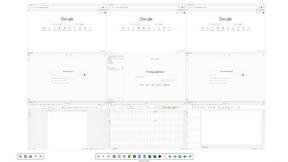
Novastart
Novastart brings apps and files onto an infinite canvas where people and AI agents can work together.

AUTOMATER.ai
A tray helper for every AI coding tool: sessions, alerts and usage in one place
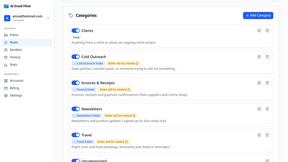
AI Email Filter
AI Email Filter sorts incoming mail into folders using plain-language prompts you write. Works with any IMAP mailbox; bring your own LLM if you want.
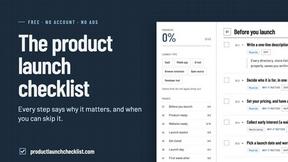
Product Launch Checklist
A free launch checklist for SaaS, apps, AI tools and more. Every step says why it matters and when you can skip it.
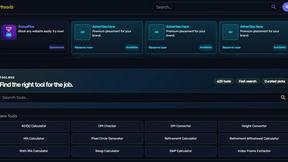
Kody Tools
Free collection of online developer utilities, code formatters, and digital converters designed to streamline your daily workflow.