

Alternatives to RecordFlow
RecordFlow automatically saves Zoom recordings to Google Drive and frees storage, trusted by 10,000+ professionals.
Explore 20 alternatives to RecordFlow. Compare features, pricing, and find the best fit for your needs.
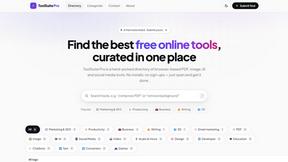
My Tools Suite Pro
Discover the best free online tools with ToolSuite Pro. Explore AI, productivity, marketing, SEO, writing, business, and software tools in one place.
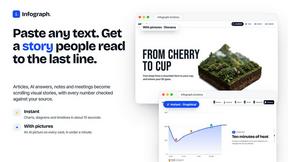
Infograph
Turn articles, notes, AI answers and meeting transcripts into editable visual stories and diagrams.

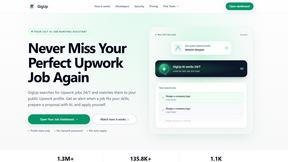
GigUp
GigUp helps freelancers discover relevant Upwork jobs through AI matching, automated monitoring, and instant alerts.
Safe Outreach
AI-powered platform that evaluates the safety of LinkedIn automation tools and helps reduce the risk of account restrictions.
RenewRoster
Track every client domain and SSL expiry in one list with 60/30/14/3-day alerts and white-label client reminders.
Nitrozen
Publish product updates, embed an in-app changelog widget and host a public changelog page with Markdown, API and MCP.
PDFCraft
Free, open-source PDF editor for Windows, macOS, Linux, FreeBSD, and modern browsers. Edit, organize, sign, protect, and redact PDFs locally.
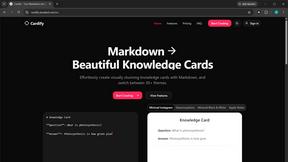
Cardify
Write Markdown on the left, get a designed card on the right. 30+ themes, custom size and fonts, PNG/SVG/PDF export with batch.

FlipHTML5 Downloader
Save any FlipHTML5 flipbook as a clean, watermark-free PDF. Free, open source, no signup - it runs in your browser.
Vocaryn
AI job-application agent: ranks jobs by fit with your confirmed experience, tailors your resume to each and applies on the employer's site.
How Long How Many Tool
Timers and hourly checks to figure how out long until a certain time or how many days away.

FloatText - Floating Clipboard
A floating clipboard for Android & Windows. Save, manage, and copy multiple text snippets instantly without switching apps.

Emailyy
Free email tools for signatures, subject lines, HTML previews, word counts, and email headers. Browser-based, simple to use, and no signup required.

Uniclip
Clip pages, take full-page screenshots and batch-capture list data to Notion, Feishu, Obsidian, Markdown, CSV or JSON.
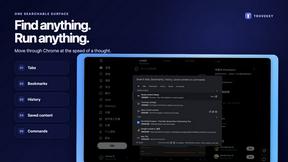
TroveKey
Search tabs, Chrome bookmarks and history, run browser commands, and save webpages and social posts locally—no account.
KS-Agents
AI platform for HR leaders: spot burnout by cohort, map who your organization runs on, and keep expert knowledge before people leave.
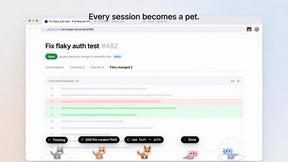
Agent Pets
Your Claude Code & Codex sessions as pets in Chrome. Approve, deny and reply to your coding agents from any tab.
About RecordFlow Alternatives
RecordFlow is a purpose-built automation tool in the productivity and management category that effortlessly bridges Zoom and Google Drive. It acts as a silent guardian for your meeting archives, instantly backing up every cloud recording—video, audio, transcripts, and chat logs—the moment a meeting ends, while also backfilling the past two years of data. Users commonly look for alternatives when they need more granular control over storage destinations, require support for platforms beyond Google Drive like Dropbox or OneDrive, or find that the pricing model doesn’t scale for larger enterprise teams. Others might seek a solution that offers real-time collaboration features directly within the backup process or one that integrates with a wider ecosystem of meeting platforms beyond Zoom. When evaluating an alternative to RecordFlow, the most critical factors are automation reliability, security, and storage flexibility. Look for a tool that offers chunked, retry-proof transfers for large files, ensuring no recording is ever lost due to a timeout or network hiccup. Security should be non-negotiable—seek OAuth 2.0 authentication and end-to-end encryption to protect sensitive client or patient data. Additionally, consider whether the alternative supports automatic deletion from the source after verification, which saves on cloud storage costs, and whether it can organize files into a clean, date-based folder structure without manual intervention. The best choice will balance ease of setup with the ability to scale across multiple users or teams without hidden fees.
FAQs about RecordFlow Alternatives
What is RecordFlow?
RecordFlow is an automated backup tool that seamlessly transfers Zoom cloud recordings directly to your Google Drive. It works immediately after a meeting ends and can even backfill up to two years of past recordings. The setup is incredibly fast, taking only about 60 seconds, and once configured, it runs silently in the background forever.
Who is RecordFlow for?
RecordFlow is designed for professionals who cannot afford to lose a single recording, including coaches, consultants, therapists, professors, and small teams. It is ideal for anyone who relies on Zoom for client sessions, classes, or meetings and needs a hands-off, secure way to archive those files. The tool eliminates the manual work of downloading and uploading recordings, making it perfect for busy individuals who value time and data security.
What are the main features of RecordFlow?
Key features include automatic syncing of every Zoom cloud recording (MP4, M4A, VTT transcripts, and chat logs) to a Google Drive folder organized by year and date. It offers an optional auto-delete function that removes recordings from Zoom storage on a safe delay after the Drive copy is verified, freeing up space. The system is built with chunked transfers for large files, smart deduplication to prevent duplicates, and automatic retries for failed transfers, ensuring nothing is lost.
Is RecordFlow secure?
Yes, RecordFlow prioritizes security by using OAuth 2.0 authentication and AES-256 encryption for all data transfers. Importantly, recordings stream directly from Zoom to your Google Drive without ever being stored on RecordFlow's servers, minimizing exposure. This architecture ensures that sensitive meeting content, such as therapy sessions or client calls, remains under your control at all times.