
RecordFlow
RecordFlow automatically saves Zoom recordings to Google Drive and frees storage, trusted by 10,000+ professionals.
Visit
About RecordFlow
RecordFlow is the ultimate lifesaver for anyone drowning in Zoom recordings. Think about it: you finish a client session, a lecture, or a team meeting, and then what? You have to manually download that massive video file, upload it to Google Drive, organize it into folders, and then remember to delete it from Zoom to free up space. It is a tedious, time-consuming ritual that millions of professionals repeat every single week. RecordFlow completely automates this entire nightmare. This powerful tool connects directly to your Zoom and Google Drive accounts, and the moment a cloud recording finishes processing, it automatically transfers the entire package — video (MP4), audio (M4A), transcripts (VTT and a formatted Google Doc), and chat logs — straight into your designated Drive folder, organized neatly by year and date. It even backfills your past two years of recordings so you have a complete archive from day one. Setup takes just 60 seconds, and then it runs forever, silently and reliably. It is built for coaches, consultants, therapists, professors, and small teams who cannot afford to lose a single recording. With over 5,000 professionals already using it and a perfect rating on the Zoom App Marketplace, RecordFlow is the proven, trusted way to never worry about your recordings again.
Features of RecordFlow
Automatic Sync with Backfill
This is the core magic. RecordFlow does not just handle new recordings; it goes back and grabs everything from the last two years. The moment a meeting ends, the files are detected and transferred to your Google Drive within minutes. No manual downloads, no forgotten files, and no paying for expensive Zoom storage you do not need. It is a complete, automated archive solution that works tirelessly in the background, giving you total peace of mind.
Smart Auto-Delete from Zoom
Zoom's storage limits are notoriously stingy, especially on Pro plans with only 5 GB. RecordFlow solves this with an intelligent auto-delete feature. Once it has verified that a recording copy is safely and completely stored in your Google Drive, it can automatically remove the file from Zoom on a safe, configurable delay. This frees up your Zoom storage automatically, preventing those dreaded "storage full" blocks that can stop you from recording important meetings.
Chunked Transfers for Large Files
Long meetings produce massive files that can choke standard upload tools. RecordFlow uses chunked transfer technology, breaking down even hour-long recordings into small, manageable pieces for upload. This means no timeouts, no failed uploads, and no corrupted files. The system also features smart deduplication, making it completely safe to re-run, and automatic retries to handle any temporary network hiccups. It is designed for reliability.
AI Companion Transcript and Summary Capture
RecordFlow is ahead of the curve with early access features for Zoom's AI Companion. Even if a meeting only has an AI Companion transcript and no cloud recording, RecordFlow will archive that transcript to your Drive as a formatted Google Doc. Furthermore, when AI Companion summarizes a recorded meeting, RecordFlow saves that summary as both Markdown and a Google Doc, placing it right beside the video file. This creates an incredibly rich, searchable archive.
Use Cases of RecordFlow
Coaches and Consultants
You record five or more client sessions every week, and each recording is a critical deliverable. Your Zoom storage fills up in days, forcing you into a constant cycle of manual downloads and uploads. RecordFlow automates this entire process, ensuring every session is instantly and securely archived to Google Drive. Your clients get permanent access, and you reclaim hours of your week to focus on what matters: your clients.
Education Teams and Professors
Lectures and course materials need a permanent, accessible home for students. Relying on Zoom's limited storage is a recipe for disaster, especially when retention policies kick in. RecordFlow automatically sends every lecture recording, transcript, and chat log to a shared Google Drive folder. Students can access the material for the entire semester or year, and you never have to worry about losing a critical lesson ever again.
Business Teams and Project Managers
Your team records every important meeting, brainstorming session, and client call. Keeping everything organized in Google Drive without a dedicated tool is a full-time job. RecordFlow centralizes this chaos. It automatically sorts recordings into folders by year and date, sends email notifications with direct links, and supports archiving to shared drives. Your entire team stays aligned, and no valuable information gets lost in the shuffle.
IT and Ops Admins
You are responsible for the entire Zoom account and ensuring compliance and data retention. RecordFlow gives you powerful admin controls. Install it once as an admin, opt in specific members or teams, and every selected user's recordings land in one root Drive folder you control. Member sub-folders are created automatically. This ensures company-wide archival policies are enforced effortlessly, without relying on individual users to remember to save their files.
Frequently Asked Questions
How long does the setup take, and is it difficult?
Setup is incredibly simple and takes approximately 60 seconds. You just sign in with your Zoom account, connect your Google Drive, and pick a destination folder. There are no complex configurations, no coding required, and no credit card is needed to start. Once connected, new recordings sync automatically within minutes, forever.
Is my data safe and secure with RecordFlow?
Absolutely. Security is a core design principle. RecordFlow uses OAuth 2.0 for authentication, meaning it never sees your Zoom or Google passwords. All data is encrypted with AES-256 both in transit and at rest. Crucially, recordings stream directly from Zoom to your Google Drive; RecordFlow never stores your video or audio files on its own servers. It has been approved by Zoom after a thorough security review.
What happens if a recording is very large or the internet cuts out?
RecordFlow is built for reliability. It uses chunked transfers, which break large files into small pieces to prevent timeouts. If a transfer fails for any reason, the system has automatic retry logic built in. It also features smart deduplication, so if a transfer needs to be re-run, it will not create duplicate files in your Drive. An hourly safety net ensures no file is ever truly lost.
Can I archive recordings for my entire Zoom team?
Yes, absolutely. You can sign in as a Zoom admin to archive recordings for your whole team. You point the system at one root folder in Google Drive, and RecordFlow automatically creates member sub-folders to keep everyone organized. You can selectively opt members in, giving you full control over who is included in the automatic archival process.
Explore more in this category:
Similar to RecordFlow
How Long How Many Tool
Timers and hourly checks to figure how out long until a certain time or how many days away.
FloatText - Floating Clipboard
A floating clipboard for Android & Windows. Save, manage, and copy multiple text snippets instantly without switching apps.

Emailyy
Free email tools for signatures, subject lines, HTML previews, word counts, and email headers. Browser-based, simple to use, and no signup required.
Uniclip
Clip pages, take full-page screenshots and batch-capture list data to Notion, Feishu, Obsidian, Markdown, CSV or JSON.
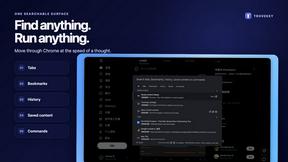
TroveKey
Search tabs, Chrome bookmarks and history, run browser commands, and save webpages and social posts locally—no account.
KS-Agents
AI platform for HR leaders: spot burnout by cohort, map who your organization runs on, and keep expert knowledge before people leave.
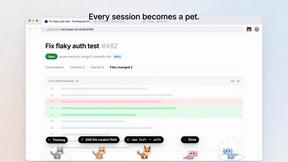
Agent Pets
Your Claude Code & Codex sessions as pets in Chrome. Approve, deny and reply to your coding agents from any tab.