

Alternatives to Easymotion - AI Motion Graphic Generator
Stop wasting hours in After Effects; 10K+ creators use Easymotion’s AI to turn images, data, or ideas into stunning motion graphics in under 5.
Explore 20 alternatives to Easymotion - AI Motion Graphic Generator. Compare features, pricing, and find the best fit for your needs.

Promptclay
Free-to-copy AI image prompt library. Each prompt is shown next to the image it made.

The Kiss
Turn two photos into a cinematic AI kissing video. Pick one of 13 kiss video templates; 30 free credits on sign-up.

trykissai
AI kiss generator: add a photo of each person, pick a kiss scene, and get a kiss photo or a 5–7 second clip. 30 free credits.
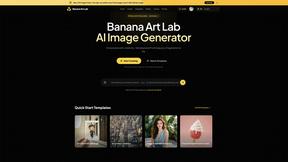
Banana Art Lab
Create and edit AI images with Nano Banana models, GPT Image 2, prompt templates and a node-based canvas.
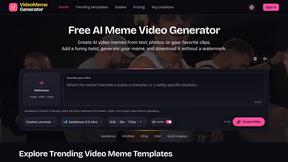
AI Video Meme Maker
Make AI video memes from text, photos or clips, or use a trending template. Free credits to start.
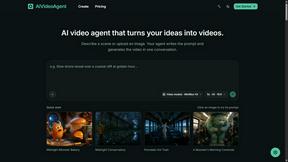
AIVideoAgent
Turn text ideas or reference images into videos through conversation, with agent-assisted prompts and a choice of video models.

Easemic
Open-source Android comic & manga reader with encrypted cloud streaming and AI ad-page stripping.

EveryGen AI
AI image and video generator with browser-based creative tools and text rewriting. Freemium.

AI Rap
AI rap generator that turns two portraits or one photo of two people into a short English duet rap video with original lyrics, vocals, and music.
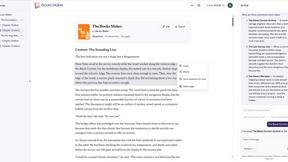
Booksmaker.ai
Books Maker AI is the AI-powered platform that turns your idea into a professional book.

Enhance My Photo
Online AI photo enhancer that sharpens portraits, products, scenery, pets and text images and exports JPEG/PNG/WebP without watermarks.

LaunchIntel
Your AI agent picks relevant directories, submits your product in your browser and tracks every step. One-time purchase.
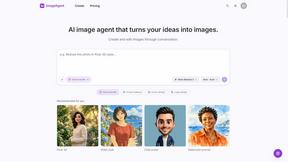
ImageAgent
Create and edit AI images through conversation, using text or reference images and refining results in chat.
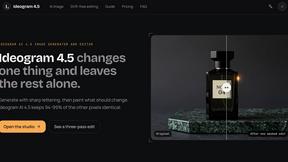
Ideogram 4.5
AI image generator and editor with Pixel Lock: change one region of an image while 94-99% of untouched pixels stay identical.

GenX
All-in-one AI workspace to generate images, videos, and audio with multiple leading AI models.
AiAgeFilter
Free AI age filter: upload an adult portrait, add 10-40 years, meet your older self. No app needed.
AppIconGenerator
Generate iOS and Android app icons from any image and export all platform sizes for free.

About Easymotion - AI Motion Graphic Generator Alternatives
Easymotion - AI Motion Graphic Generator is a browser-based platform that turns static ideas, files, and visuals into polished animated videos, falling squarely into the AI-powered content creation and design tools category. It is increasingly popular among content creators, marketers, and founders who need fast motion graphics and map animations without mastering complex timeline editing software. Users commonly look for alternatives due to specific pricing constraints, a need for more granular control over animation layers, or platform limitations like export formats or integration with existing video editing workflows. When choosing an alternative, you should prioritize ease of use, the breadth of supported animation styles (especially if you need map animations or data visualizations), output quality for social and professional use, and whether the tool offers a prompt-based workflow or a template library that matches your brand’s visual identity. The search for an alternative often stems from a desire for more affordable subscription tiers, offline functionality, or deeper customization options like custom fonts and advanced keyframing. Some users may also find that their specific use case, such as ultra-detailed geographic storytelling or interactive elements, is better served by a platform with a different specialization. The right choice will balance speed of creation with the flexibility to edit pacing, colors, and labels, ensuring the final export meets the exact aspect ratios you need for YouTube, TikTok, or client presentations. Look for a tool that provides a clear path from idea to export, whether through AI prompting, image conversion, or spreadsheet import, and that supports transparent background exports for seamless integration into professional editing suites.
FAQs about Easymotion - AI Motion Graphic Generator Alternatives
What is Easymotion - AI Motion Graphic Generator?
Easymotion - AI Motion Graphic Generator is an AI-powered browser platform designed to create motion graphics and map animations without requiring complex timeline editing. It transforms ideas, images, spreadsheets, and PDFs into polished animated videos for content creators, founders, editors, and marketers. The tool supports a variety of formats including SaaS product promos, flowcharts, animated charts, UI explainers, quizzes, and geographic storytelling with flight routes and location pins.
Who is Easymotion - AI Motion Graphic Generator for?
Easymotion is built for content creators, editors, founders, and marketers who need to produce animated videos quickly and efficiently. It is ideal for professionals who want to turn static visuals or data into engaging motion graphics for social media, product marketing, presentations, and client deliverables. The platform is also suited for users who need map animations for geographic storytelling without manual animation skills.
Is Easymotion - AI Motion Graphic Generator free?
The provided content does not specify whether Easymotion offers a free tier or trial. However, it is a premium tool that provides a template library, AI editing via chat, and multiple export formats, suggesting it likely operates on a subscription or pay-per-use model. Users should check the official Easymotion website for current pricing details and any available free plan.
What are the main features of Easymotion - AI Motion Graphic Generator?
Key features include generating animations from text prompts, images, spreadsheets, and PDFs, as well as editing animations by chatting with AI to adjust colors, pacing, labels, layout, and style. It offers a premium template library for motion graphics and map animations, supports exports in MP4 and MOV formats with transparent backgrounds, and provides aspect ratios for 16:9, 9:16, 1:1, and 4:5. The platform also specializes in map animation with flight routes, location pins, and flag fill highlights.