

Alternatives to ComicsMaker
Turn your raw scene idea into a reviewable comic page in minutes, with panel planning, dialogue, and layout all in your browser.
Explore 20 alternatives to ComicsMaker. Compare features, pricing, and find the best fit for your needs.
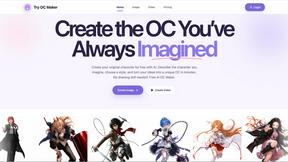
Try OC Maker
Create OCs from text or images, customize their look, and turn them into animated videos with AI.

FreeVideoGenerator
Free AI video generator: turn text prompts and photos into video clips with Sora 2, Veo 3.1, Wan and more. Free starter credits, no watermark download
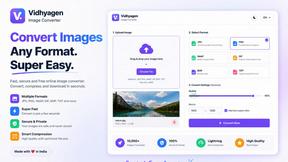
VidhyaGen - Image Converter
VidhyaGen is a comprehensive, all-in-one web platform built to make handling images, media, and digital files seamless and fast. Instead of juggling m
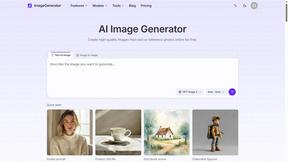
ImageGenerator
Create and edit AI images online with multiple models, text-to-image, image-to-image, background removal, and upscaling.
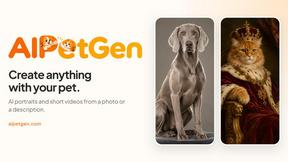
AIPetGen
AIPetGen turns a photo of your dog, cat, or other pet, or a written description, into a new picture or a short animation.



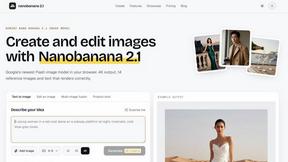
nanobanana 21
A fast, simple image studio powered by Nano Banana 2.1 — create and edit high-quality images with readable text and consistent characters.

Raindance AI
Turn two authorized portraits into a seaside golden-hour video: a wooden dock, two people taking turns singing, and a slow pullback to the sunset. Pre

ImageGPT
ImageGPT is an all-in-one AI creative platform for generating, editing and transforming images and videos using AI.

qwenimage-21
AI image generation and editing with detailed prompts, multiple references, portrait and typography refinement, and transparent RGBA output.

AI Album Cover Maker
Create release-ready album covers from a prompt or photo. Generate, refine, and export art for singles, EPs, mixtapes, and playlists.
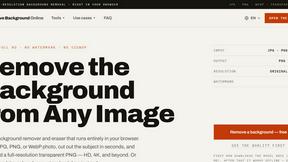
Free AI Image Background Remover
Remove image backgrounds free — no uploads, no signup, no watermark, full resolution. The AI runs in your browser; photos never touch a server.
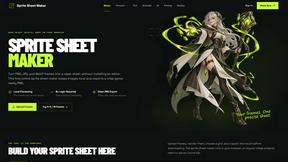
Sprite Sheet Maker
A free browser-based toolkit for creating, cutting, converting, and previewing sprite sheet animations.

99x Prompts
Discover 50,000+ ready-to-use AI prompts for text, image, and video generation. Save time and create better results with AI.
RemoveMate
AI background remover for product photos, portraits, pets and everyday objects. Preview the cutout, then download.
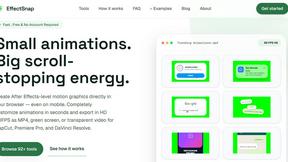
EffectSnap
For creators and marketers: Free browser-based animation generator creating After Effects-quality motion graphics, chat bubbles, and video overlays in


Qwen Image Edit
Qwen Image Edit lets creators edit and generate visuals with prompts for backgrounds, text, products, posters, outpainting, styles, and Qwen Image wor
About ComicsMaker Alternatives
ComicsMaker is an AI-powered comic creation studio that helps creators, educators, and marketers turn ideas into readable comic drafts without starting from a blank canvas. It sits at the intersection of Design Tools, Image & Photo, and Image Generation, offering a specialized workflow for building comic strips, storyboards, and webtoon panels. While it’s a powerful tool for moving from prompt to panel quickly, many users start looking for alternatives due to pricing constraints, a desire for more granular control over character consistency, or the need for platform-specific features like offline editing, team collaboration limits, or integration with other design software they already use. When searching for an alternative, the smartest move is to prioritize what your actual workflow demands. Look for tools that offer the specific format you need—whether that’s vertical webtoon drafts, multi-panel layouts, or export-ready storyboards—and check how well they handle visual style consistency across scenes. Also consider the learning curve and export flexibility; some tools lock you into their ecosystem, while others let you tweak every panel in your favorite image editor. The best alternative isn’t the most popular one, but the one that fits your pace, your team size, and your budget without forcing you to sacrifice narrative flow.
FAQs about ComicsMaker Alternatives
What is ComicsMaker?
ComicsMaker is an AI-powered comic creation studio designed for creators, educators, marketers, and teams. It allows users to turn ideas, scenes, or dialogue prompts into readable comic drafts by generating panels, captions, layouts, and visual direction. Unlike general image generators, it is built specifically for the full comic workflow, supporting formats like comic strips, 2x2 story pages, single-panel scenes, vertical webtoon drafts, and storyboards.
Who is ComicsMaker for?
ComicsMaker is for independent creators testing comic ideas, teachers making visual lessons, marketers creating product stories, and teams building storyboards or campaign concepts. It helps anyone who wants to move from a prompt to a polished panel faster while still having room to edit, refine, and export the final draft. The tool is designed to support both solo users and collaborative groups working on visual narratives.
What are the main features of ComicsMaker?
ComicsMaker offers AI-driven panel generation from text prompts, support for multiple comic formats including strips, 2x2 pages, webtoon drafts, and storyboards, and a choice of visual styles such as manga, western comic, noir, cyberpunk, watercolor, or chibi. It also maintains character, palette, and story context consistency across panels, and provides export-ready panel sets for further editing or publishing.
Is ComicsMaker free?
The provided content does not specify whether ComicsMaker is free or paid. Typically, tools in this category offer a free tier with limited credits or features, and premium subscriptions for higher usage limits, more style options, or team collaboration features. Users should check the official ComicsMaker website for the most current pricing and availability details.