

Alternatives to Vizcept
Trusted by 120+ top universities, Vizcept turns your words into stunning, publication-ready concept diagrams in seconds.
Explore 20 alternatives to Vizcept. Compare features, pricing, and find the best fit for your needs.



GigUp
GigUp helps freelancers discover relevant Upwork jobs through AI matching, automated monitoring, and instant alerts.

Safe Outreach
AI-powered platform that evaluates the safety of LinkedIn automation tools and helps reduce the risk of account restrictions.

RenewRoster
Track every client domain and SSL expiry in one list with 60/30/14/3-day alerts and white-label client reminders.
Nitrozen
Publish product updates, embed an in-app changelog widget and host a public changelog page with Markdown, API and MCP.
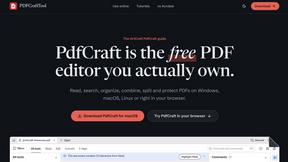
PDFCraft
Free, open-source PDF editor for Windows, macOS, Linux, FreeBSD, and modern browsers. Edit, organize, sign, protect, and redact PDFs locally.
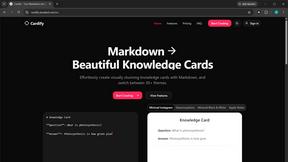
Cardify
Write Markdown on the left, get a designed card on the right. 30+ themes, custom size and fonts, PNG/SVG/PDF export with batch.

FlipHTML5 Downloader
Save any FlipHTML5 flipbook as a clean, watermark-free PDF. Free, open source, no signup - it runs in your browser.

Vocaryn
AI job-application agent: ranks jobs by fit with your confirmed experience, tailors your resume to each and applies on the employer's site.

How Long How Many Tool
Timers and hourly checks to figure how out long until a certain time or how many days away.

FloatText - Floating Clipboard
A floating clipboard for Android & Windows. Save, manage, and copy multiple text snippets instantly without switching apps.

Emailyy
Free email tools for signatures, subject lines, HTML previews, word counts, and email headers. Browser-based, simple to use, and no signup required.

Uniclip
Clip pages, take full-page screenshots and batch-capture list data to Notion, Feishu, Obsidian, Markdown, CSV or JSON.
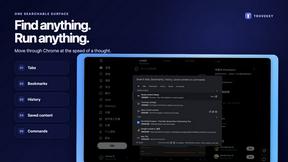
TroveKey
Search tabs, Chrome bookmarks and history, run browser commands, and save webpages and social posts locally—no account.

KS-Agents
AI platform for HR leaders: spot burnout by cohort, map who your organization runs on, and keep expert knowledge before people leave.
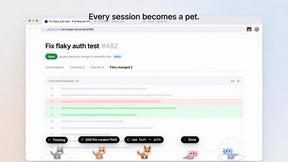
Agent Pets
Your Claude Code & Codex sessions as pets in Chrome. Approve, deny and reply to your coding agents from any tab.
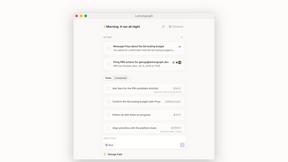
Lemongraph
Almost every conversation ends with a promise. Lemongraph keeps track of them for you and lines up your day the way you would.
About Vizcept Alternatives
Vizcept has quickly become a buzzed-about tool in the Productivity & Management space, offering a slick solution for students, researchers, and educators who need to transform plain-English descriptions into publication-ready concept diagrams. It’s essentially an AI-powered visualizer that skips the clunky drag-and-drop interfaces, letting you type out your ideas and instantly seeing them mapped out in a clean, academic style. However, as the hype cycle turns, many users start hunting for alternatives for a few common reasons: maybe the pricing model doesn’t fit a student’s budget, or they need deeper integration with specific research software, or perhaps they just want more control over diagram customization than a pure AI generator allows. When evaluating other options, you should look for tools that offer a similar balance of speed and academic polish, but also check for features like export flexibility (think SVG, LaTeX, or high-res PNG), collaboration for group projects, and a library of templates that match your specific field of study. The best alternative will feel like a natural extension of your workflow, not a compromise.
FAQs about Vizcept Alternatives
What is Vizcept?
Vizcept is an AI-powered concept diagram generator that turns plain-English descriptions into clear, publication-ready visuals. It belongs to the Productivity & Management category and is designed specifically to help users skip manual diagramming by generating professional graphics from natural language input.
Who is Vizcept for?
Vizcept is built for students, researchers, and educators who need to quickly create academic-quality concept diagrams without design skills. It is especially useful for those preparing thesis illustrations, classroom handouts, or research paper figures where clarity and speed are essential.
What are the main features of Vizcept?
Vizcept’s core feature is its AI engine that converts natural language descriptions into structured diagram visuals. It focuses on producing publication-ready output, meaning the results are clean, formatted, and suitable for academic or professional presentation without heavy manual editing.
Is Vizcept free?
Based on the provided product information, Vizcept is a productivity tool, but no specific pricing or free tier details are listed. Users should check the official Vizcept website or app store listing for the most current information on free trials, student discounts, or subscription plans.