
Vizcept
Trusted by 120+ top universities, Vizcept turns your words into stunning, publication-ready concept diagrams in seconds.
Visit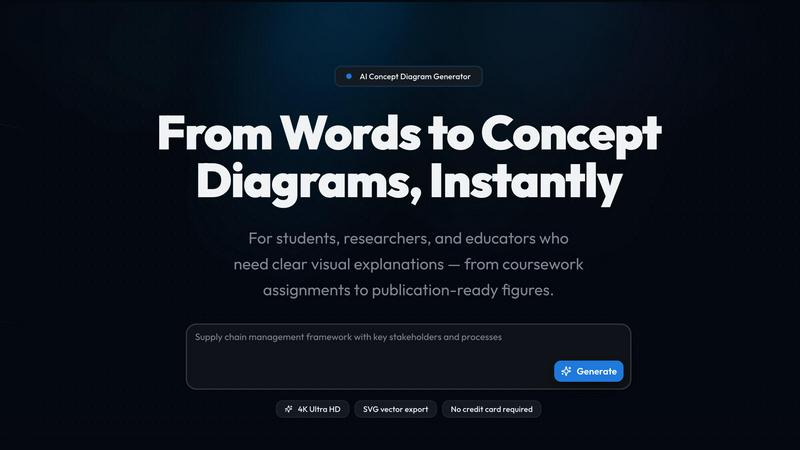
About Vizcept
Vizcept is an AI-powered concept diagram generator that turns plain-English descriptions into clear, publication-ready visuals. Built specifically for students, researchers, and educators, Vizcept eliminates the hours spent manually drawing diagrams from scratch. Instead of wrestling with complex design software or settling for generic clip art, you simply type what you need in natural language, and Vizcept’s AI analyzes your description, identifies key concepts and relationships, and generates a professionally structured, high-fidelity diagram in seconds. This tool is designed for a wide range of academic and professional needs, from undergraduate coursework assignments and lab reports to journal-ready figures, thesis presentations, and classroom lesson plans. With over 50,000 diagrams generated and trusted by students and researchers at top universities like Harvard, MIT, Stanford, Oxford, and Cambridge, Vizcept has quickly become a go-to resource for anyone who needs to visualize ideas clearly and quickly. The platform offers a suite of specialized tools including an AI Diagram Maker, Free Body Diagram Maker, Animal Cell Diagram Generator, Syntax Tree Generator, Food Web Maker, Conceptual Framework Generator, Circuit Diagram Maker, Phylogenetic Tree Maker, Graphical Abstract Maker, Bell Curve Maker, and Sentence Diagram Generator. Every diagram can be exported in 4K Ultra HD resolution or as an editable SVG vector file, making it perfect for use in papers, posters, presentations, and digital platforms. Vizcept is free to start with no credit card required, and it offers education discounts for students and teachers. The main value proposition is simple: save time, eliminate frustration, and produce visuals that look like they were crafted by a professional designer, all from a simple text description.
Features of Vizcept
AI-Powered Natural Language Generation
Vizcept’s core feature is its ability to understand plain-English descriptions and automatically generate a concept diagram from them. You describe the topic, key variables, and relationships in your own words, and the AI analyzes the text to identify the core concepts, hierarchy, and connections. It then builds a structurally sound, visually appealing diagram that accurately represents your ideas. This eliminates the need for manual drawing, template hunting, or learning complex design software, allowing you to focus on your content rather than the formatting.
Specialized Diagram Tools for Every Need
Vizcept is not a one-size-fits-all tool. It provides a dedicated set of specialized generators for specific diagram types. Whether you need a free body diagram for a physics problem, a syntax tree for linguistics, a food web for ecology, a phylogenetic tree for evolutionary biology, or a conceptual framework for a research proposal, there is a purpose-built tool ready to go. Each tool is optimized for the conventions and visual language of its field, ensuring your diagram meets professional standards and is instantly recognizable by peers and instructors.
4K Ultra HD and Editable SVG Export
Every diagram generated by Vizcept can be downloaded in stunning 4K Ultra HD resolution, ensuring your visuals look crisp and professional on any screen or in print. For users who need to further customize their diagrams, the platform also offers SVG vector export. This allows you to open your diagram in design tools like Figma, Adobe Illustrator, or Inkscape for post-editing, resizing, and integration into larger projects. This feature is a game-changer for researchers and educators who need publication-ready figures without starting from scratch.
High-Resolution, Projector-Ready Output
Vizcept is built for clarity and professional presentation. The generated diagrams feature high contrast, readable labels, and layouts that are optimized for slides, worksheets, and projectors. This eliminates the common problem of diagrams that look great on a screen but become blurry or unreadable when projected or printed. Whether you are presenting in a lecture hall, submitting a paper, or creating a study aid, Vizcept ensures your diagrams maintain their visual integrity and communicate your ideas effectively.
Use Cases of Vizcept
Creating Publication-Ready Figures for Research
Graduate students, postdocs, and faculty can use Vizcept to generate high-quality figures for journal articles, conference posters, and grant proposals. Instead of spending hours manually drawing conceptual frameworks, pathway diagrams, or research models, they can simply describe their research in plain English. The AI generates a professional diagram that can be exported as a 4K PNG for submission or as an editable SVG for final tweaks in design software. This dramatically speeds up the publication process and ensures a polished, consistent visual style across all research outputs.
Enhancing Classroom Instruction and Lesson Plans
K-12 and university instructors can use Vizcept to create custom concept diagrams that align perfectly with their lesson plans. Rather than relying on generic, pre-made diagrams from textbooks, teachers can generate visuals that exactly match the specific variables, relationships, and examples they are covering in class. The projector-friendly output ensures high contrast and readability, making it easy for students in the back of the room to see and understand the material. This is ideal for creating worksheets, slide decks, and interactive whiteboard content.
Completing Coursework and Thesis Assignments
Undergraduate and graduate students can leverage Vizcept to ace their assignments, lab reports, and thesis presentations. From creating a food web for an ecology class to generating a syntax tree for a linguistics paper, the tool provides a fast and reliable way to produce high-quality visuals. Students can describe the concepts they need to illustrate, and Vizcept generates a clear, well-structured diagram that demonstrates their understanding. The free plan with credits allows students to try the tool and upgrade only when needed for larger projects.
Developing Study Aids and Visual Notes
Students at all levels can use Vizcept to create powerful visual study aids. By generating topic maps, process flows, and relationship diagrams, they can transform complex textual information into easy-to-understand visual summaries. This is particularly useful for subjects like biology, physics, history, and business, where understanding relationships and hierarchies is critical. Instead of rewriting notes, students can generate a clear diagram that captures the big picture, making review sessions more effective and efficient.
Frequently Asked Questions
Do I need a credit card to start using Vizcept?
No, you do not need a credit card to get started. Vizcept offers a free plan that provides you with credits to generate diagrams. This allows you to test the platform, see the quality of the output, and determine if it fits your needs before committing to a paid plan. For students and teachers, there is also an education discount available.
What kinds of diagrams can Vizcept generate?
Vizcept can generate a wide variety of diagrams using its suite of specialized tools. These include general concept diagrams, conceptual frameworks, free body diagrams, animal cell diagrams, syntax trees, food webs, circuit diagrams, phylogenetic trees, graphical abstracts, bell curves, and sentence diagrams. The platform is designed to handle both simple and complex visual explanations across many academic disciplines.
Can I edit the diagrams after they are generated?
Yes, you can. Vizcept offers SVG vector export, which allows you to download your diagram in a format that is fully editable in professional design software like Adobe Illustrator, Figma, and Inkscape. This gives you complete control to adjust colors, shapes, text, and layout after the initial generation. For quick use, you can also download high-resolution PNG files that are ready for slides and papers.
Is Vizcept suitable for professional research publications?
Absolutely. Vizcept is built with researchers in mind. The platform offers 4K Ultra HD resolution for high-quality print and large-format posters, as well as SVG export for post-editing. The diagrams are designed to be publication-ready, with clear labels, high contrast, and professional layouts. The tool is trusted by students and researchers at leading universities worldwide, including Harvard, MIT, Stanford, and Oxford, making it a credible choice for academic work.
Explore more in this category:
Similar to Vizcept
AI Email Filter
AI Email Filter sorts incoming mail into folders using plain-language prompts you write. Works with any IMAP mailbox; bring your own LLM if you want.
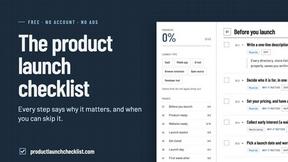
Product Launch Checklist
A free launch checklist for SaaS, apps, AI tools and more. Every step says why it matters and when you can skip it.

Kody Tools
Free collection of online developer utilities, code formatters, and digital converters designed to streamline your daily workflow.
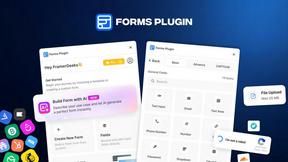
Forms Plugin
The #1 Native Form Builder Plugin for Framer - No Code, No Embeds, No External Platforms.

HomeAnswerBook
Practical, independent guides to home repairs, maintenance, costs, troubleshooting, and everyday fixes.
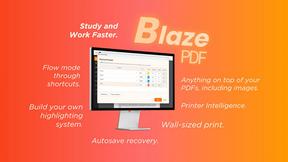
BlazePDF
Highlight faster. Study in flow with custom shortcuts and a workflow built around you. Print smarter, or turn any page into a tiled poster.

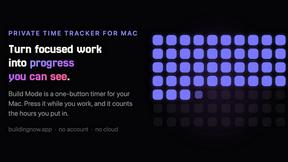
Build Mode for Mac
Build Mode is a Mac app that turns focused sessions into visible progress, so you can see the work adding up before the results arrive.