

Alternatives to Tab Folio
Tab Folio uses AI to bookmark and group your tabs by topic instead of URL, so you can close overloaded windows without losing your thread.
Explore 20 alternatives to Tab Folio. Compare features, pricing, and find the best fit for your needs.

KS-Agents
AI platform for HR leaders: spot burnout by cohort, map who your organization runs on, and keep expert knowledge before people leave.

Agent Pets
Your Claude Code & Codex sessions as pets in Chrome. Approve, deny and reply to your coding agents from any tab.

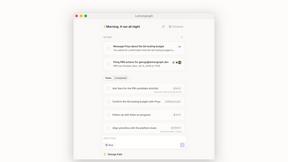
Lemongraph
Almost every conversation ends with a promise. Lemongraph keeps track of them for you and lines up your day the way you would.

TypeFire
Type a few letters, get the whole reply. Markdown notes as files you own. Find anything you copied.

LightScreen
Free light screen tool online. Turn any display into a flashlight, ambient light, or solid-color screen. No download or sign-up.

Screen Issues
Free Online Screen Test Tool - Instantly diagnose dead pixels, lines, color issues, and flickering. Multiple test modes, no download needed.

Context Board
Context Board brings your numbers, docs, clients, content and day into one workspace that Claude and Codex can read and update.

@fuck.it - email with attitude
Private email. Pure. Secure. Exclusive. No ads, no tracking, no data selling. GDPR compliant, EU-hosted.

FreeVideoGenerator
Free AI video generator: turn text prompts and photos into video clips with Sora 2, Veo 3.1, Wan and more. Free starter credits, no watermark download

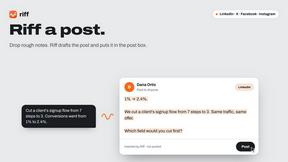
Riff
Free Chrome extension. Paste your rough point and Chrome's built-in AI writes a fresh reply for that post on X, LinkedIn, Facebook or Instagram.

Verla AI
Verla is an AI academic assistant for university and college students, combining AI essay writing, academic research, AI detection, AI humanization

Panzoe
Panzoe is an all-in-one AI platform for personal productivity, business automation, AI assistants, content creation, and custom AI solutions.

subtitle.im
Manage YouTube captions, detect burned-in subtitles locally, turn off confirmed duplicate captions, and restore them when needed.

Memorable Contact
Memorable Contact helps you remember people, save conversation details, find contacts using AI-powered search, and share digital business cards
Novastart
Novastart brings apps and files onto an infinite canvas where people and AI agents can work together.


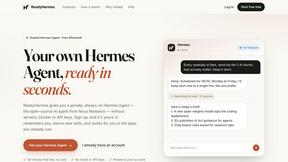
ReadyHermes
Your own hosted Hermes Agent in a minute: memory, self-learning skills, schedules, a real browser and 1,000+ app connections.
About Tab Folio Alternatives
Tab Folio is a browser extension that sits at the intersection of productivity management and AI-driven organization, helping users escape the chaos of overloaded browser windows. It automatically bookmarks, labels, and groups your open tabs using artificial intelligence, turning a cluttered mess into a searchable dashboard of custom collections. While this tool is a powerhouse for researchers, developers, and students who juggle dozens of tabs daily, many users start looking for alternatives for a few common reasons. Some need a solution that works across multiple browsers or mobile devices, while others find the free tier’s 100-tab monthly limit too restrictive for heavy workflows. Additionally, users might want deeper integration with specific project management tools or a different approach to privacy and local storage. When evaluating alternatives, the smartest move is to focus on features that directly solve your biggest pain points. Look for tools that offer genuine AI-assisted categorization without requiring manual tagging, since that’s the core value of this category. Check the pricing structure carefully—some competitors offer unlimited tabs on free plans, while others cap you at a higher threshold. Cross-platform support is another major factor; if you switch between Chrome, Firefox, or Safari, make sure the alternative covers your stack. Finally, prioritize solutions that promise local-first privacy or clear data policies, especially if you handle sensitive research or work documents. The best alternative will feel invisible, quietly saving and organizing without demanding your attention.
FAQs about Tab Folio Alternatives
What is Tab Folio?
Tab Folio is a browser extension designed to bookmark and group your tabs using artificial intelligence, preventing overloaded windows and tab chaos. It automatically analyzes, labels, and organizes your open tabs into custom collections like 'code' or 'recipes' so you can find anything instantly. The tool also offers a searchable dashboard with filters, full-text search, and instant recovery, meaning you can close tabs anytime and everything stays saved.
Who is Tab Folio for?
Tab Folio is perfect for researchers, developers, students, and power users who regularly juggle dozens of open tabs and need a smarter way to manage them. It appeals to anyone who feels overwhelmed by browser clutter and wants AI to handle the organization automatically instead of manually sorting bookmarks. The tool is especially useful for people who need to quickly retrieve specific tabs from past sessions without digging through endless windows.
Is Tab Folio free?
Yes, Tab Folio offers a free plan that includes 100 tabs per month, giving users a solid taste of its AI organization and search capabilities without requiring a credit card. For heavier users, there is a Pro plan that increases the limit to 1,000 tabs per month and adds dedicated support. This tiered approach allows casual users to benefit from the tool while offering a paid upgrade for those who need more capacity.
Is Tab Folio secure?
Yes, Tab Folio is built with a privacy-first approach, meaning your URLs and browsing data stay on your device and are never tracked or sold. The extension does not send your tab data to external servers for analysis, ensuring that sensitive research or work information remains private. This local processing approach makes it a trustworthy choice for users who are concerned about data security and want to avoid third-party data collection.