

Explore 20 alternatives to Riff. Compare features, pricing, and find the best fit for your needs.
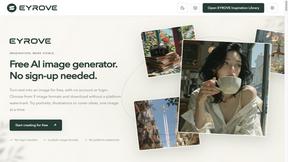
EYROVE
EYROVE offers a no-sign-up AI image generator alongside a searchable prompt archive for portraits, product visuals, posters, and more.

Webcam Effects
Webcam Effects adds virtual backgrounds, adjustable blur, custom layouts and appearance filters to browser-based video calls and streams.

FLUX 3 Max
Make short videos with sound from prompts, photos or keyframes, choosing clip length, format and resolution before generation.

Make AI Influencer
Make AI Influencer creates fictional, consistent characters for social photos, short videos and speech, with visual AI labels and embedded metadata.

Safe Outreach
Look up a Chrome extension against LinkedIn's published detection list, with explanations of list results, browser coverage and session handling.
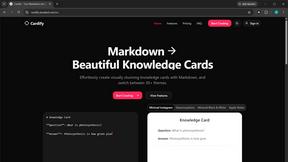
Cardify
Create shareable Markdown cards with more than 30 themes, customizable styling and exports in three formats.

Vocaryn
Vocaryn matches jobs to your experience, tailors a resume for each role and submits applications through employer forms or Chrome autofill.

Tip Toeing in My Jordans AI
Put a face into the Rumpelstiltskin tip toe meme with a 12-second video, AI-generated sound and 9:16 or 16:9 framing.

FloatText
FloatText is an Android floating clipboard that keeps multiple text items above other apps for quick, sequential copying and pasting.

DataLens
DataLens is a Chrome and Edge extension that turns visible web page data into exportable tables, using your browser session for signed-in pages.
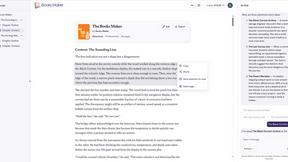
Books Maker
Books Maker helps authors turn ideas and drafts into books with AI-assisted outlining, writing, editing and export.
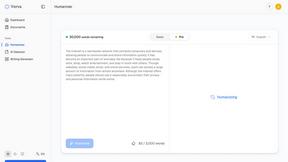
Verva
Verva turns AI-generated drafts into natural-sounding writing and pairs rewriting with AI detection and plagiarism checks.

CloneWebsite
CloneWebsite saves local webpage captures as ZIP projects or editable Figma layers, for designers and frontend teams collecting visual references.

Hotel Lobby AI
Turn two portraits into a vertical Hotel Lobby duet video with an orange booth, shared microphone, transferred performance and audio.

Uniclip
Uniclip is a browser extension for capturing web text, screenshots, lists, and tables and saving them to knowledge tools or local files.
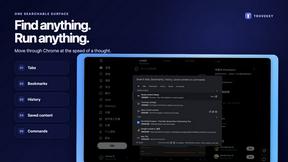
TroveKey
TroveKey searches Chrome tabs, bookmarks, history, and saved posts in one keyboard-first, local command center.

SubRedds
SubRedds presents pictures and videos from Reddit communities and accounts in a scrolling visual gallery.

Agent Pets
Agent Pets gives each supported coding-agent session a named Chrome pet, with status cues and browser-based ways to respond.

Earth Zoom Out AI
Earth Zoom Out AI turns an uploaded image into a video that zooms from a close-up scene toward a cosmic view of Earth.

BuildingNow
BuildingNow is a founder interview podcast for SaaS and app builders seeking practical lessons on finding customers, marketing and growth.
About Riff Alternatives
Riff is suited to people who want drafting and page chat inside a desktop browser while using local models. For an existing local-model setup, the page says it can connect to LM Studio or Ollama on the same computer. Compare model language coverage, hardware needs, browser support, and whether you want drafts inserted into social sites or a separate writing workflow.
FAQs about Riff Alternatives
Can Riff use a model I already run locally?
The official page says it can connect to LM Studio or Ollama on your computer after you press Connect.
What should I compare before choosing a model?
Check supported languages, download size, graphics hardware requirements, and whether it is available in your browser.