
Explore 20 alternatives to Ray3. Compare features, pricing, and find the best fit for your needs.

Hotel Lobby AI
Hotel Lobby AI turns two separate portraits into a stylish duet video inside an orange recording booth. Pick each performer's side, framing, and 8- or

Earth Zoom Out AI
Turn any photo into an Earth Zoom Out video, from a close-up to a cosmic Earth view with realistic satellite transitions.

Nano AI
Create and edit AI images, generate videos, and compare models in one creative workbench.

Genjutsu AI
AI video-to-video: Motion Transfer & Object Swap. Preview the credit cost, pay once. No subscription.
AiArter
AI product photos and UGC video ads for Amazon, Etsy and Shopify sellers, made from one phone photo.

QuickVeed
AI video studio: subtitles translated into 32 languages, AI dubbing in your own voice, podcast-to-clips and 34 free video tools.

Tip Toe AI
Upload a Dancer photo and a Partner photo and get your own AI Tip Toe barn-dance video. Free 5s preview, 12s HD from $4.90. No subscription.

Ozil Goal AI
Turn one photo into the viral Özil goal meme video: you, your dog, a toy or a drawing scores. Free 5s preview, 10s 720p from $4.90. No subscription.

SaaSHunter
Compare social media scheduling, content creation and monetization tools with verified pricing and side-by-side comparisons.

FreeVideoGenerator
Free AI video generator: turn text prompts and photos into video clips with Sora 2, Veo 3.1, Wan and more. Free starter credits, no watermark download

Leadeon
AI growth tool for X and LinkedIn: write posts in your voice, schedule at your best times, find leads on X and see what works.

ZombieTrend AI
Turn two photos into a cinematic zombie love story video. Free scene preview, no sign-up needed.

Raindance AI Video Generator
Turn two photos into the Raindance AI pier video with the soundtrack included

AI Face Swap Video
Swap any face into any video online with AI in minutes. Upload a clip and a photo, get natural lighting and expressions. Free credits on sign-up.

DanseAI - Alors on Danse AI Video Genera
Make the Alors on Danse AI meme video from two photos, soundtrack included
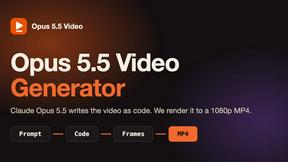
Opus 5.5 Video Generator
Turn a prompt into a 1080p motion-graphics MP4 planned and coded by Claude Opus 5.5
About Ray3 Alternatives
Ray3 is a cutting-edge video production tool that harnesses advanced AI technology to create stunning 16-bit HDR videos tailored for filmmakers and studios. As an innovative solution, it offers features such as high-fidelity HDR support and a reasoning intelligence engine that ensures logical consistency in storytelling. Professionals often seek alternatives to Ray3 for various reasons, including pricing constraints, specific feature requirements, or compatibility with different software platforms. When exploring alternatives, users should consider factors such as ease of use, integration with existing workflows, and the quality of video output to ensure they find a solution that meets their creative needs. In a rapidly evolving digital landscape, the demand for versatile video production tools is ever-growing. As filmmakers and content creators strive for efficiency and quality, it’s essential to evaluate alternatives that might offer unique features or better fit specific project requirements. By focusing on compatibility, user experience, and overall value, users can find the ideal solution that aligns with their creative vision and production goals.
FAQs about Ray3 Alternatives
What is Ray3?
Ray3 is an advanced AI-powered video generation tool designed for filmmakers and studios to create high-quality 10/12/16-bit HDR videos.
Who is Ray3 for?
Ray3 is tailored for professional creators, including filmmakers, agencies, and studios, looking to enhance their video production capabilities.
Is Ray3 free?
New users receive 25 free credits upon signup, allowing them to explore Ray3's features without any initial investment.
What are the main features of Ray3?
Ray3 offers high-fidelity HDR support, an advanced reasoning engine for consistent storytelling, a Draft Mode for rapid iteration, and seamless integration with Adobe Premiere Pro.