Ray3
Create breathtaking 16-bit HDR videos effortlessly with Ray3's advanced AI generator, perfect for filmmakers and.
Visit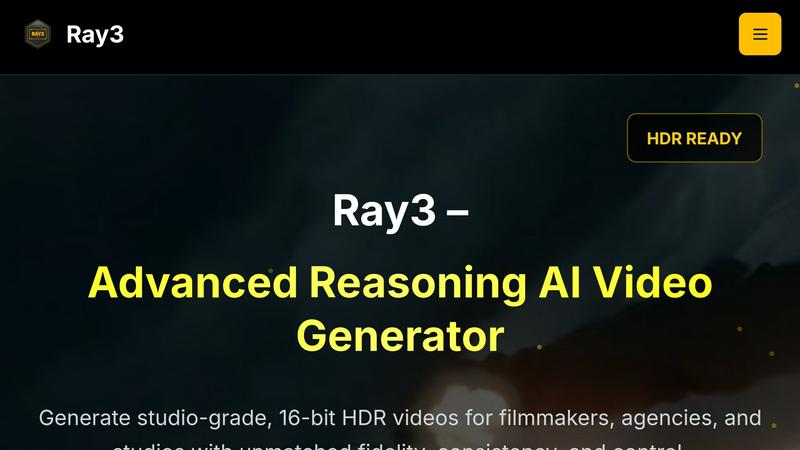
About Ray3
Ray3 is a transformative AI-powered video production tool that is redefining how professional creators craft their cinematic masterpieces. Designed specifically for filmmakers, agencies, and studios, Ray3 utilizes an advanced reasoning-based AI model that generates studio-quality 10/12/16-bit HDR videos with extraordinary fidelity and consistency. This innovative platform empowers users to create visually stunning videos that not only meet high aesthetic standards but also maintain logical coherence in storytelling. With its powerful temporal reasoning engine, Ray3 accurately captures physical motion and complex multi-character scenes, allowing for the creation of engaging narratives. The Draft Mode feature enhances creativity by enabling users to iterate ideas at an impressive 5× faster rate, facilitating quick concept testing without sacrificing quality. Seamlessly integrating with leading software such as Adobe Premiere Pro and adhering to ACES color workflows, Ray3 is an essential tool for any professional video production pipeline. The journey into AI-driven video creation begins with an enticing offer: new users receive 25 FREE credits upon signup, making it the perfect opportunity to explore the future of filmmaking.
Features of Ray3
High-Fidelity HDR
Ray3 offers true cinematic quality with support for 10/12/16-bit HDR output, ensuring professional-grade color depth and dynamic range. This feature allows creators to achieve unparalleled visual fidelity, making every frame a work of art that meets industry standards.
Reasoning Intelligence
The advanced reasoning engine of Ray3 provides smarter and more consistent video generation. It understands scene context, maintains logical consistency, and ensures physical accuracy across all frames, making it easier to create intricate narratives and complex scenes.
Draft Mode
With Draft Mode, Ray3 accelerates the creative process by allowing users to iterate ideas at 5× speed. This feature enables quick previews and cost-effective creative testing, ensuring that users can explore multiple concepts before committing to high-fidelity renders, thus optimizing their workflow.
Seamless Workflow Integration
Ray3 integrates effortlessly with popular software like Adobe Premiere Pro and supports ACES color workflows. This compatibility ensures that users can incorporate Ray3 into their existing production pipelines without disruption, enhancing their overall efficiency and effectiveness.
Use Cases of Ray3
Commercial Production
Agencies can leverage Ray3 to create striking advertisements that captivate audiences. With HDR capabilities and advanced reasoning, commercials can be produced quickly while maintaining high visual and narrative quality.
Cinematic Sequences
Filmmakers can utilize Ray3 to generate cinematic sequences that feature breathtaking visuals and coherent storytelling. The tool's ability to handle complex scenes makes it ideal for narrative-driven projects that require precision and creativity.
Architectural Visualization
Architects and designers can produce stunning visualizations of their projects using Ray3. The tool's HDR output allows for realistic lighting and shadows, providing clients with an immersive experience that showcases design intent effectively.
Fashion Editorials
Fashion photographers and creative directors can use Ray3 to create high-end fashion editorials that stand out. The combination of dramatic lighting and high-fidelity details enables striking imagery that resonates with fashion enthusiasts and industry professionals alike.
Frequently Asked Questions
What type of videos can I create with Ray3?
Ray3 allows you to create a wide range of videos, including commercials, cinematic sequences, architectural visualizations, and fashion editorials, all with high-quality HDR output.
How does Draft Mode work?
Draft Mode enables users to experiment with ideas and iterate quickly at 5× speed. This feature allows for rapid concept testing with quick previews before committing to high-fidelity renders.
Is Ray3 compatible with other software?
Yes, Ray3 seamlessly integrates with popular software such as Adobe Premiere Pro, making it easy to incorporate into your existing video production workflow without any hassle.
What are the benefits of using Ray3's reasoning intelligence?
The reasoning intelligence in Ray3 ensures that videos are not only visually stunning but also logically coherent. It maintains consistency and physical accuracy throughout the video, enhancing storytelling effectiveness.
Explore more in this category:
Similar to Ray3

FreeVideoGenerator
Free AI video generator: turn text prompts and photos into video clips with Sora 2, Veo 3.1, Wan and more. Free starter credits, no watermark download

Leadeon
AI growth tool for X and LinkedIn: write posts in your voice, schedule at your best times, find leads on X and see what works.
ZombieTrend AI
Turn two photos into a cinematic zombie love story video. Free scene preview, no sign-up needed.

Raindance AI Video Generator
Turn two photos into the Raindance AI pier video with the soundtrack included

AI Face Swap Video
Swap any face into any video online with AI in minutes. Upload a clip and a photo, get natural lighting and expressions. Free credits on sign-up.