

Alternatives to MacBrightness
MacBrightness boosts your Mac screen past its limit up to 1600 nits for instant readability in direct sun, used by thousands.
Explore 20 alternatives to MacBrightness. Compare features, pricing, and find the best fit for your needs.
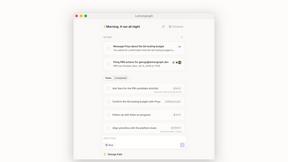
Lemongraph
Almost every conversation ends with a promise. Lemongraph keeps track of them for you and lines up your day the way you would.
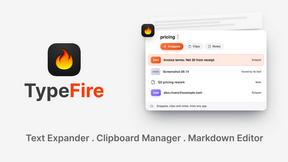
TypeFire
Type a few letters, get the whole reply. Markdown notes as files you own. Find anything you copied.
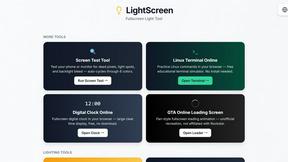
LightScreen
Free light screen tool online. Turn any display into a flashlight, ambient light, or solid-color screen. No download or sign-up.
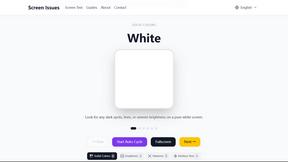
Screen Issues
Free Online Screen Test Tool - Instantly diagnose dead pixels, lines, color issues, and flickering. Multiple test modes, no download needed.
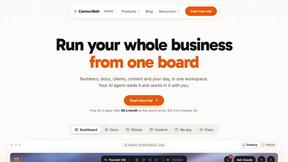
Context Board
Context Board brings your numbers, docs, clients, content and day into one workspace that Claude and Codex can read and update.
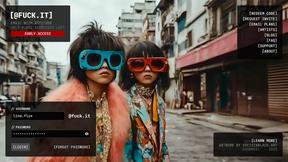
@fuck.it - email with attitude
Private email. Pure. Secure. Exclusive. No ads, no tracking, no data selling. GDPR compliant, EU-hosted.

FreeVideoGenerator
Free AI video generator: turn text prompts and photos into video clips with Sora 2, Veo 3.1, Wan and more. Free starter credits, no watermark download
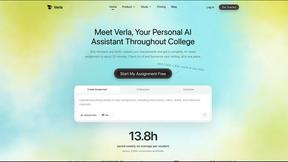
Verla AI
Verla is an AI academic assistant for university and college students, combining AI essay writing, academic research, AI detection, AI humanization

Panzoe
Panzoe is an all-in-one AI platform for personal productivity, business automation, AI assistants, content creation, and custom AI solutions.
Memorable Contact
Memorable Contact helps you remember people, save conversation details, find contacts using AI-powered search, and share digital business cards
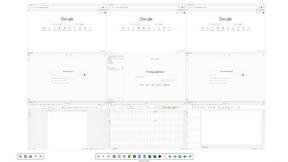
Novastart
Novastart brings apps and files onto an infinite canvas where people and AI agents can work together.

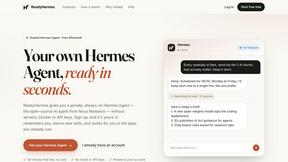
ReadyHermes
Your own hosted Hermes Agent in a minute: memory, self-learning skills, schedules, a real browser and 1,000+ app connections.
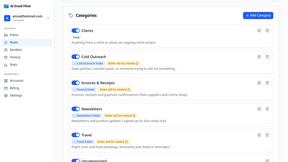
AI Email Filter
AI Email Filter sorts incoming mail into folders using plain-language prompts you write. Works with any IMAP mailbox; bring your own LLM if you want.

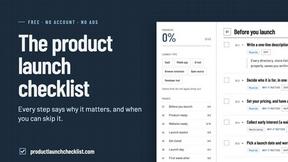
Product Launch Checklist
A free launch checklist for SaaS, apps, AI tools and more. Every step says why it matters and when you can skip it.
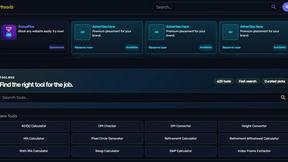
Kody Tools
Free collection of online developer utilities, code formatters, and digital converters designed to streamline your daily workflow.
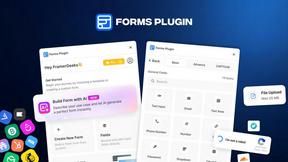
Forms Plugin
The #1 Native Form Builder Plugin for Framer - No Code, No Embeds, No External Platforms.
About MacBrightness Alternatives
MacBrightness is a specialized utility that unlocks the hidden HDR brightness range on compatible MacBook Pro and Pro Display XDR models, pushing screen output far beyond macOS’s default limits so you can actually see your display in direct sunlight. It falls squarely into the Productivity & Management category, solving a real pain point for remote workers, travelers, and anyone who has ever squinted at a washed-out screen outdoors. Users commonly start searching for alternatives when they want a free or subscription-based solution, need support for older Macs without mini-LED panels, or prefer a tool that offers granular control over brightness curves and color profiles. When evaluating options, look for system-wide compatibility that works across all apps, zero noticeable CPU drain, and a method that uses only the hardware’s existing HDR capability—avoiding low-level hacks that could risk stability or display longevity. The best choice will feel seamless, integrating with your existing keyboard shortcuts and delivering that “wow” moment of side-by-side comparison.
FAQs about MacBrightness Alternatives
What is MacBrightness?
MacBrightness is a system utility that boosts your MacBook Pro or Pro Display XDR screen brightness far beyond the standard macOS maximum, making it readable in direct sunlight. It unlocks the hidden HDR brightness range your display already supports, allowing the screen to reach nearly twice its normal brightness. The tool works system-wide across every app, not just HDR video, and integrates directly with your existing brightness keys.
Who is MacBrightness for?
MacBrightness is designed for anyone who uses a MacBook Pro 14-inch or 16-inch with an M-series Pro or Max chip, or a Pro Display XDR, and frequently works outdoors, near bright windows, or on planes and patios. It’s ideal for professionals, creatives, and travelers who need a readable screen in direct sunlight without squinting or shading the display. The tool is also perfect for users who want a simple, one-time purchase solution with no ongoing subscription fees.
Is MacBrightness free?
Yes, MacBrightness offers a free trial that lets you experience the brightness boost immediately. It opens in Splitscreen Mode, where one half of your screen jumps to full brightness so you can see the side-by-side difference at no cost. To unlock the entire screen permanently, you make a one-time purchase—there is no subscription required.
What are the main features of MacBrightness?
MacBrightness delivers up to twice the brightness of macOS’s normal limit, system-wide, using the same brightness keys you already use with no new shortcuts to learn. It makes your screen readable in direct sunlight, has no noticeable CPU overhead, and uses only the HDR brightness range your display already supports without any low-level hacks. The free trial includes a Splitscreen Mode for a direct comparison, and the full version is unlocked with a one-time purchase.