
MacBrightness
MacBrightness boosts your Mac screen past its limit up to 1600 nits for instant readability in direct sun, used by thousands.
Visit
About MacBrightness
MacBrightness is a simple yet revolutionary application that unlocks the hidden brightness potential of your MacBook Pro, allowing your screen to shine nearly twice as bright as macOS normally permits. For anyone who has ever struggled to see their screen in direct sunlight, on a sunny patio, or next to a bright window, this tool is a game changer. It works seamlessly with the brightness keys you already use, so there are no new shortcuts to learn or complex settings to navigate. Just press the brightness key past the old limit, and the entire screen brightens up, system-wide, in every app. It is not just for HDR video; it works everywhere. MacBrightness is designed for professionals, travelers, students, and anyone who works or plays outdoors. It leverages the HDR brightness range your display already supports, so there is no noticeable CPU overhead and no low-level hacks. The app is built for the latest MacBook Pro 14-inch and 16-inch models with M-series Pro or Max chips, as well as the Pro Display XDR, which can sustain around 1,600 nits. With a free trial that lets you see the difference side by side, MacBrightness offers a one-time purchase with no subscription, making it an affordable and essential tool for anyone who wants to work comfortably in any lighting condition.
Features of MacBrightness
Twice the Brightness, System-Wide
MacBrightness unlocks the full potential of your Mac's display, pushing it to nearly twice the brightness that macOS normally allows. This is not limited to specific apps or HDR content; the extra brightness works across your entire system. Every application, from your browser to your photo editor, benefits from the increased luminance. This feature ensures that your screen remains readable and vibrant in the brightest environments, eliminating the frustration of a dim, unusable display when you are outdoors or near a window. The boost is immediate and consistent, making your MacBook Pro a true productivity tool in any lighting condition.
Works with Your Existing Brightness Keys
One of the most praised features of MacBrightness is its seamless integration with your Mac's existing hardware. You do not need to learn new keyboard shortcuts, install widgets, or hunt for a slider in a menu bar. Simply use the brightness keys (F1 and F2) that you already know. Press them up past the old limit, and the screen continues to brighten. This intuitive design means there is zero learning curve. You get the extra brightness exactly when you need it, with the same muscle memory you have developed over years of using your Mac. It feels like a natural extension of your operating system, not a third-party hack.
No Noticeable CPU Overhead
MacBrightness is engineered to be incredibly lightweight and efficient. It does not rely on resource-intensive processes or low-level system hacks that can drain your battery or slow down your computer. The application simply opens up the brightness range that your display already keeps in reserve for HDR content. As a result, you will not notice any impact on your Mac's performance, whether you are compiling code, editing video, or browsing the web. Your battery life remains stable, and your fans stay quiet. This efficiency makes MacBrightness a set-and-forget tool that you can run in the background without ever thinking about it.
Free Splitscreen Trial Mode
Before you commit to a purchase, MacBrightness offers a unique and transparent free trial. When you first open the app, it activates Splitscreen Mode. In this mode, exactly one half of your screen jumps to full, unlocked brightness, while the other half stays at the standard macOS level. This side-by-side comparison lets you see the dramatic difference instantly and for free, for as long as you like. There is no time limit on the trial. When you are ready to unlock the full screen, you can purchase a lifetime license with a single, one-time payment. This no-pressure, no-subscription model lets you experience the value of the product firsthand.
Use Cases of MacBrightness
Working on a Sunny Patio or Balcony
For digital nomads, remote workers, and anyone who loves to work outdoors, MacBrightness is a necessity. Imagine sitting at a sun-drenched café table, on a park bench, or on your own balcony. Without MacBrightness, your screen becomes a useless mirror, forcing you to squint, tilt the lid, or retreat into the shade. With MacBrightness, you simply press the brightness key a few extra times. Your screen becomes crisp, clear, and readable, even under direct sunlight. You can finally take that important video call, write that report, or browse the web without fighting the glare. It transforms any outdoor space into a productive workspace.
Using Your Laptop at the Airport or on a Plane
Airports and airplanes are notorious for having bright, inconsistent lighting. Whether you are waiting at a gate with floor-to-ceiling windows or sitting in a window seat on a sunny flight, your screen can be difficult to see. MacBrightness solves this problem instantly. With a quick tap of the brightness key, you can boost your screen to overcome the ambient light. You can watch a movie, work on a presentation, or read an e-book without straining your eyes. It makes travel more comfortable and productive, ensuring that your laptop is always usable, no matter where your journey takes you.
Outdoor Photography and Video Editing
Photographers and videographers often need to review their work in the field, which can be challenging in bright conditions. MacBrightness allows you to see the true colors and details of your images and footage, even when you are outside. The extra brightness helps you spot overexposed highlights, check focus, and make accurate color corrections. This feature is invaluable for on-location shoots, whether you are in a sunlit studio, on a mountaintop, or at a beach. You no longer have to wait until you get back to a dark room to properly assess your work, saving you time and improving your creative output.
Presentations and Demos in Bright Rooms
If you frequently give presentations, teach classes, or conduct product demos in conference rooms or classrooms with large windows, MacBrightness is a lifesaver. Standard laptop screens often look washed out and dim in these settings, making it hard for your audience to see your slides or your screen. By boosting the brightness, you ensure that your content is vivid and legible for everyone in the room. This professional edge helps you maintain engagement and deliver your message clearly, without having to ask for the blinds to be drawn. It makes you look more prepared and your content more impactful.
Frequently Asked Questions
Does MacBrightness work with all Mac models?
MacBrightness is specifically designed for MacBook Pro 14-inch and 16-inch models with M-series Pro or Max chips, and the Pro Display XDR. These models feature mini-LED panels that can sustain around 1,600 nits of brightness. The technology does not work on other Mac models, such as the MacBook Air, standard MacBook Pro models, or older Intel-based Macs, as their displays do not have the same HDR brightness headroom. You can check your Mac's model in the "About This Mac" section to confirm compatibility.
Will using MacBrightness damage my screen or reduce its lifespan?
No, MacBrightness is safe to use and will not damage your screen. The application does not push your display beyond its hardware capabilities. It simply unlocks the HDR brightness range that your display already supports and uses for HDR content. Apple has engineered these panels to sustain high brightness levels for extended periods. While running at maximum brightness may consume more battery power, it will not cause any physical harm to the display or reduce its lifespan. The app is designed to be a responsible and safe way to access your screen's full potential.
How do I get the free trial, and what are the limitations?
Getting the free trial is simple. You download the MacBrightness app from the official website and launch it. No account creation or sign-up is required. The app opens in Splitscreen Mode by default, where one half of your screen shows the full MacBrightness boost, and the other half stays at the standard macOS brightness. This trial is completely free and has no time limit. The only limitation is that the extra brightness is confined to half of your screen. To unlock the full screen, you purchase a lifetime license with a one-time payment.
Is MacBrightness a subscription or a one-time purchase?
MacBrightness is a one-time purchase, not a subscription. You pay a single, affordable fee to unlock the full-screen brightness feature for life. There are no recurring charges, no monthly bills, and no hidden fees. This pricing model is a core part of the product's philosophy. The developer believes in providing a simple, valuable tool without locking users into a subscription. Once you buy a license, you own the full version of the software forever, and you can use it on your Mac for as long as you like.
Pricing of MacBrightness
MacBrightness offers a straightforward and transparent pricing model. The app is free to download and use in Splitscreen Mode, where one half of your screen is boosted to full brightness. This allows you to test the product and see the difference for yourself, with no time limit. To unlock the full screen and enjoy the brightness boost across your entire display in every app, there is a single, one-time purchase of $5.00. There are no subscriptions, no recurring fees, and no additional costs. This one-time payment gives you a lifetime license for the software, making it an incredibly affordable solution for anyone who wants to maximize their Mac's display potential.
Explore more in this category:
Similar to MacBrightness
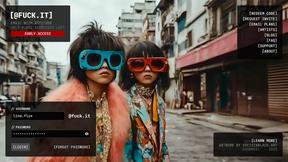
@fuck.it - email with attitude
Private email. Pure. Secure. Exclusive. No ads, no tracking, no data selling. GDPR compliant, EU-hosted.

FreeVideoGenerator
Free AI video generator: turn text prompts and photos into video clips with Sora 2, Veo 3.1, Wan and more. Free starter credits, no watermark download
Verla AI
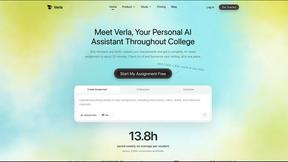
Verla is an AI academic assistant for university and college students, combining AI essay writing, academic research, AI detection, AI humanization

Panzoe
Panzoe is an all-in-one AI platform for personal productivity, business automation, AI assistants, content creation, and custom AI solutions.

Memorable Contact
Memorable Contact helps you remember people, save conversation details, find contacts using AI-powered search, and share digital business cards
Novastart
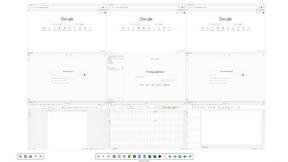
Novastart brings apps and files onto an infinite canvas where people and AI agents can work together.
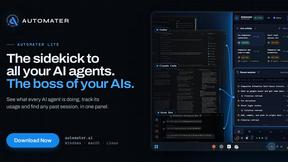
AUTOMATER.ai
A tray helper for every AI coding tool: sessions, alerts and usage in one place