
Alternatives to JFIF to JPG Converter
Instantly convert JFIF to JPG in your browser with zero quality loss and no uploads for ultimate privacy and speed.
Explore 20 alternatives to JFIF to JPG Converter. Compare features, pricing, and find the best fit for your needs.
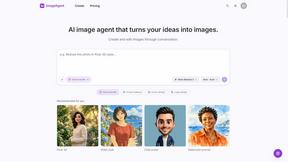
ImageAgent
Create and edit AI images through conversation, using text or reference images and refining results in chat.

Hotel Lobby AI
Hotel Lobby AI turns two separate portraits into a stylish duet video inside an orange recording booth. Pick each performer's side, framing, and 8- or
AiAgeFilter
Free AI age filter: upload an adult portrait, add 10-40 years, meet your older self. No app needed.
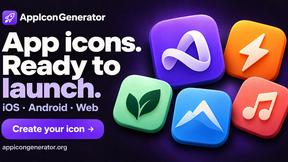
AppIconGenerator
Generate iOS and Android app icons from any image and export all platform sizes for free.
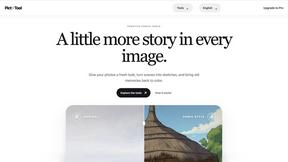
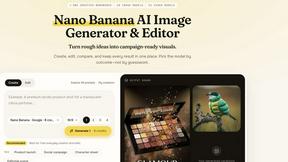
Nano AI
Create and edit AI images, generate videos, and compare models in one creative workbench.
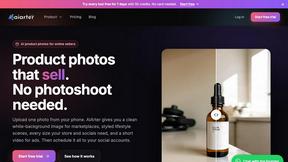
AiArter
AI product photos and UGC video ads for Amazon, Etsy and Shopify sellers, made from one phone photo.
Tip Toe AI
Upload a Dancer photo and a Partner photo and get your own AI Tip Toe barn-dance video. Free 5s preview, 12s HD from $4.90. No subscription.
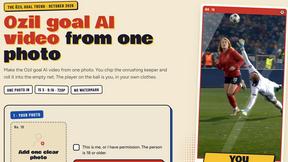
Ozil Goal AI
Make the Ozil goal AI video from one photo. You chip the keeper and roll it into the empty net. 15 seconds, 9:16, 720p, no watermark.

FreeVideoGenerator
Free AI video generator: turn text prompts and photos into video clips with Sora 2, Veo 3.1, Wan and more. Free starter credits, no watermark download
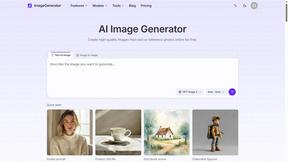
ImageGenerator
Create and edit AI images online with multiple models, text-to-image, image-to-image, background removal, and upscaling.
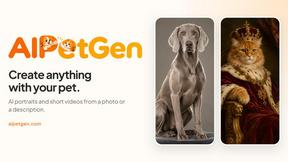
AIPetGen
AIPetGen turns a photo of your dog, cat, or other pet, or a written description, into a new picture or a short animation.


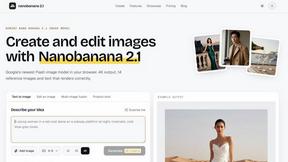
nanobanana 21
A fast, simple image studio powered by Nano Banana 2.1 — create and edit high-quality images with readable text and consistent characters.
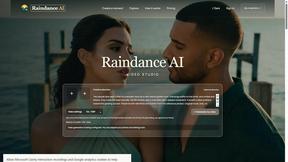
Raindance AI
Turn two authorized portraits into a seaside golden-hour video: a wooden dock, two people taking turns singing, and a slow pullback to the sunset. Pre
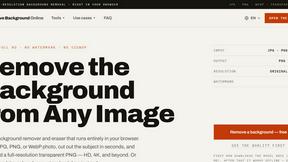
Free AI Image Background Remover
Remove image backgrounds free — no uploads, no signup, no watermark, full resolution. The AI runs in your browser; photos never touch a server.
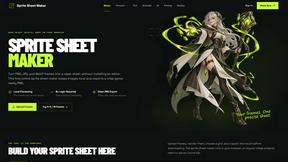
Sprite Sheet Maker
A free browser-based toolkit for creating, cutting, converting, and previewing sprite sheet animations.

RemoveMate
AI background remover for product photos, portraits, pets and everyday objects. Preview the cutout, then download.
About JFIF to JPG Converter Alternatives
The JFIF to JPG Converter is an innovative browser-based tool designed to facilitate seamless image conversion within the realm of image and photo editing. It serves a crucial purpose by transforming outdated JFIF files into universally compatible JPG formats, ensuring that users can share and utilize their images without facing compatibility issues. As the popularity of this tool grows, many users find themselves seeking alternatives for various reasons, including feature sets, platform compatibility, and pricing structures. When exploring alternatives, it’s essential to consider factors such as ease of use, speed of conversion, and privacy safeguards. Users should prioritize tools that maintain image quality during conversion and offer a user-friendly interface. Additionally, assessing whether the alternative supports batch processing can enhance productivity, especially for those managing large image libraries. With these considerations in mind, users can confidently choose a solution that best fits their image conversion needs.
FAQs about JFIF to JPG Converter Alternatives
What is JFIF to JPG Converter?
JFIF to JPG Converter is a browser-based tool that converts JFIF files to JPG format instantly, ensuring no quality loss.
Who is JFIF to JPG Converter for?
It is designed for photographers, social media managers, and everyday users who need to convert their images for compatibility.
Is JFIF to JPG Converter free?
Yes, JFIF to JPG Converter is a free tool that allows users to convert their images without any hidden costs.
What are the main features of JFIF to JPG Converter?
Key features include 100% browser-based and private conversion, zero-quality loss, and preservation of metadata.