

Alternatives to Caption.IM
Transform audio into real-time captions, translations, and summaries on your Mac with Caption.im for seamless communication and productivity.
Explore 20 alternatives to Caption.IM. Compare features, pricing, and find the best fit for your needs.

Safe Outreach
AI-powered platform that evaluates the safety of LinkedIn automation tools and helps reduce the risk of account restrictions.

Vocaryn
AI job-application agent: ranks jobs by fit with your confirmed experience, tailors your resume to each and applies on the employer's site.

How Long How Many Tool
Timers and hourly checks to figure how out long until a certain time or how many days away.

FloatText - Floating Clipboard
A floating clipboard for Android & Windows. Save, manage, and copy multiple text snippets instantly without switching apps.

Emailyy
Free email tools for signatures, subject lines, HTML previews, word counts, and email headers. Browser-based, simple to use, and no signup required.

Uniclip
Clip pages, take full-page screenshots and batch-capture list data to Notion, Feishu, Obsidian, Markdown, CSV or JSON.
TroveKey
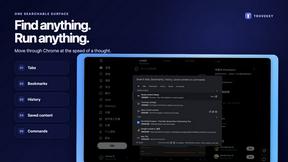
Search tabs, Chrome bookmarks and history, run browser commands, and save webpages and social posts locally—no account.

KS-Agents
AI platform for HR leaders: spot burnout by cohort, map who your organization runs on, and keep expert knowledge before people leave.

Agent Pets
Your Claude Code & Codex sessions as pets in Chrome. Approve, deny and reply to your coding agents from any tab.

Lemongraph
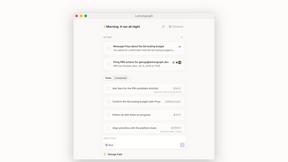
Almost every conversation ends with a promise. Lemongraph keeps track of them for you and lines up your day the way you would.
TypeFire
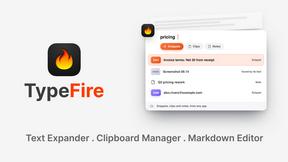
Type a few letters, get the whole reply. Markdown notes as files you own. Find anything you copied.
LightScreen
Free light screen tool online. Turn any display into a flashlight, ambient light, or solid-color screen. No download or sign-up.
Screen Issues
Free Online Screen Test Tool - Instantly diagnose dead pixels, lines, color issues, and flickering. Multiple test modes, no download needed.

Context Board
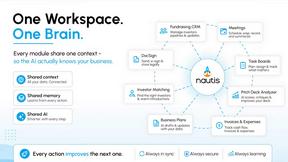
Context Board brings your numbers, docs, clients, content and day into one workspace that Claude and Codex can read and update.

@fuck.it - email with attitude
Private email. Pure. Secure. Exclusive. No ads, no tracking, no data selling. GDPR compliant, EU-hosted.

FreeVideoGenerator
Free AI video generator: turn text prompts and photos into video clips with Sora 2, Veo 3.1, Wan and more. Free starter credits, no watermark download


About Caption.IM Alternatives
Caption.IM is an innovative AI captioning assistant crafted specifically for macOS, designed to turn any audio into real-time captions, translations, recordings, and structured notes. This productivity tool is particularly beneficial for professionals, educators, and anyone who relies on clear communication across various applications like Zoom, Google Meet, and YouTube. Its unique approach, powered locally on your device, ensures privacy and efficiency, distinguishing it from traditional browser extensions or meeting bots. Users often seek alternatives to Caption.IM due to diverse needs such as pricing considerations, feature sets, and compatibility with different platforms. When exploring alternatives, it is essential to evaluate factors like ease of use, the range of supported applications, privacy policies, and the overall quality of the AI technology. A suitable alternative should enhance productivity without sacrificing security, ensuring that users can maintain their focus on the task at hand without unnecessary disruptions.
FAQs about Caption.IM Alternatives
What is Caption.IM?
Caption.IM is a real-time AI captioning assistant designed for macOS that converts audio into captions, translations, recordings, and structured meeting notes. It operates locally on your device, providing privacy and enhancing productivity across various applications like Zoom, Google Meet, and YouTube. This tool is particularly useful for professionals and educators who require accurate and immediate transcriptions.
Who is Caption.IM for?
Caption.IM is ideal for anyone who needs to improve their communication and accessibility during virtual meetings or while consuming audio content. This includes professionals, educators, students, and content creators who wish to generate live subtitles, translations, and clear summaries of discussions. Its user-friendly interface makes it accessible for users of all technical skill levels.
Is Caption.IM free?
Caption.IM is not free; it is a paid service that offers a range of features designed to enhance productivity and accessibility. However, the cost is justified by the advanced capabilities it provides, including real-time captioning, translations, and the ability to generate structured notes. Users can evaluate the pricing options to determine which plan best fits their needs.
What are the main features of Caption.IM?
The main features of Caption.IM include real-time audio captioning, instant translations, audio recordings, and the ability to create structured meeting notes. It captures system audio directly, ensuring compatibility with various applications without the need for browser extensions or bots. This local processing not only enhances privacy but also improves the overall user experience.