

Alternatives to Browser Notes
Join 50,000+ users keeping notes, sticky boards, and mind maps locally in their browser with zero signup or cloud dependency.
Explore 20 alternatives to Browser Notes. Compare features, pricing, and find the best fit for your needs.

@fuck.it - email with attitude
Private email. Pure. Secure. Exclusive. No ads, no tracking, no data selling. GDPR compliant, EU-hosted.

FreeVideoGenerator
Free AI video generator: turn text prompts and photos into video clips with Sora 2, Veo 3.1, Wan and more. Free starter credits, no watermark download
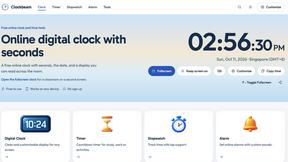

Verla AI
Verla is an AI academic assistant for university and college students, combining AI essay writing, academic research, AI detection, AI humanization

Panzoe
Panzoe is an all-in-one AI platform for personal productivity, business automation, AI assistants, content creation, and custom AI solutions.

Memorable Contact
Memorable Contact helps you remember people, save conversation details, find contacts using AI-powered search, and share digital business cards
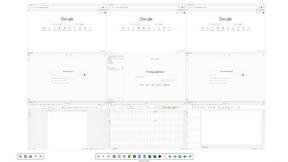
Novastart
Novastart brings apps and files onto an infinite canvas where people and AI agents can work together.



ReadyHermes
Your own hosted Hermes Agent in a minute: memory, self-learning skills, schedules, a real browser and 1,000+ app connections.
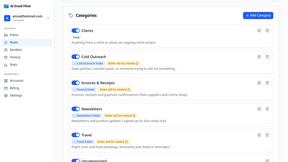
AI Email Filter
AI Email Filter sorts incoming mail into folders using plain-language prompts you write. Works with any IMAP mailbox; bring your own LLM if you want.


Product Launch Checklist
A free launch checklist for SaaS, apps, AI tools and more. Every step says why it matters and when you can skip it.
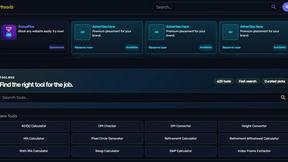
Kody Tools
Free collection of online developer utilities, code formatters, and digital converters designed to streamline your daily workflow.
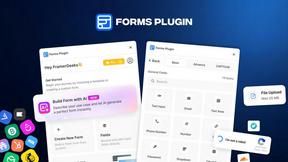
Forms Plugin
The #1 Native Form Builder Plugin for Framer - No Code, No Embeds, No External Platforms.

HomeAnswerBook
Practical, independent guides to home repairs, maintenance, costs, troubleshooting, and everyday fixes.
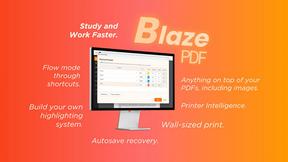
BlazePDF
Highlight faster. Study in flow with custom shortcuts and a workflow built around you. Print smarter, or turn any page into a tiled poster.


Build Mode for Mac
Build Mode is a Mac app that turns focused sessions into visible progress, so you can see the work adding up before the results arrive.

About Browser Notes Alternatives
Browser Notes has been quietly gaining traction as a refreshingly simple productivity tool that collapses the gap between sticky notes, mind maps, and scratchpads into one local-first workspace. It sits squarely in the Productivity & Management category, but unlike the bloated, cloud-dependent giants, it operates entirely inside your browser with zero signup, zero tracking, and zero forced sync. Yet, even the most loyal users start searching for alternatives when they hit a wall: maybe they need real-time collaboration with a remote team, or they crave native mobile apps with push notifications, or they simply want a more robust tagging and search system that a browser-based local tool can’t easily scale. Others might be looking for a solution that integrates directly with their existing calendar or project management suite, or perhaps they need a tool that can handle large media files without bogging down the browser’s storage quota. When evaluating an alternative, you want to keep your core priorities crystal clear. First and foremost, decide if local-first truly matters to you—if privacy and offline access are non-negotiable, you’ll want to filter out any tool that requires a mandatory cloud account. Next, consider the feature set: do you need collaborative boards where multiple people can edit in real time, or are you fine with single-user, private notes? Also, look at the export and backup ecosystem—can you easily pull your data out in plain text, Markdown, or JSON if you ever want to switch again? Finally, test the speed and performance on your actual device; some alternatives that promise “lightning fast” can actually drag when you start building large mind maps with hundreds of nodes. The best alternative isn’t the one with the most features—it’s the one that fits your workflow without forcing you to compromise on privacy, speed, or simplicity.
FAQs about Browser Notes Alternatives
What is Browser Notes?
Browser Notes is a local-first productivity tool that combines notes, sticky notes, and mind maps into a single workspace that runs entirely inside your web browser. It requires no account creation, no signup, and no cloud sync, meaning everything you create stays stored locally in your browser. The tool works offline by default and lets you back up your data at any time, giving you full control over your private ideas without any tracking or forced sharing.
Who is Browser Notes for?
Browser Notes is designed for anyone who values privacy, simplicity, and offline access—including students, freelancers, writers, and professionals who want to keep their ideas local without relying on a cloud service. It is especially useful for people who are tired of juggling multiple apps for notes, sticky boards, and mind maps, and who prefer a single, lightweight workspace that doesn’t require an internet connection. Because there is no signup or tracking, it also appeals to users who are privacy-conscious or who need to work in environments with restricted internet access.
Is Browser Notes free?
Yes, Browser Notes is completely free to use. There are no paid tiers, subscription plans, or hidden fees because the product does not rely on cloud storage, servers, or user accounts. All data is stored locally in your browser, so there are no ongoing costs for the developer to maintain, which allows the tool to remain free for everyone. You can use all features—notes, sticky notes, and mind maps—without ever entering payment information or creating an account.
What are the main features of Browser Notes?
Browser Notes offers three core features: a notes editor for writing and organizing text, a sticky notes board for quick visual reminders, and a mind mapping tool for brainstorming and connecting ideas visually. All of these features work fully offline and store data locally in your browser, with no cloud sync or tracking. The tool also allows you to back up your entire workspace at any time, giving you the freedom to move or restore your data whenever you choose.