

Alternatives to Anime Maker
Create anime characters, logos, filters, and short videos from text or photos using the viral AI tool trusted by over 1 million creators.
Explore 20 alternatives to Anime Maker. Compare features, pricing, and find the best fit for your needs.
Try OC Maker
Create OCs from text or images, customize their look, and turn them into animated videos with AI.

FreeVideoGenerator
Free AI video generator: turn text prompts and photos into video clips with Sora 2, Veo 3.1, Wan and more. Free starter credits, no watermark download
VidhyaGen - Image Converter
VidhyaGen is a comprehensive, all-in-one web platform built to make handling images, media, and digital files seamless and fast. Instead of juggling m

Leadeon
AI growth tool for X and LinkedIn: write posts in your voice, schedule at your best times, find leads on X and see what works.
ImageGenerator
Create and edit AI images online with multiple models, text-to-image, image-to-image, background removal, and upscaling.
ZombieTrend AI
Turn two photos into a cinematic zombie love story video. Free scene preview, no sign-up needed.

Raindance AI Video Generator
Turn two photos into the Raindance AI pier video with the soundtrack included
AI Face Swap Video
Swap any face into any video online with AI in minutes. Upload a clip and a photo, get natural lighting and expressions. Free credits on sign-up.

DanseAI - Alors on Danse AI Video Genera
Make the Alors on Danse AI meme video from two photos, soundtrack included
Opus 5.5 Video Generator
Turn a prompt into a 1080p motion-graphics MP4 planned and coded by Claude Opus 5.5

Rumpelstiltskin AI Video Generator
Make the viral Rumpelstiltskin tiptoe dance meme video from two photos.
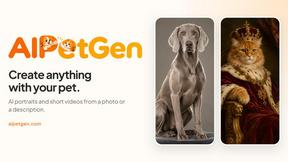
AIPetGen
AIPetGen turns a photo of your dog, cat, or other pet, or a written description, into a new picture or a short animation.

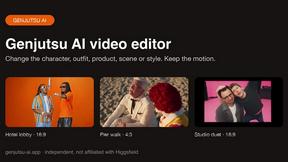
Hotel Lobby AI Video Generator
Turn two photos into a Hotel Lobby dance video in the orange A COLORS SHOW booth
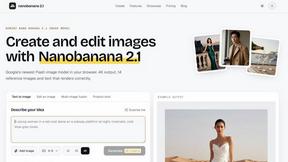
nanobanana 21
A fast, simple image studio powered by Nano Banana 2.1 — create and edit high-quality images with readable text and consistent characters.
About Anime Maker Alternatives
Anime Maker is an AI-powered creative platform that lives at the intersection of Content Creation, Design Tools, and Image Generation, letting you turn simple text prompts or photos into stunning anime-style images, original characters, logos, filters, and even image-to-video concepts. It’s built for artists, game teams, marketers, and anime fans who want a focused, browser-based workflow to explore visual ideas fast—no heavy software downloads required. However, users often search for alternatives due to evolving needs: maybe the platform’s pricing doesn’t fit a tight budget, or they need more advanced video editing features, specific export formats, or a mobile app for on-the-go creation. Others might want a tool that integrates better with existing design stacks or offers more granular control over character poses and backgrounds. When evaluating an alternative, look for a tool that balances generation speed with output quality, offers flexible pricing tiers (including a free trial), supports your preferred export resolution, and provides robust community support or tutorials. Prioritize platforms that keep up with trending anime styles and offer transparent data handling policies, especially if you’re generating content for commercial use.
FAQs about Anime Maker Alternatives
What is Anime Maker?
Anime Maker is an AI creative platform that generates anime-style images, characters, logos, filters, and image-to-video concepts from text prompts and photos. It provides a focused browser workflow for quickly exploring visual ideas, with multiple generation modes and export-ready results for artists, creators, and marketers.
Who is Anime Maker for?
Anime Maker is designed for artists, creators, game development teams, marketers, and anime fans who want to rapidly prototype anime-style visuals without needing advanced drawing skills. It’s ideal for anyone needing original characters, avatars, branded filters, or concept art for social media, games, or marketing campaigns.
Is Anime Maker free?
Anime Maker typically offers a free tier with limited generation credits or basic features, allowing users to test the platform before committing. For full access to higher resolutions, advanced generation modes, and commercial usage rights, a paid subscription plan is usually required. Always check the official website for the most current pricing details.
What are the main features of Anime Maker?
Key features include text-to-anime image generation, photo-to-anime character conversion, logo and avatar creation, customizable anime filters, and image-to-video concept animation. The platform supports multiple generation modes for varied artistic styles, and all outputs are optimized for export in common image and video formats.