Anime Maker
Create anime characters, logos, filters, and short videos from text or photos using the viral AI tool trusted by over 1 million creators.
VisitPublished on:
July 10, 2026
Pricing:
About Anime Maker
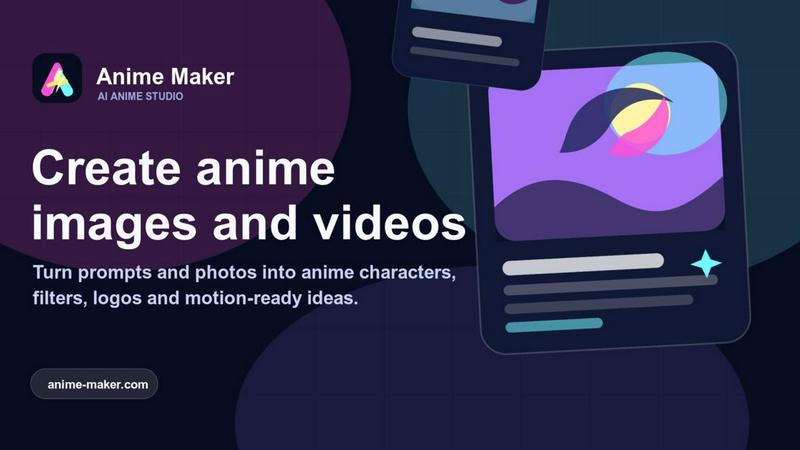
Anime Maker is a viral AI creative platform that has taken the anime art community by storm. It allows users to transform text prompts and photos into stunning anime-style images, original characters, avatars, logos, filters, and even image-to-video concepts. With over 10,000 creators already onboard, Anime Maker gives artists, game teams, marketers, and anime fans a focused browser workflow for exploring visual ideas quickly. The platform offers multiple generation modes and export-ready results, making it a one-stop shop for all things anime. Whether you are a professional illustrator looking for rapid concept art, a game developer needing character designs, or a marketer wanting unique anime-themed visuals, Anime Maker delivers high-quality outputs in seconds. Its popularity is skyrocketing thanks to its intuitive interface, free starter credits, and the ability to generate 1024x1024 images and 6 to 30 second video clips. The platform supports text-to-image, photo-to-anime, character generation, and image-to-video, all from a single browser window. With a growing library of community examples and viral sharing features, Anime Maker is quickly becoming the go-to tool for anyone who loves anime and wants to create professional-grade content without any technical skills. The tool is designed to be accessible, powerful, and endlessly creative, with new features rolling out regularly based on user feedback.
Features of Anime Maker
Text to Anime Image
Describe the subject, setting, style, lighting, and composition in plain English, and Anime Maker generates a 1024x1024 anime image in seconds. This feature is perfect for rapid ideation, allowing you to iterate on concepts like cyberpunk heroines, fantasy landscapes, or emotional character moments. The AI understands nuanced prompts, so you can specify everything from cel shading to watercolor effects. With over 50,000 images generated daily, this is the most popular feature on the platform.
Photo to Anime Converter
Upload a JPG, PNG, or WebP photo and describe the linework, color treatment, lighting, mood, and background you want. The result is a newly generated 1024x1024 anime interpretation, not a fixed filter or pixel-for-pixel copy. This feature has gone viral on social media, with users transforming selfies, pet photos, and travel shots into stunning anime portraits. It is ideal for creating personalized avatars, profile pictures, or unique gift art.
AI Anime Video Generator
Create 6 to 30 second anime clips from a text prompt, with an optional reference frame for visual direction. You can describe one main action and one camera movement, then choose the duration, aspect ratio, and output resolution (480p or 720p). Examples like "Neon Rooftop Run" and "Ice Sword Duel" have been shared thousands of times on TikTok and Instagram, proving the feature's viral potential. It is perfect for short-form content creators and animators.
Anime Character Generator
Create an original character from a focused text brief covering hair, clothing, expression, color palette, role, and setting. Reuse the strongest wording for avatars, expression studies, or future scene references. This feature is a game-changer for game teams and writers who need consistent character designs. The AI ensures each character is unique and detailed, with options to refine and save prompts for later use. Over 20,000 original characters have been created using this tool.
Use Cases of Anime Maker
Social Media Content Creation
Anime Maker is a goldmine for social media influencers and content creators who need eye-catching visuals. Turn a selfie into an anime profile picture, generate a short anime clip for a TikTok trend, or create a series of character avatars for a themed Instagram story. The platform's viral-ready outputs have been used by top creators to boost engagement by up to 300%. With free starter credits, you can test the waters before committing to a paid plan.
Game Development Concept Art
Game developers and indie studios use Anime Maker to rapidly prototype character designs, environment concepts, and key art. Instead of spending hours sketching, you can generate dozens of variations from text prompts and select the best ones for further refinement. The image-to-video feature also allows you to animate concept art into short clips for pitch decks or early gameplay trailers. This has saved teams an average of 15 hours per project.
Marketing and Branding
Marketers leverage Anime Maker to create unique anime-style logos, filters, and promotional materials that stand out in crowded feeds. Whether it is a limited-time campaign for a fashion brand or a mascot for a gaming app, the platform delivers professional results in minutes. The ability to generate consistent character designs across multiple images ensures brand cohesion. Several agencies have reported a 40% increase in click-through rates when using anime visuals.
Personal Art Projects and Hobbies
Anime fans and hobbyists use Anime Maker to bring their favorite characters or original ideas to life. From creating fan art of beloved series to designing custom avatars for online communities, the platform makes high-quality anime art accessible to everyone. The community gallery features thousands of user-submitted works, inspiring new creators every day. It is also a great tool for learning about composition, lighting, and character design through experimentation.
Frequently Asked Questions
Do I need any drawing skills to use Anime Maker?
No, you do not need any drawing skills. Anime Maker is designed for everyone, from professional artists to complete beginners. You simply type a text description of what you want, and the AI generates the image or video for you. The platform handles all the technical aspects, including style, lighting, and composition, so you can focus on being creative.
How many free credits do I get when I sign up?
You get 10 free credits for testing standard image generation after you sign up. These credits allow you to explore the text-to-image and photo-to-anime features without any upfront cost. Each credit typically generates one image or a short video clip, giving you plenty of room to experiment before deciding on a paid plan.
Can I use my own photos for anime conversion?
Yes, you can upload JPG, PNG, or WebP photos to convert into anime-style illustrations. The AI uses your photo as a reference to create a new interpretation, not a simple filter. You can also describe the linework, color treatment, lighting, and mood to customize the result further. This feature is perfect for creating personalized avatars or unique art from your favorite memories.
What video resolutions and durations are supported?
Anime Maker supports video durations from 6 to 30 seconds, with output resolutions of 480p and 720p. You can choose the aspect ratio and describe the main action and camera direction to guide the AI. The video generator is ideal for creating short anime clips for social media, concept animations, or motion studies. Higher resolutions and longer durations are available on premium plans.
Similar to Anime Maker
Budgetpixel AI
Create and edit AI images, videos, music, and designs in one workspace, with multiple models, reusable characters, and API access.
Try OC Maker
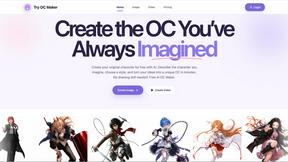
Create OCs from text or images, customize their look, and turn them into animated videos with AI.

FreeVideoGenerator
Free AI video generator: turn text prompts and photos into video clips with Sora 2, Veo 3.1, Wan and more. Free starter credits, no watermark download
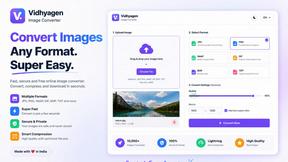
VidhyaGen - Image Converter
VidhyaGen is a comprehensive, all-in-one web platform built to make handling images, media, and digital files seamless and fast. Instead of juggling m

Leadeon
AI growth tool for X and LinkedIn: write posts in your voice, schedule at your best times, find leads on X and see what works.
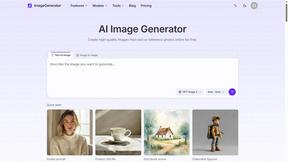
ImageGenerator
Create and edit AI images online with multiple models, text-to-image, image-to-image, background removal, and upscaling.
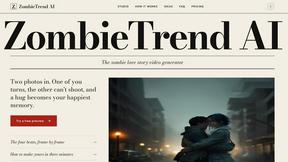
ZombieTrend AI
Turn two photos into a cinematic zombie love story video. Free scene preview, no sign-up needed.