
Dokie AI
Dokie AI transforms your ideas into stunning presentations in minutes, leveraging Claude Opus 4.6 for effortless slide creation and enhancement.
Visit
About Dokie AI
Dokie AI is a groundbreaking AI presentation maker designed to revolutionize how professionals create and enhance presentations. By utilizing the advanced capabilities of Claude Opus 4.6, Dokie AI empowers business professionals, educators, marketers, and startup founders to effortlessly generate polished slides without needing any design skills. This intuitive tool offers a variety of features that cater to different presentation needs, such as creating presentations from scratch, beautifying existing slides, and generating speaker notes. Its core value proposition lies in streamlining the presentation creation process, allowing users to focus on their content while Dokie AI handles the design and layout automatically. With multiple modes like Generate, Beautify, and Speech, Dokie AI transforms ideas into captivating presentations in mere minutes, making it the ideal solution for anyone looking to elevate their presentation game.
Features of Dokie AI
AI Generate PPT
With the AI Generate PPT feature, users can simply describe their topic in plain text, and Dokie AI will create a complete slide deck for them. This feature includes professional layouts, engaging charts, and compelling content, which saves time and ensures high-quality presentations.
AI Beautify PPT
The AI Beautify PPT feature allows users to upload existing presentations and have Dokie AI enhance their designs. This feature automatically fixes layouts, applies professional styling, and transforms ordinary slides into stunning visual presentations while preserving the original content.
Speech Notes Generation
Dokie AI offers the capability to generate detailed speaker notes for each slide automatically. This feature helps users deliver presentations with confidence by providing comprehensive talking points, ensuring they stay on track and effectively communicate their message.
Multiple Conversion Tools
Dokie AI supports various document-to-PPT conversions, including PDF to PPT, Word to PPT, and even YouTube to PPT. This versatility allows users to transform different formats into engaging presentations, making it easier to repurpose existing content for their needs.
Use Cases of Dokie AI
Business Presentations
Dokie AI is perfect for business professionals who need to create impactful presentations quickly. Whether pitching to investors or presenting quarterly reports, users can generate polished slides that communicate their ideas effectively.
Educational Lectures
Educators can utilize Dokie AI to develop engaging lecture materials. By simply providing the lecture topic, they can create informative presentations that enhance the learning experience for students.
Marketing Campaigns
Marketers can benefit from Dokie AI by crafting presentations that showcase their campaigns or product launches. The tool's ability to beautify existing slides ensures that their marketing materials stand out and capture attention.
Startup Pitches
Startup founders can leverage Dokie AI to generate compelling pitch decks that highlight their business concepts and growth potential. The ease of use and professional design capabilities help create a lasting impression on potential investors.
Frequently Asked Questions
What types of files can Dokie AI convert to PPT?
Dokie AI can convert a variety of file formats to PowerPoint slides, including PDFs, Word documents, HTML pages, and even YouTube videos, making it a versatile tool for creating presentations.
Is there a trial version of Dokie AI available?
Currently, Dokie AI offers a pay-as-you-go pricing model, starting from $39.80, which allows users to try the service without a long-term commitment. Monthly and yearly subscription plans are also available for more frequent users.
Can Dokie AI help with design aspects of my presentation?
Absolutely! Dokie AI's AI Beautify feature automatically enhances design elements like layouts, colors, and fonts, ensuring that your presentations are visually appealing without requiring design expertise.
How quickly can I create a presentation with Dokie AI?
Users can create a complete presentation in just minutes by using Dokie AI’s AI Generate PPT feature. The tool streamlines the entire process, allowing for fast and efficient presentation creation without sacrificing quality.
Similar to Dokie AI
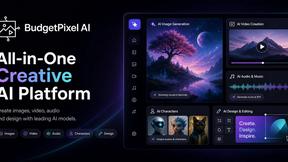
Budgetpixel AI
Create and edit AI images, videos, music, and designs in one workspace, with multiple models, reusable characters, and API access.
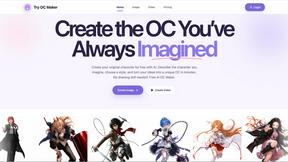
Try OC Maker
Create OCs from text or images, customize their look, and turn them into animated videos with AI.

VidhyaGen - Image Converter
VidhyaGen is a comprehensive, all-in-one web platform built to make handling images, media, and digital files seamless and fast. Instead of juggling m
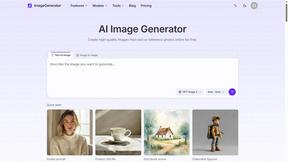
ImageGenerator
Create and edit AI images online with multiple models, text-to-image, image-to-image, background removal, and upscaling.
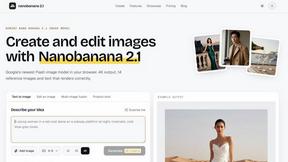
nanobanana 21
A fast, simple image studio powered by Nano Banana 2.1 — create and edit high-quality images with readable text and consistent characters.
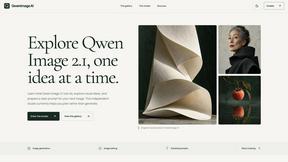
qwenimage-21
AI image generation and editing with detailed prompts, multiple references, portrait and typography refinement, and transparent RGBA output.
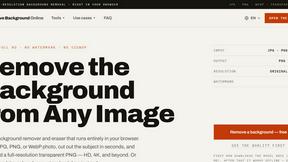
Free AI Image Background Remover
Remove image backgrounds free — no uploads, no signup, no watermark, full resolution. The AI runs in your browser; photos never touch a server.

RemoveMate
AI background remover for product photos, portraits, pets and everyday objects. Preview the cutout, then download.