
BudgetSheet
BudgetSheet seamlessly imports live bank transactions into Google Sheets, simplifying your budgeting like never before.
Visit
About BudgetSheet
BudgetSheet is a powerful Google Sheets addon that revolutionizes the way you manage your finances. Designed for anyone who wants to take control of their budgeting and financial planning, BudgetSheet allows users to import live bank transactions directly into their Google Sheets without the hassle of manual exports or tedious copy-pasting from CSV files. This tool seamlessly connects with over 10,000 financial institutions through Plaid, ensuring a secure and reliable experience. Whether you are managing checking accounts, savings, credit cards, investments, or loans, BudgetSheet simplifies the process, enabling you to create customized budgets and track expenses more effectively. With BudgetSheet, you can automate your financial tracking, enhance your data analysis with Google Sheets' powerful features, and gain a clearer understanding of your financial situation—all in one place.
Features of BudgetSheet
Live Bank Transactions
BudgetSheet allows you to import real-time bank transactions directly into your Google Sheets, eliminating the need for manual data entry. This feature ensures that your financial data is always up-to-date, providing a true reflection of your spending habits and budget.
Secure Bank Connections
Using Plaid, BudgetSheet securely connects to your financial institutions without storing any of your sensitive bank login information. This level of security allows you to trust that your financial data remains private while still being accessible for your budgeting needs.
Custom Automation
The addon supports automation through Google Sheets, enabling users to create custom scripts and leverage tools like Zapier. This feature empowers you to set up workflows that can automate repetitive tasks, saving you time and enhancing your budgeting efficiency.
Autofetch Feature
With the Autofetch feature, BudgetSheet automatically retrieves new bank transactions on a nightly basis. This means you can set it and forget it, ensuring that your financial records are consistently updated without any manual effort on your part.
Use Cases of BudgetSheet
Personal Budgeting
Individuals can utilize BudgetSheet to create personalized budgets that reflect their unique financial situations. By importing live bank transactions, users can easily monitor spending and adjust their budgets in real time to meet their financial goals.
Expense Tracking
For those looking to keep a close eye on their expenses, BudgetSheet provides a streamlined way to track transactions across multiple accounts. Users can categorize their spending and analyze trends over time, making it easier to identify areas for improvement.
Investment Monitoring
BudgetSheet is an excellent tool for investors who want to track their investments and related transactions. By importing investment account data directly into Google Sheets, users can analyze performance and make informed decisions based on real-time data.
Family Budget Management
Families can benefit from BudgetSheet by collaboratively managing household finances. By sharing a Google Sheet, multiple family members can access and update financial data, ensuring everyone is on the same page regarding budgeting and expenses.
Frequently Asked Questions
How does BudgetSheet connect to my bank?
BudgetSheet uses Plaid to establish secure connections with your financial institutions, allowing you to import live transactions without storing your bank login credentials.
Is my financial data safe with BudgetSheet?
Yes, BudgetSheet prioritizes security. It does not store your bank information and uses encrypted tokens to access your account data, ensuring your financial information remains private.
Can I customize my Google Sheets with BudgetSheet?
Absolutely! BudgetSheet allows for extensive customization within Google Sheets, enabling you to create budgets, charts, and reports tailored to your specific financial needs.
What happens after the 15-day free trial?
After the free trial, BudgetSheet is available for $59 per year. You can easily upgrade to the paid plan directly from the BudgetSheet Addon menu in your Google Sheets.
Similar to BudgetSheet


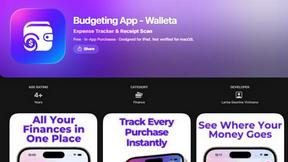
Budgeting App
Walleta is the top-rated free iPhone budget planner that uses AI receipt scanning to track expenses and set monthly limits.
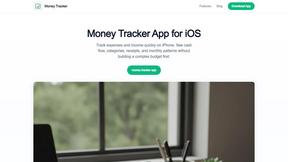
Money Tracker App
Join 10,000+ users tracking cash flow privately on iPhone with AI receipt scanning and zero bank links or signups.
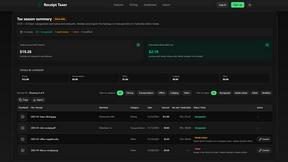
Receipt Taxer
Receipt Taxer transforms your receipts into organized digital data, effortlessly extracting amounts and categories for easy tax preparation.
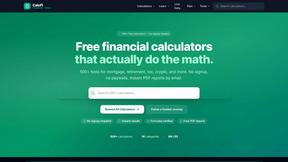
CalcFi
CalcFi offers 500+ free financial calculators for every money decision, delivering instant results and personalized PDF plans without signup.

Redbark
Join thousands syncing Aussie bank data to Sheets and YNAB automatically, no manual entry ever.

Ricco - Financial Literacy Game
Master real money skills in a fun game where your choices build real financial confidence.