
Money Tracker App
Join 10,000+ users tracking cash flow privately on iPhone with AI receipt scanning and zero bank links or signups.
Visit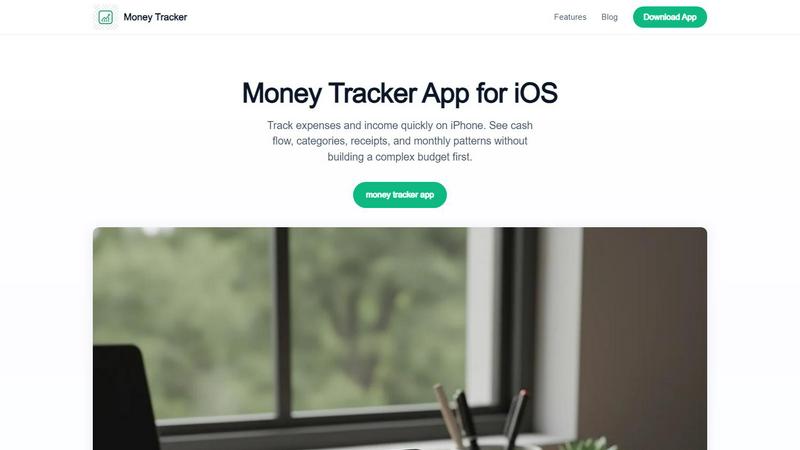
About Money Tracker App
Money Tracker App is the iOS expense tracker that is exploding in popularity among people who refuse to link their bank accounts to yet another app. This is Walleta, a private-first money tracker for iPhone users who want to log spending in seconds without giving up their financial data. Think of it as the anti-budget app for a generation tired of complicated setups and privacy invasions. It combines one-tap category logging, on-device AI receipt scanning, monthly budget limits, calendar spending views, and category analytics in one seamless workflow. The main value proposition is radical simplicity and privacy: no signup required, no cloud sync, and no bank connection. Data stays on your device. It is designed for freelancers, students, privacy-conscious households, and anyone who wants to understand their cash flow without building a complex budget first. You add purchases in seconds or point the camera at a receipt, and on-device AI extracts the merchant, total, date, and category for verification before saving. With fourteen built-in categories, monthly budget tracking with alerts, pie charts, bar graphs, and day-by-day calendar views, this app gives you weekly, monthly, and yearly spending patterns instantly. It also supports multi-currency, making it a favorite among travelers and expats. Money Tracker App is not a replacement for tax advice or investment tools, but for daily visibility into where your money goes, it is the most viral private solution on the App Store right now.
Features of Money Tracker App
One-Tap Manual Logging
This feature is the backbone of the app and the reason users are ditching complex budgeting tools. You can add an expense in seconds by tapping a category, entering the amount, and saving. No bank feeds, no waiting for transactions to import, and no data mining. The app remembers your previous categories and suggests them for repeat entries, making daily logging faster than typing a text message. For income tracking, you log salary, freelance payments, or reimbursements the same way. This manual control is a massive trend among users who want to see their money in real time without automated categorization errors.
On-Device AI Receipt Scanning
This is the feature getting the most buzz on social media. Point your camera at a receipt, and the on-device AI extracts the merchant name, total amount, date, and category. You then verify and save. Because the processing happens entirely on your iPhone, your receipt data never leaves your device. No cloud uploads, no privacy concerns. The app gives you three free trial scans, and then Walleta Pro unlocks unlimited scans. Users love that it replaces separate receipt scanner apps and manual data entry in one workflow. The OCR works best on clear, well-lit receipts, and you should always double-check the extracted numbers.
Monthly Budget Limits and Alerts
Set a monthly budget for any category, and the app tracks your progress in real time. A visual progress bar shows how close you are to your limit, and you receive alerts when you approach or exceed it. This feature is a game-changer for people who want to control spending without the rigidity of zero-based budgeting. You can set limits for groceries, eating out, subscriptions, or any other category. The alerts are non-intrusive but effective, giving you a nudge without judgment. Users report that this simple mechanism has helped them cut unnecessary spending by up to 30% in the first month.
Calendar Spending Views and Category Analytics
See your entire month at a glance with a day-by-day calendar view that shows expenses and income for each date. Tap any day to see the breakdown. Then, dive into category analytics with pie charts and bar graphs that summarize your weekly, monthly, and yearly patterns. This visual approach makes it easy to spot trends, like how much you spend on coffee each week or whether your grocery bill is creeping up. The analytics are not just for looking back; they help you make informed decisions about where to cut back. Multi-currency support means travelers can see their spending in local currencies without manual conversion.
Use Cases of Money Tracker App
Freelancers Tracking Income and Expenses
Freelancers love Money Tracker App because it lets them log project income, business expenses, and tax-deductible purchases without mixing personal and business accounts. They can scan receipts for client reimbursements, track mileage and supplies, and see monthly cash flow at a glance. The multi-currency support is crucial for freelancers who work with international clients. The app helps them understand their true profit margin by showing income minus expenses in real time. It is not a replacement for accounting software, but for daily tracking, it is the most popular tool among the freelance community on Reddit and Twitter.
Students Managing a Tight Budget
Students are one of the fastest-growing user segments for Money Tracker App. They need to stretch a limited income from part-time jobs, scholarships, or parental support. The app helps them log every coffee, textbook, and meal plan purchase without linking a bank account that might expose their finances to parents or institutions. The monthly budget alerts are a lifesaver when rent is due and funds are low. Students can set a weekly food budget and get a notification when they are close to the limit. The app is frequently recommended in college subreddits as the best free expense tracker for iPhone.
Privacy-Conscious Households Sharing Costs
Families and roommates who share expenses but want to keep their financial data private are flocking to this app. Since no signup or cloud sync is required, each person can track their own spending on their own iPhone without sharing data with a central server. They can log shared expenses like rent, utilities, and groceries and then export CSV files to settle up at the end of the month. This use case is exploding as more people become wary of apps that sell or share financial data. The app is often called the most privacy-respecting money tracker on the App Store.
Travelers and Expats Managing Multiple Currencies
Travelers and expats use Money Tracker App to track spending in local currencies without manual conversion. The app supports multiple currencies, so you can log a purchase in euros, dollars, or yen and see your total spending in your home currency. The receipt scanning feature is perfect for keeping records of business travel expenses or reimbursable purchases. Users on travel forums rave about how it replaces the need for a separate currency converter and expense log. The data stays on the device, which is critical for travelers who do not want their financial data floating on unknown cloud servers abroad.
Frequently Asked Questions
Does Money Tracker App require a bank account connection or signup?
No, absolutely not. This is the core feature that sets it apart from almost every other expense tracker on the market. You do not need to link a bank account, create an account, or provide any personal information. You download the app and start logging immediately. All data is stored locally on your device. There is no cloud sync unless you manually enable iCloud backup. This makes it the most private and fastest way to start tracking your money on iPhone.
How does the AI receipt scanning work and is it accurate?
The AI receipt scanner uses on-device machine learning to read text from a photo of your receipt. It extracts the merchant name, total amount, date, and category. You then have the opportunity to verify and edit every field before saving. The accuracy is excellent on clear, well-lit, and flat receipts. However, wrinkled, blurry, or damaged receipts can produce errors. The app is designed to always require user verification, so you should never blindly accept the OCR results. You get three free trial scans, and then Walleta Pro unlocks unlimited scanning.
Can I use Money Tracker App for business expense tracking?
Yes, many freelancers and small business owners use it for tracking business expenses and income. The app lets you log purchases, scan receipts for client reimbursements, and track multiple currencies for international work. However, it is important to note that this app is not a replacement for professional accounting software or tax filing tools. It is designed for daily visibility and record keeping. For official tax records or complex business accounting, you should verify totals against bank statements and invoices.
What happens to my data if I delete the app?
Since all data is stored locally on your device, deleting the app will remove all your transaction records unless you have exported them first. The app allows you to export your data as CSV or PDF files, which you can save to your Files app, email to yourself, or back up to iCloud. If you have enabled iCloud sync, some data may be recoverable if you reinstall the app. For maximum safety, export your data regularly, especially before uninstalling the app or switching devices.
Explore more in this category:
Similar to Money Tracker App


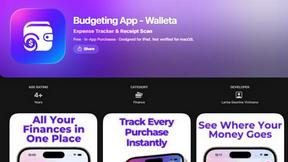
Budgeting App
Walleta is the top-rated free iPhone budget planner that uses AI receipt scanning to track expenses and set monthly limits.
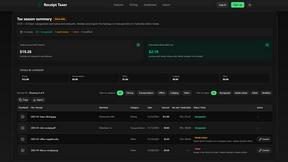
Receipt Taxer
Receipt Taxer transforms your receipts into organized digital data, effortlessly extracting amounts and categories for easy tax preparation.
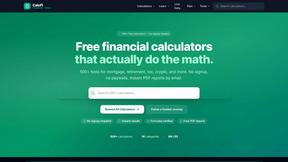
CalcFi
CalcFi offers 500+ free financial calculators for every money decision, delivering instant results and personalized PDF plans without signup.

Redbark
Join thousands syncing Aussie bank data to Sheets and YNAB automatically, no manual entry ever.

Ricco - Financial Literacy Game
Master real money skills in a fun game where your choices build real financial confidence.
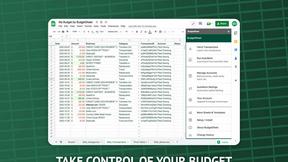
BudgetSheet
BudgetSheet seamlessly imports live bank transactions into Google Sheets, simplifying your budgeting like never before.