
Budgeting App
Walleta is the top-rated free iPhone budget planner that uses AI receipt scanning to track expenses and set monthly limits.
Visit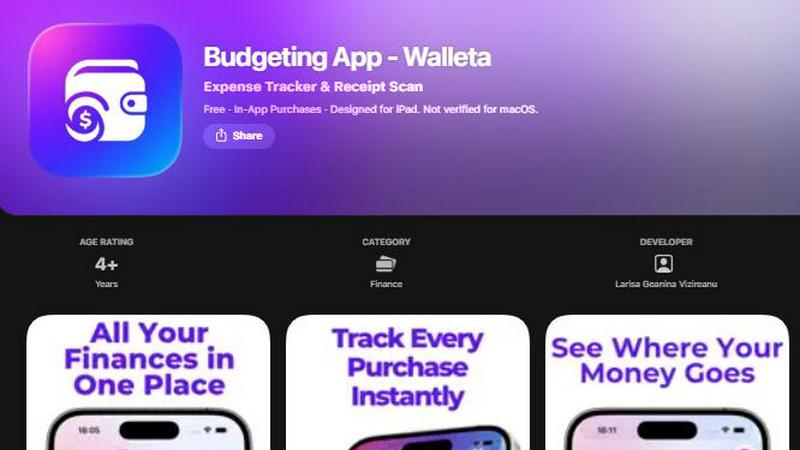
About Budgeting App
Budgeting App, also known as Walleta, is the free iOS budget planner and AI expense tracker that is taking the App Store by storm. It is the ultimate private money tracker designed for iPhone users who want full control over their spending without ever connecting a bank account. Think of it as your personal financial assistant that lives entirely on your device. Walleta lets you scan receipts with on-device AI, log expenses in seconds, set monthly budget caps, and see where every dollar goes through beautiful analytics. It replaces the headache of juggling three different finance apps with one seamless, private workflow. This app is perfect for travelers, expats, students, and privacy-first households who are tired of cloud sync, email signups, and ad tracking. With Walleta, your financial data never leaves your iPhone. It is a viral sensation among those who value simplicity and privacy, offering 14 built-in categories like Food, Groceries, Transport, and Fun. Whether you are snapping a receipt at a coffee shop or manually logging a shopping spree, Walleta makes expense tracking effortless. It is the go-to app for anyone searching for a receipt scanner that works without an account. With over 11.1 MB of pure utility, Walleta is designed for iOS 18.2+ and is already a trending pick in the Finance category. Join the thousands of users who have ditched bank-linked trackers for the private, powerful, and free experience of Walleta.
Features of Budgeting App
AI Receipt Scanning
Walleta’s on-device AI is a game-changer for receipt tracking. Point your camera at any receipt, and the AI instantly reads the merchant, total, date, and category. No more manual typing or guessing. You simply snap, verify the extracted details, and save. This feature is a massive time-saver for users who hate data entry. Free users get three AI scans to test the magic, and Walleta Pro unlocks unlimited scans. The AI works best with clear, readable receipts, but even faded slips can be handled with manual one-tap logging. It is the perfect tool for anyone who wants to digitize their spending without the hassle.
One-Tap Expense Logging
Logging your spending has never been faster. Walleta offers one-tap logging across 14 built-in categories, including Food, Groceries, Transport, Shopping, Health, Rent, Bills, Subscriptions, Coffee, Travel, and Fun. Just tap the category, enter the amount, and your expense is saved. This feature is ideal for users who want to track cash, card, or any other form of payment instantly. Combined with receipt scanning, it creates a lightning-fast workflow that keeps your spending log up to date without any friction.
Monthly Budget Caps with Real-Time Alerts
Take control of your finances with Walleta’s powerful budget feature. Set a monthly spending limit for each category or overall, and watch your progress in real time. The app alerts you when you are approaching or exceeding your budget, helping you avoid overspending. This feature is a lifesaver for anyone trying to stick to a financial plan. The visual progress bar gives you a clear, at-a-glance view of where you stand, making it easier to make informed spending decisions throughout the month.
Beautiful Analytics and Calendar View
Walleta transforms your spending data into stunning, easy-to-understand visuals. You get pie charts, bar graphs, and category summaries for weekly, monthly, and yearly periods. The calendar view lets you browse expenses day by day, so you can see exactly what you spent on any date. This feature is perfect for spotting trends, identifying spending spikes, and planning future budgets. Whether you are reviewing your monthly grocery bill or tracking travel expenses, the analytics make it simple to understand your financial habits.
Use Cases of Budgeting App
Travelers and Expats Managing Multiple Currencies
For globetrotters and expats, Walleta is a must-have. The app supports multi-currency codes, allowing you to log expenses in any currency. Whether you are paying in euros, yen, or dollars, Walleta auto-detects your local currency or lets you set it manually. This use case is perfect for tracking spending across different countries without the confusion of manual conversion. Plus, with no bank connection needed, you can use it anywhere without worrying about international data privacy laws.
Privacy-Focused Households Avoiding Cloud Sync
Many people are fed up with apps that track their data and sell it to advertisers. Walleta is the answer for privacy-first users. All data stays on your device with no bank linking, no email signup, and no cloud sync. This use case is ideal for families who want to track household expenses without exposing their financial information to third parties. It is a private expense tracker that puts you in complete control.
Students Budgeting on a Tight Income
Students need to watch every dollar, and Walleta makes it easy. With monthly budget caps and real-time alerts, students can set limits for categories like Food, Transport, and Fun. The one-tap logging is perfect for quick entries between classes, and the receipt scanner helps digitize paper receipts from campus cafes. The analytics provide a clear picture of spending habits, helping students avoid overspending and stay on track with their financial goals.
Freelancers and Side Hustlers Tracking Business Expenses
Freelancers can use Walleta to log business-related purchases like subscriptions, travel, and office supplies. The 14 categories cover most needs, and the multi-currency support is great for international clients. While not a tax tool, Walleta provides a clean, organized spending history that can be reviewed for expense reporting. The calendar view and analytics help freelancers see where their money is going, making it easier to manage cash flow and plan for future projects.
Frequently Asked Questions
Does Walleta connect to my bank account?
No, Walleta does not connect to your bank account. It is a private expense tracker that works entirely on your device. You log your spending manually or by scanning receipts. This means your financial data never leaves your iPhone, and you have complete privacy. No bank linking, no cloud sync, and no tracking.
How many AI receipt scans do I get for free?
Free users get three AI receipt scans to try the feature. After that, you can unlock unlimited scans with a Walleta Pro subscription. The AI reads the merchant, total, date, and category from your receipt photos. For best results, use clear, readable receipts. If a receipt is faded, you can always use manual one-tap logging.
What categories are available in Walleta?
Walleta includes 14 built-in categories: Food, Groceries, Transport, Shopping, Health, Rent, Bills, Subscriptions, Coffee, Travel, Fun, and more. You can log spending in any category with a single tap. This makes it easy to track where your money goes each month. The categories cover everyday expenses for travelers, students, and households.
Is my data safe and private with Walleta?
Absolutely. Walleta is built with privacy first. All your data stays on your device. There are no accounts, no signups, no email required, and no cloud sync. The app does not use ad tracking pixels or share your information with third parties. Your finances are yours alone, and all data remains on your iPhone.
Similar to Budgeting App


Money Tracker App
Join 10,000+ users tracking cash flow privately on iPhone with AI receipt scanning and zero bank links or signups.
Receipt Taxer
Receipt Taxer transforms your receipts into organized digital data, effortlessly extracting amounts and categories for easy tax preparation.
CalcFi
CalcFi offers 500+ free financial calculators for every money decision, delivering instant results and personalized PDF plans without signup.

Redbark
Join thousands syncing Aussie bank data to Sheets and YNAB automatically, no manual entry ever.

Ricco - Financial Literacy Game
Master real money skills in a fun game where your choices build real financial confidence.
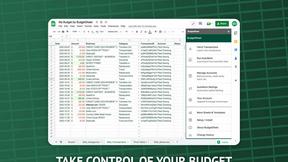
BudgetSheet
BudgetSheet seamlessly imports live bank transactions into Google Sheets, simplifying your budgeting like never before.