
AnveVoice vs SVG to 3D
Side-by-side comparison to help you choose the right AI tool.

Transform your website with AnveVoice, the AI voice assistant that navigates, answers, and completes tasks through.
Last updated: February 28, 2026
SVG to 3D
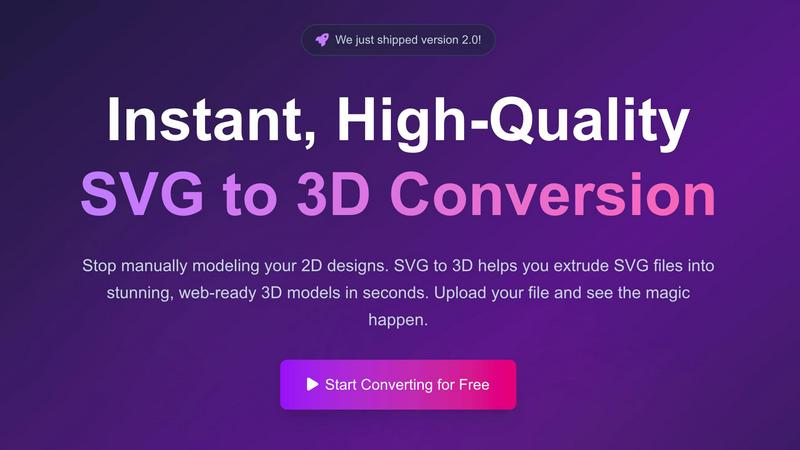
Transform your 2D SVG designs into stunning 3D models effortlessly and quickly with SVG to 3D's advanced conversion.
Last updated: February 28, 2026
Visual Comparison
AnveVoice
SVG to 3D
Feature Comparison
AnveVoice
Voice-First AI Interaction
AnveVoice harnesses advanced natural language processing to allow visitors to communicate with websites using their voice. This feature eliminates the need for typing, making interactions seamless and user-friendly.
Intelligent Navigation
The AI receptionist Anve guides users to relevant pages and answers through conversational prompts, ensuring that visitors find what they are looking for quickly and efficiently. This feature enhances user satisfaction and reduces bounce rates.
End-to-End Task Completion
AnveVoice is designed to handle complex tasks entirely through voice commands. From booking appointments to filling out forms, Anve ensures that every step of the process is completed without requiring manual input from users.
Real-Time Analytics Dashboard
The built-in analytics dashboard provides businesses with real-time insights into visitor interactions. Users can track sessions, message counts, completion rates, and token usage, allowing for data-driven decisions to optimize engagement strategies.
SVG to 3D
One-Click Export to GLB
This feature allows users to export their 3D models as GLB files with a single click, making it ideal for web developers. The GLB files are optimized for integration into popular frameworks like Three.js and React Three Fiber, providing a seamless experience for adding interactive 3D elements to websites.
3D-Print Ready STL Exports
SVG to 3D supports clean STL exports, which are essential for 3D printing. This means you can take your designs directly from the tool to your slicer, ensuring that your logos, art, and custom parts are ready for physical production without the need for complex CAD software.
Advanced Real-Time Editing
Beyond simple extrusion, this tool allows users to fine-tune every aspect of their 3D models. You can adjust thickness, add intricate bevels, and apply realistic PBR materials, all while seeing changes in real-time. This level of customization ensures professional-quality output that stands out.
Privacy-Focused Design
SVG to 3D prioritizes user privacy by processing files locally in your browser whenever possible. This means your designs are kept secure and confidential, without the risk associated with uploading sensitive files to external servers.
Use Cases
AnveVoice
E-Commerce Support
AnveVoice can significantly enhance the shopping experience on e-commerce websites by helping customers navigate product categories, retrieve shipping information, and complete purchases—all through simple voice commands, leading to increased sales conversion rates.
Healthcare Assistance
In the healthcare sector, AnveVoice can streamline patient interactions by answering common queries, scheduling appointments, and guiding users to relevant health resources, ultimately improving patient engagement and satisfaction.
Educational Guidance
For educational institutions, AnveVoice serves as a virtual assistant that can answer student inquiries, provide information about courses, and guide prospective students through the admissions process, reducing the workload on administrative staff.
Accessibility Enhancement
AnveVoice promotes inclusivity by providing a voice-controlled interface for users with disabilities. This feature allows individuals who may struggle with traditional navigation methods to access information and complete tasks on websites effortlessly.
SVG to 3D
Creating Interactive 3D Logos
Designers can elevate their branding by converting flat SVG logos into interactive 3D models. This not only enhances visual appeal but also engages users, making websites more dynamic and visually interesting.
Rapid Prototyping for 3D Printing
Entrepreneurs and makers can use SVG to STL conversion for rapid prototyping of their designs. By quickly transforming 2D graphics into 3D models, they can iterate their designs and test physical products faster than ever.
Enhancing UI/UX Mockups
UI/UX designers can add depth and realism to their mockups by integrating 3D elements. This tool allows them to create 3D buttons and icons from SVG files, making presentations more compelling and engaging for stakeholders.
Web Development with 3D Assets
Web developers can streamline their workflow by using SVG to 3D to create visually rich web applications. The ability to export models in web-friendly formats means developers can easily integrate 3D assets into their projects without extensive 3D modeling experience.
Overview
About AnveVoice
AnveVoice is revolutionizing how visitors interact with websites by introducing the world's first Voice OS designed specifically for online environments. Unlike traditional chatbots that rely on text-based communication, AnveVoice allows users to engage with websites using natural voice commands. This innovative AI receptionist, Anve, is capable of answering questions, guiding users through navigation, filling out forms, and executing real actions on the website. With support for over 50 languages, AnveVoice caters to a diverse global audience, making it an ideal solution for businesses across various sectors. Its simple one-line embed code allows effortless integration into any website platform, from Shopify to WordPress. AnveVoice not only enhances user experience but also provides real-time analytics, enabling businesses to monitor interactions and optimize performance. With a pricing model that starts free and includes various paid plans, AnveVoice makes cutting-edge voice technology accessible to everyone, ensuring that no visitor leaves without the assistance they need.
About SVG to 3D
SVG to 3D is a revolutionary online tool designed to transform your 2D SVG vector graphics into stunning, high-quality 3D models in seconds. Built for web developers, designers, and 3D printing enthusiasts, this tool eliminates the hassle of bulky software like Blender or C4D, allowing you to quickly extrude logos, icons, or any SVG design without the steep learning curve. With its user-friendly interface, you can upload your SVG files directly in your browser, tweak parameters in real-time, and download optimized 3D models ready for web integration or printing. The main value proposition lies in its ability to streamline the design process, making it accessible for professionals and hobbyists alike, while ensuring top-notch output quality. SVG to 3D not only saves time but also enhances your creative capabilities by providing advanced features that enable you to produce impressive 3D visualizations with minimal effort.
Frequently Asked Questions
AnveVoice FAQ
How does AnveVoice integrate with my website?
Integrating AnveVoice is simple and requires only one line of code. This one script tag can be added to any website, regardless of the platform, making deployment quick and easy without the need for additional plugins.
What languages does AnveVoice support?
AnveVoice boasts support for over 50 languages, allowing businesses to cater to a diverse audience and ensuring that users from different linguistic backgrounds can have seamless interactions with your website.
Is there a free version of AnveVoice?
Yes, AnveVoice offers a free tier that allows users to handle up to 200,000 tokens per month. This makes it accessible for businesses of all sizes to try out the platform without any initial investment.
What kind of analytics does AnveVoice provide?
The real-time analytics dashboard provides insights into user sessions, message counts, average duration of interactions, and success rates. This data helps businesses understand user behavior and optimize their website's performance.
SVG to 3D FAQ
How do I convert my SVG file to 3D?
To convert your SVG file, simply upload it using our interface. Adjust the 3D settings as desired and then download your model in your preferred format.
What file formats can I export my 3D models to?
You can export your 3D models in multiple formats including GLB, GLTF, OBJ, and STL, making it versatile for various applications such as web integration or 3D printing.
Is SVG to 3D free to use?
Yes, SVG to 3D offers a completely free service allowing you to transform your SVG files into 3D models without any registration required.
Is my data safe when using SVG to 3D?
Absolutely! Your files are processed locally in your browser, ensuring that your designs remain private and secure, without being uploaded to external servers.
Alternatives
AnveVoice Alternatives
AnveVoice is a groundbreaking Voice OS that revolutionizes how visitors interact with websites. By leveraging advanced voice AI technology, it enables users to engage through natural speech rather than traditional text-based methods. This innovative tool falls within the category of AI Assistants, enhancing customer support and user experience across various sectors, including healthcare, e-commerce, and education. Users often seek alternatives to AnveVoice for several reasons, including pricing, feature sets, or specific platform compatibility requirements. When exploring alternatives, it's crucial to consider factors such as ease of integration, language support, and the availability of real-time analytics. Additionally, examine the overall user experience and the ability to customize features based on unique business needs to ensure a seamless transition to a new solution.
SVG to 3D Alternatives
SVG to 3D is a cutting-edge tool designed to seamlessly transform 2D SVG vector graphics into stunning 3D models. Falling under the category of AI Assistants, it caters specifically to designers, developers, and 3D printing enthusiasts who need a quick and efficient solution for converting their designs without the hassle of heavyweight software. Users often seek alternatives due to various factors such as pricing, specific feature requirements, or compatibility with different platforms. When searching for an alternative, consider the ease of use, export options, and whether the tool can cater to your specific needs, such as 3D printing or web integration. A great alternative should not only match or exceed the features of SVG to 3D but also provide a user-friendly experience that enhances your creative workflow.