
SVG to 3D
Transform your 2D SVG designs into stunning 3D models effortlessly and quickly with SVG to 3D's advanced conversion.
Visit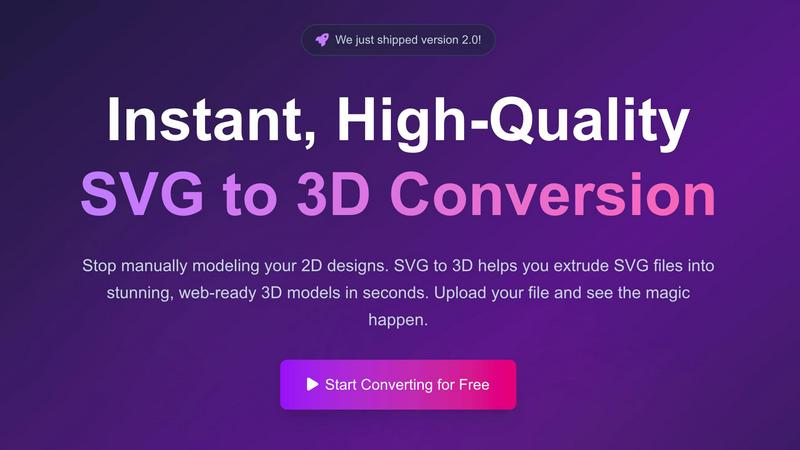
About SVG to 3D
SVG to 3D is a revolutionary online tool designed to transform your 2D SVG vector graphics into stunning, high-quality 3D models in seconds. Built for web developers, designers, and 3D printing enthusiasts, this tool eliminates the hassle of bulky software like Blender or C4D, allowing you to quickly extrude logos, icons, or any SVG design without the steep learning curve. With its user-friendly interface, you can upload your SVG files directly in your browser, tweak parameters in real-time, and download optimized 3D models ready for web integration or printing. The main value proposition lies in its ability to streamline the design process, making it accessible for professionals and hobbyists alike, while ensuring top-notch output quality. SVG to 3D not only saves time but also enhances your creative capabilities by providing advanced features that enable you to produce impressive 3D visualizations with minimal effort.
Features of SVG to 3D
One-Click Export to GLB
This feature allows users to export their 3D models as GLB files with a single click, making it ideal for web developers. The GLB files are optimized for integration into popular frameworks like Three.js and React Three Fiber, providing a seamless experience for adding interactive 3D elements to websites.
3D-Print Ready STL Exports
SVG to 3D supports clean STL exports, which are essential for 3D printing. This means you can take your designs directly from the tool to your slicer, ensuring that your logos, art, and custom parts are ready for physical production without the need for complex CAD software.
Advanced Real-Time Editing
Beyond simple extrusion, this tool allows users to fine-tune every aspect of their 3D models. You can adjust thickness, add intricate bevels, and apply realistic PBR materials, all while seeing changes in real-time. This level of customization ensures professional-quality output that stands out.
Privacy-Focused Design
SVG to 3D prioritizes user privacy by processing files locally in your browser whenever possible. This means your designs are kept secure and confidential, without the risk associated with uploading sensitive files to external servers.
Use Cases of SVG to 3D
Creating Interactive 3D Logos
Designers can elevate their branding by converting flat SVG logos into interactive 3D models. This not only enhances visual appeal but also engages users, making websites more dynamic and visually interesting.
Rapid Prototyping for 3D Printing
Entrepreneurs and makers can use SVG to STL conversion for rapid prototyping of their designs. By quickly transforming 2D graphics into 3D models, they can iterate their designs and test physical products faster than ever.
Enhancing UI/UX Mockups
UI/UX designers can add depth and realism to their mockups by integrating 3D elements. This tool allows them to create 3D buttons and icons from SVG files, making presentations more compelling and engaging for stakeholders.
Web Development with 3D Assets
Web developers can streamline their workflow by using SVG to 3D to create visually rich web applications. The ability to export models in web-friendly formats means developers can easily integrate 3D assets into their projects without extensive 3D modeling experience.
Frequently Asked Questions
How do I convert my SVG file to 3D?
To convert your SVG file, simply upload it using our interface. Adjust the 3D settings as desired and then download your model in your preferred format.
What file formats can I export my 3D models to?
You can export your 3D models in multiple formats including GLB, GLTF, OBJ, and STL, making it versatile for various applications such as web integration or 3D printing.
Is SVG to 3D free to use?
Yes, SVG to 3D offers a completely free service allowing you to transform your SVG files into 3D models without any registration required.
Is my data safe when using SVG to 3D?
Absolutely! Your files are processed locally in your browser, ensuring that your designs remain private and secure, without being uploaded to external servers.
Similar to SVG to 3D

Verla AI
Verla is an AI academic assistant for university and college students, combining AI essay writing, academic research, AI detection, AI humanization

Memorable Contact
Memorable Contact helps you remember people, save conversation details, find contacts using AI-powered search, and share digital business cards
screenRIG
Signage and kiosk infrastructure for AI agents. Your agent publishes images, video, streams, web pages and apps to screens via one plugin.screenRIG is

AUTOMATER.ai
A tray helper for every AI coding tool: sessions, alerts and usage in one place

Honer AI
Android AI assistant with chat, web search, photo and document analysis, and voice input.

WidgIq
Provide an AI-powered customer support widget for your website
ReadyHermes
Your own hosted Hermes Agent in a minute: memory, self-learning skills, schedules, a real browser and 1,000+ app connections.