

Alternatives to VersQ
VersQ translates PDFs, DOCX, and EPUBs with 50+ AI models, preserving formatting and building reusable glossaries for just $7.99/month.
Explore 20 alternatives to VersQ. Compare features, pricing, and find the best fit for your needs.

Safe Outreach
AI-powered platform that evaluates the safety of LinkedIn automation tools and helps reduce the risk of account restrictions.
RenewRoster
Track every client domain and SSL expiry in one list with 60/30/14/3-day alerts and white-label client reminders.
Nitrozen
Publish product updates, embed an in-app changelog widget and host a public changelog page with Markdown, API and MCP.

Vocaryn
AI job-application agent: ranks jobs by fit with your confirmed experience, tailors your resume to each and applies on the employer's site.

How Long How Many Tool
Timers and hourly checks to figure how out long until a certain time or how many days away.

FloatText - Floating Clipboard
A floating clipboard for Android & Windows. Save, manage, and copy multiple text snippets instantly without switching apps.

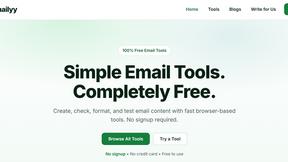
Emailyy
Free email tools for signatures, subject lines, HTML previews, word counts, and email headers. Browser-based, simple to use, and no signup required.

Uniclip
Clip pages, take full-page screenshots and batch-capture list data to Notion, Feishu, Obsidian, Markdown, CSV or JSON.
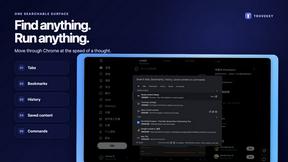
TroveKey
Search tabs, Chrome bookmarks and history, run browser commands, and save webpages and social posts locally—no account.

KS-Agents
AI platform for HR leaders: spot burnout by cohort, map who your organization runs on, and keep expert knowledge before people leave.
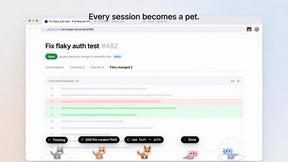
Agent Pets
Your Claude Code & Codex sessions as pets in Chrome. Approve, deny and reply to your coding agents from any tab.
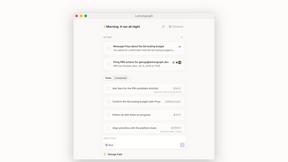
Lemongraph
Almost every conversation ends with a promise. Lemongraph keeps track of them for you and lines up your day the way you would.
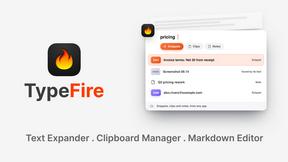
TypeFire
Type a few letters, get the whole reply. Markdown notes as files you own. Find anything you copied.
LightScreen
Free light screen tool online. Turn any display into a flashlight, ambient light, or solid-color screen. No download or sign-up.
Screen Issues
Free Online Screen Test Tool - Instantly diagnose dead pixels, lines, color issues, and flickering. Multiple test modes, no download needed.

Context Board
Context Board brings your numbers, docs, clients, content and day into one workspace that Claude and Codex can read and update.

@fuck.it - email with attitude
Private email. Pure. Secure. Exclusive. No ads, no tracking, no data selling. GDPR compliant, EU-hosted.

FreeVideoGenerator
Free AI video generator: turn text prompts and photos into video clips with Sora 2, Veo 3.1, Wan and more. Free starter credits, no watermark download
About VersQ Alternatives
VersQ is a specialized AI document translation platform designed for professionals in legal, medical, and international business sectors who require high accuracy and context-aware translations. It falls under the Productivity & Management category, focusing on preserving the original structure of complex documents like PDFs, DOCX, and XLSX files. Users often seek alternatives when they need more flexible pricing tiers, support for niche file formats not covered by the platform, or integration with specific enterprise workflows. Others may look for options that offer faster processing speeds, different AI model selections, or simpler interfaces for non-technical team members. When evaluating alternatives, prioritize tools that maintain document formatting integrity, support your most-used file types, and offer a choice of AI engines to match your industry’s terminology needs. Look for platforms that provide clear security certifications for handling sensitive legal or medical data, transparent pricing without hidden per-page costs, and the ability to handle large batch uploads efficiently. The best alternative will balance translation accuracy with seamless output that requires minimal manual cleanup, while fitting within your team’s budget and workflow requirements.
FAQs about VersQ Alternatives
What is VersQ?
VersQ is an AI-powered document translation platform built for professional use, particularly in legal, medical, and international business environments. It allows users to upload files in over 15 formats including PDFs, DOCX, EPUB, XLSX, and HTML, then translates them using a choice of 50+ AI models like GPT-4, Claude, Gemini, DeepSeek, and Llama. The key differentiator is that it preserves the original document's formatting, tables, and layout in the final output.
Who is VersQ for?
VersQ is designed for professionals and teams who need accurate, context-aware document translations without losing structural integrity. Its primary users include legal firms handling contracts, medical organizations translating patient records, and international business teams working with multilingual reports. It is not intended for casual translation needs, but rather for high-stakes environments where formatting and terminology precision are critical.
What are the main features of VersQ?
VersQ's core features include support for 15+ file formats, semantic section splitting to maintain document context, and the ability to choose from over 50 AI translation models. It automatically extracts text, applies intelligent segmentation, and reconstructs the original layout, tables, and formatting in the translated output. This makes it a robust tool for preserving complex document structures like legal clauses or medical charts.
Is VersQ free?
Based on the product description, VersQ is a professional-grade platform, and it is typically offered as a paid service given its advanced AI model selection and format preservation capabilities. Free trials or limited free tiers may be available, but the full feature set—especially access to premium models like GPT-4 and Claude—usually requires a subscription or pay-per-use pricing. Users should check the official website for the most current pricing details and any free usage options.