

Alternatives to Veo 4 video generator
Veo 4 is the viral AI video generator turning your text prompts into ultra-realistic, cinematic clips in seconds.
Explore 20 alternatives to Veo 4 video generator. Compare features, pricing, and find the best fit for your needs.

ZombieTrend AI
Turn two photos into a cinematic zombie love story video. Free scene preview, no sign-up needed.

Raindance AI Video Generator
Turn two photos into the Raindance AI pier video with the soundtrack included

AI Face Swap Video
Swap any face into any video online with AI in minutes. Upload a clip and a photo, get natural lighting and expressions. Free credits on sign-up.



DanseAI - Alors on Danse AI Video Genera
Make the Alors on Danse AI meme video from two photos, soundtrack included
Opus 5.5 Video Generator
Turn a prompt into a 1080p motion-graphics MP4 planned and coded by Claude Opus 5.5

Rumpelstiltskin AI Video Generator
Make the viral Rumpelstiltskin tiptoe dance meme video from two photos.
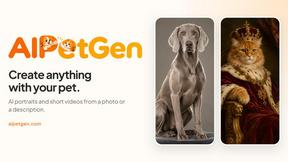
AIPetGen
AIPetGen turns a photo of your dog, cat, or other pet, or a written description, into a new picture or a short animation.

Hotel Lobby AI Video Generator
Turn two photos into a Hotel Lobby dance video in the orange A COLORS SHOW booth


Raindance AI
Turn two authorized portraits into a seaside golden-hour video: a wooden dock, two people taking turns singing, and a slow pullback to the sunset. Pre

GetYouTubeTranscript
Free YouTube transcripts on the web, a Chrome extension, and an API + MCP server so AI assistants can read YouTube.


Hailuo AI
Create Hailuo AI videos from text or images with guided prompts, camera controls, task tracking, and downloadable results.

AudioVideo
Turn podcasts, narration, voice recordings, or music into visual content with AudioVideo's audio-to-video AI generator.

AIEnhancer
AI enhancer for photos, images, videos, and creative effects with guided workflows and a shared asset library.

TryKlingAI
Kling AI video generator for text, images, audio, motion references, Kling 3.0, Motion Control, Lip Sync, and API access.

Z Image Turbo
Z Image Turbo creates photorealistic images, bilingual posters, ecommerce visuals, and social content with prompts and free trial credits.

Happy Horse AI
AI video generator for text, images, and reference materials with optional audio and API workflows.
About Veo 4 video generator Alternatives
You’ve probably seen the jaw-dropping clips flooding your timeline—scenes so fluid and cinematic you’d swear they were shot on a Hollywood set. That’s the magic of the Veo 4 video generator, a next-gen AI tool that turns pure imagination into studio-grade video with ultra-realistic motion, longer scenes, and insane detail. It sits in the exploding category of AI video creation, where creators and brands are ditching traditional production for instant, text-to-video wizardry. But here’s the thing: even though Veo 4 is trending hard right now, not everyone finds it fits their workflow. Maybe the pricing stings a little too much, you need a specific style of motion control, or you’re hunting for a platform that plays nicer with your existing editing stack. That’s the real reason people start hunting for alternatives—it’s rarely about the hype and almost always about the fit. When you’re shopping for a replacement, the smart play is to laser-focus on what actually matters for your projects. Look for tools that deliver that same viral-worthy realism but with flexible pricing tiers, faster rendering times, or stronger scene control that matches your creative vision. Pay attention to community buzz—check Reddit threads, Twitter discussions, and YouTube reviews to see which tools are actually being used by creators you respect. Don’t sleep on platform compatibility either: the best alternative will integrate seamlessly with your editing software, support your preferred aspect ratios, and offer a free trial so you can stress-test it before committing. Ultimately, the right choice is the one that makes your content pop without breaking your budget or your workflow.
FAQs about Veo 4 video generator Alternatives
What is Veo 4 video generator?
Veo 4 is a next-generation AI video generator designed for creators and brands who want to produce ultra-realistic video content from text prompts. It belongs to the AI video generation category and specializes in delivering cinematic detail, stronger motion realism, and longer scene lengths compared to earlier models. The tool turns pure imagination into studio-grade video, making it a powerful asset for storytelling, marketing, and social media content.
Who is Veo 4 video generator for?
Veo 4 is built for content creators, filmmakers, brand marketers, and digital artists who need high-quality, realistic video without traditional production costs. It is ideal for anyone looking to rapidly prototype visual ideas, create engaging social media clips, or produce professional-grade video assets for campaigns. The tool is especially popular among early adopters and trendsetters in the AI video space who want to stay ahead of the curve.
Is Veo 4 video generator free?
Veo 4 is typically offered as part of a subscription or pay-per-use model, though specific pricing details are often tied to the platform it is hosted on. While there may be limited free trials or credits available for new users to test the capabilities, full access to its advanced features—like longer scenes and cinematic detail—usually requires a paid plan. Always check the official provider's page for the most current pricing and free tier options.
What are the main features of Veo 4 video generator?
The main features of Veo 4 include ultra-realistic motion rendering, the ability to generate longer video scenes, and cinematic-level detail that mimics professional camera work. It offers strong scene control, allowing creators to guide the visual output with precision, and it produces videos that feel fluid and natural rather than artificial. These capabilities make it a standout tool in the AI video generation category for high-impact content.