
Veo 4 video generator
Veo 4 is the viral AI video generator turning your text prompts into ultra-realistic, cinematic clips in seconds.
Visit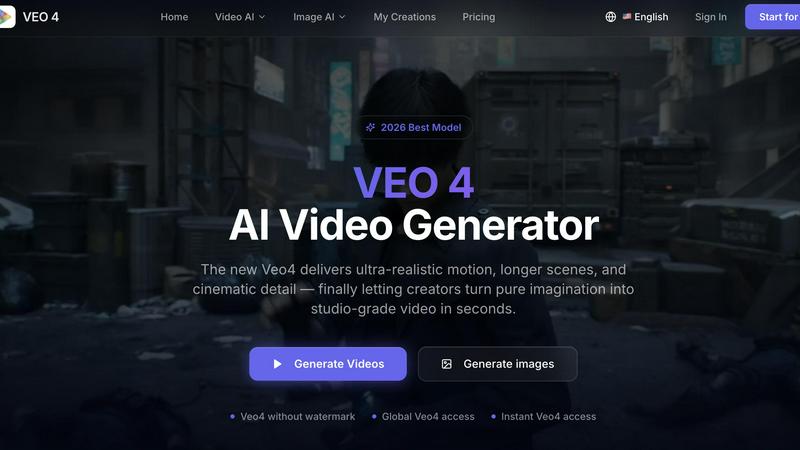
About Veo 4 video generator
Veo 4 is a next-generation AI video generator that has taken the creative world by storm, quickly becoming the 2026 Best Model for turning pure imagination into studio-grade video in seconds. This powerful platform is designed for creators, brands, marketing teams, and agencies who need ultra-realistic motion, longer scenes, and cinematic detail without the slow, expensive production process. Unlike basic AI video tools that feel like research demos, Veo 4 is a practical, production-ready workflow that lets you generate videos from text prompts, images, or even existing footage. The core value proposition is simple: get clearer, more usable output faster. Whether you are crafting ad concepts, social media clips, product explainers, or branded storytelling, Veo 4 delivers smoother motion, cleaner framing, and scenes that feel intentional and believable. The platform is built for speed, clarity, and iteration, allowing teams to produce first drafts quickly, compare variations, and shorten the gap between concept and publishable media. With global access, instant generation, and no watermark on outputs, Veo 4 is the go-to tool for anyone serious about creating high-quality video content at scale. It supports text-to-video, image-to-video, and video-to-video workflows, making it an incredibly versatile addition to any creative toolkit. The community is already buzzing with creators sharing viral examples of sushi ASMR clips, cinematic product shots, and dynamic social ads, proving that Veo 4 is not just a tool but a movement in AI-powered content creation.
Features of Veo 4 video generator
Multi-Modal Input: Text, Image, and Video to Video
Veo 4 offers three powerful creation paths that give you complete flexibility in how you start your project. Begin with a text prompt when you want to explore a new concept or brainstorm ideas from scratch. Upload an image when you have a specific visual direction and want Veo 4 to animate it into a dynamic video. Or use the video-to-video workflow when you already have footage, rough cuts, or source material that needs a fresh look, stronger pacing, or cleaner motion. This multi-modal approach makes Veo 4 incredibly useful for both first-pass generation and iterative refinement, saving you hours of manual editing.
Ultra-Realistic Motion and Scene Control
What sets Veo 4 apart from other AI video generators is its ability to deliver smoother motion, cleaner framing, and scenes that feel more intentional and believable. The model has been trained to understand natural movement, camera angles, and composition, resulting in videos that look like they were shot by a professional cinematographer. You get better ad creative and more believable visual storytelling because every frame flows naturally into the next. Whether you are generating a product launch video or a branded narrative, Veo 4 ensures that the motion feels realistic and the scenes are perfectly controlled.
Longer Clips with Cleaner Exports
Veo 4 is built for creators who need more than just short, looping clips. The platform allows you to generate longer video sequences that are perfect for narrative storytelling, campaign concepts, and product explainers. The export quality is exceptionally clean, making it easy to move your output straight into editing software, landing pages, or ad workflows without any degradation. This feature is a game-changer for marketing teams who need polished, high-resolution assets that can be used directly in paid social campaigns, YouTube ads, or website hero sections.
Built for Marketing and Creative Teams
Veo 4 is specifically designed to fit into real commercial workflows. It is most useful when speed, clarity, and iteration matter. Marketers can use it to produce first drafts faster, compare multiple variations of an ad concept, and test different visual styles without burning through a production budget. Agencies can use it to pitch ideas to clients with high-fidelity video examples. Product teams can use it to create explainer videos and demos in a fraction of the time. The platform supports common commercial jobs such as product launches, paid social videos, branded storytelling, and short-form content testing.
Use Cases of Veo 4 video generator
Social Media Content and Viral Shorts
Veo 4 is perfect for creating eye-catching social media videos that stop the scroll. Creators are already using it to generate trending content like ASMR sushi videos, cinematic food shots, and dynamic product showcases for platforms like TikTok, Instagram Reels, and YouTube Shorts. The ultra-realistic motion and scene control mean your videos will stand out in crowded feeds. You can experiment with different prompts, aspect ratios, and styles to find what resonates with your audience, then export clean assets ready for posting. The community has already proven that Veo 4 content goes viral, making it a must-have tool for social media managers and influencers.
Advertising and Paid Social Campaigns
Marketing teams can use Veo 4 to rapidly prototype and produce ad creative for paid social campaigns. Instead of spending weeks on a single commercial shoot, you can generate multiple variations of a product video in minutes. Test different visual styles, motion directions, and scene compositions to see what drives the highest conversion rates. The clean exports mean you can drop the video directly into your ad platform without additional editing. This use case is especially powerful for e-commerce brands, SaaS companies, and agencies running A/B tests on Facebook, Instagram, and TikTok ads.
Product Launches and Brand Storytelling
When launching a new product, you need high-quality video content that tells a compelling story. Veo 4 allows you to generate cinematic product shots, explainer videos, and narrative sequences that feel polished and professional. Start with a product image and have Veo 4 animate it with smooth motion and dramatic lighting. Or write a prompt that describes your product's unique value proposition and let the AI bring it to life. The longer clip capability means you can create full campaign concepts that flow from one scene to the next, perfect for website hero sections, launch events, and brand films.
Video-to-Video Iteration and Refinement
One of the most practical use cases for Veo 4 is taking existing footage and giving it a new look, stronger pacing, or cleaner motion. If your team already has rough cuts, B-roll, or source material that needs improvement, the video-to-video workflow is a lifesaver. You can restyle an entire clip, extend its length, or improve the motion quality without rebuilding from scratch. This makes Veo 4 an essential tool for post-production teams, video editors, and content repurposing workflows. It turns a slow, manual editing process into a fast, iterative one.
Frequently Asked Questions
What makes Veo 4 different from other AI video generators?
Veo 4 is the 2026 Best Model for AI video generation, offering ultra-realistic motion, longer scenes, and cinematic detail that other tools struggle to match. It supports text-to-video, image-to-video, and video-to-video workflows, giving you maximum flexibility in how you create. The platform is built for real commercial use, not just research demos, with clean exports that go straight into ads, landing pages, and social campaigns. Plus, there is no watermark on outputs and you get global, instant access.
Can I use Veo 4 with my own images or existing video footage?
Yes, absolutely. Veo 4 supports image-to-video and video-to-video workflows in addition to text-to-video. You can upload a still image and have the AI animate it with smooth motion and realistic scenes. Or you can upload existing footage and use the video-to-video feature to restyle, extend, or improve the motion quality. This makes Veo 4 incredibly versatile for both starting from scratch and iterating on existing assets.
What types of content can I create with Veo 4?
You can create a wide range of content including ad concepts, social media videos, product launches, branded storytelling, short-form content, product explainers, and narrative sequences. The platform is designed for marketing and creative teams who need usable clips fast. The community has already produced viral examples like food ASMR videos, cinematic product shots, and dynamic social ads. The possibilities are only limited by your imagination.
Is there a watermark on Veo 4 videos, and how fast is the generation?
Veo 4 generates videos without any watermark, so your output is clean and ready for professional use. The platform offers instant Veo4 access and global availability, meaning you can start creating right away from anywhere in the world. Generation speed is optimized for fast turnaround, allowing you to produce multiple variations of a video in minutes. This speed is critical for marketing teams running time-sensitive campaigns or A/B testing multiple ad concepts.
Similar to Veo 4 video generator
ZombieTrend AI
Turn two photos into a cinematic zombie love story video. Free scene preview, no sign-up needed.

Raindance AI Video Generator
Turn two photos into the Raindance AI pier video with the soundtrack included
AI Face Swap Video
Swap any face into any video online with AI in minutes. Upload a clip and a photo, get natural lighting and expressions. Free credits on sign-up.

DanseAI - Alors on Danse AI Video Genera
Make the Alors on Danse AI meme video from two photos, soundtrack included
Opus 5.5 Video Generator
Turn a prompt into a 1080p motion-graphics MP4 planned and coded by Claude Opus 5.5

Rumpelstiltskin AI Video Generator
Make the viral Rumpelstiltskin tiptoe dance meme video from two photos.