

Alternatives to SupaSidebar
Over 1,000 users love SupaSidebar, the Mac menubar app for instant access to your links, files, and folders.
Explore 20 alternatives to SupaSidebar. Compare features, pricing, and find the best fit for your needs.

Uniclip
Clip pages, take full-page screenshots and batch-capture list data to Notion, Feishu, Obsidian, Markdown, CSV or JSON.
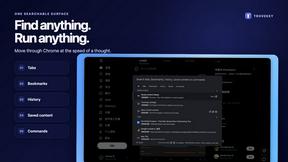
TroveKey
Search tabs, Chrome bookmarks and history, run browser commands, and save webpages and social posts locally—no account.

KS-Agents
AI platform for HR leaders: spot burnout by cohort, map who your organization runs on, and keep expert knowledge before people leave.

Agent Pets
Your Claude Code & Codex sessions as pets in Chrome. Approve, deny and reply to your coding agents from any tab.

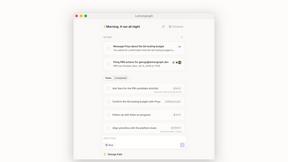
Lemongraph
Almost every conversation ends with a promise. Lemongraph keeps track of them for you and lines up your day the way you would.
TypeFire
Type a few letters, get the whole reply. Markdown notes as files you own. Find anything you copied.
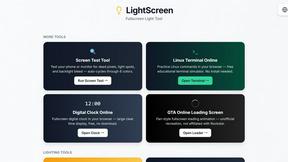
LightScreen
Free light screen tool online. Turn any display into a flashlight, ambient light, or solid-color screen. No download or sign-up.

Screen Issues
Free Online Screen Test Tool - Instantly diagnose dead pixels, lines, color issues, and flickering. Multiple test modes, no download needed.

Context Board
Context Board brings your numbers, docs, clients, content and day into one workspace that Claude and Codex can read and update.

@fuck.it - email with attitude
Private email. Pure. Secure. Exclusive. No ads, no tracking, no data selling. GDPR compliant, EU-hosted.

FreeVideoGenerator
Free AI video generator: turn text prompts and photos into video clips with Sora 2, Veo 3.1, Wan and more. Free starter credits, no watermark download


Verla AI
Verla is an AI academic assistant for university and college students, combining AI essay writing, academic research, AI detection, AI humanization

Panzoe
Panzoe is an all-in-one AI platform for personal productivity, business automation, AI assistants, content creation, and custom AI solutions.

Memorable Contact
Memorable Contact helps you remember people, save conversation details, find contacts using AI-powered search, and share digital business cards
Novastart
Novastart brings apps and files onto an infinite canvas where people and AI agents can work together.



ReadyHermes
Your own hosted Hermes Agent in a minute: memory, self-learning skills, schedules, a real browser and 1,000+ app connections.
About SupaSidebar Alternatives
SupaSidebar is a powerful Mac sidebar app that redefines productivity by giving you instant, one-click access to your links, files, and folders. It belongs to the productivity and management category, designed to declutter your digital life and keep your workflow seamless. Users love its Arc browser-inspired design and focus on speed. Even with its growing popularity, users often explore alternatives for various reasons. Some might be looking for different pricing models, specific integrations with other tools, or need cross-platform support beyond macOS. Others might prioritize different feature sets or simply want to compare options before committing. When choosing an alternative, focus on what matters most for your workflow. Key considerations include robust browser compatibility, intuitive keyboard shortcuts for quick actions, strong data privacy guarantees, and features that genuinely save you time, like a unified search panel or live tab management. The goal is to find a tool that disappears into your routine while making you significantly more efficient.
FAQs about SupaSidebar Alternatives
What is SupaSidebar?
SupaSidebar is a meticulously designed sidebar application for Mac that gives you instant access to organize links, files, and folders with powerful shortcuts, inspired by the efficiency of the Arc browser.
Who is SupaSidebar for?
It's perfect for researchers, content creators, and anyone juggling multiple tasks who needs a distraction-free way to keep their most important online resources and files at their fingertips.
What are the main features of SupaSidebar?
Key features include a Command Panel for quick searches, Live Tabs to see all open browser tabs, and Recents to automatically track your last 48 hours of browsing for effortless recall.
Is SupaSidebar secure?
Yes, SupaSidebar is built with a commitment to no data leaks, ensuring your links, files, and browsing data remain private and secure on your Mac.