

Alternatives to SubcueAI
SubcueAI gives you real-time AI answer suggestions during video interviews, helping thousands nail technical and behavioral questions.
Explore 20 alternatives to SubcueAI. Compare features, pricing, and find the best fit for your needs.


GigUp
GigUp helps freelancers discover relevant Upwork jobs through AI matching, automated monitoring, and instant alerts.

Safe Outreach
AI-powered platform that evaluates the safety of LinkedIn automation tools and helps reduce the risk of account restrictions.

RenewRoster
Track every client domain and SSL expiry in one list with 60/30/14/3-day alerts and white-label client reminders.

Nitrozen
Publish product updates, embed an in-app changelog widget and host a public changelog page with Markdown, API and MCP.
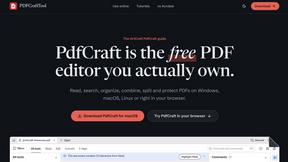
PDFCraft
Free, open-source PDF editor for Windows, macOS, Linux, FreeBSD, and modern browsers. Edit, organize, sign, protect, and redact PDFs locally.
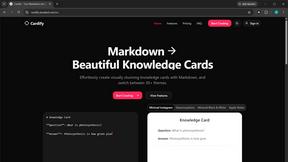
Cardify
Write Markdown on the left, get a designed card on the right. 30+ themes, custom size and fonts, PNG/SVG/PDF export with batch.

FlipHTML5 Downloader
Save any FlipHTML5 flipbook as a clean, watermark-free PDF. Free, open source, no signup - it runs in your browser.

Vocaryn
AI job-application agent: ranks jobs by fit with your confirmed experience, tailors your resume to each and applies on the employer's site.

How Long How Many Tool
Timers and hourly checks to figure how out long until a certain time or how many days away.

FloatText - Floating Clipboard
A floating clipboard for Android & Windows. Save, manage, and copy multiple text snippets instantly without switching apps.


Emailyy
Free email tools for signatures, subject lines, HTML previews, word counts, and email headers. Browser-based, simple to use, and no signup required.

Uniclip
Clip pages, take full-page screenshots and batch-capture list data to Notion, Feishu, Obsidian, Markdown, CSV or JSON.
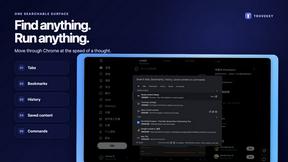
TroveKey
Search tabs, Chrome bookmarks and history, run browser commands, and save webpages and social posts locally—no account.

KS-Agents
AI platform for HR leaders: spot burnout by cohort, map who your organization runs on, and keep expert knowledge before people leave.
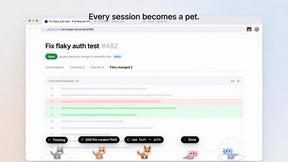
Agent Pets
Your Claude Code & Codex sessions as pets in Chrome. Approve, deny and reply to your coding agents from any tab.

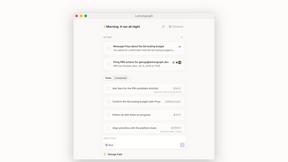
Lemongraph
Almost every conversation ends with a promise. Lemongraph keeps track of them for you and lines up your day the way you would.
About SubcueAI Alternatives
SubcueAI has quickly become a buzzed-about tool in the productivity and management space, acting as a real-time AI co-pilot specifically for video interviews. It captures audio from platforms like Zoom and Google Meet, transcribes questions, and uses GPT-4o to generate context-aware answers on the fly, making it a favorite for job seekers tackling technical or behavioral interviews. However, many users start hunting for alternatives for a few common reasons: pricing tiers that feel steep for a single-use tool, a lack of robust support for specific interview formats like live coding environments, or platform limitations if they primarily use Linux or mobile devices. Others find the reliance on constant internet connectivity or the learning curve of integrating the tool smoothly with every video call app to be a dealbreaker. When evaluating a replacement for a tool like SubcueAI, you should focus on three core pillars. First, look for real-time accuracy and latency—the best alternatives generate responses quickly without lagging behind the conversation. Second, consider the breadth of interview type support; a strong choice will handle not just behavioral questions but also technical whiteboarding, case studies, and multi-round panel interviews with equal fluency. Finally, prioritize security and privacy, especially since these tools process sensitive audio data from professional conversations. Check for features like local processing, end-to-end encryption, and clear data deletion policies to ensure your interview prep doesn’t compromise your personal information.
FAQs about SubcueAI Alternatives
What is SubcueAI?
SubcueAI is an AI interview assistant designed for macOS and Windows that provides real-time answer suggestions during video interviews. It captures audio from platforms like Zoom, Google Meet, and Microsoft Teams, transcribes the questions, and generates context-aware responses using GPT-4o. The tool is built to support various interview formats, including technical coding, behavioral, and case interviews.
Who is SubcueAI for?
SubcueAI is primarily for job seekers and professionals who want to improve their performance in live video interviews. It is especially useful for candidates preparing for high-stakes roles that involve technical coding challenges, behavioral questions, or complex case study interviews. The tool caters to both macOS and Windows users who frequently use video conferencing platforms for their interview process.
Is SubcueAI free?
SubcueAI is not a free tool; it operates on a paid subscription model with different pricing tiers to access its real-time AI features. While specific pricing details may vary, users typically pay for the ability to use GPT-4o-powered transcription and answer generation during unlimited video calls. A free trial may be available, but full functionality requires a paid plan.
What are the main features of SubcueAI?
SubcueAI’s main features include real-time audio capture and transcription from major video call apps like Zoom, Google Meet, and Microsoft Teams. It leverages GPT-4o to generate context-aware, on-screen answer suggestions that adapt to the specific question being asked. The tool also supports multiple interview formats, such as technical coding, behavioral, and case interviews, making it versatile for different job types.