

Alternatives to QuickSigner
QuickSigner lets you eSign documents in seconds with legally binding, secure, and API-ready tools trusted by thousands.
Explore 20 alternatives to QuickSigner. Compare features, pricing, and find the best fit for your needs.

Uniclip
Clip pages, take full-page screenshots and batch-capture list data to Notion, Feishu, Obsidian, Markdown, CSV or JSON.

TroveKey
Search tabs, Chrome bookmarks and history, run browser commands, and save webpages and social posts locally—no account.

KS-Agents
AI platform for HR leaders: spot burnout by cohort, map who your organization runs on, and keep expert knowledge before people leave.

Agent Pets
Your Claude Code & Codex sessions as pets in Chrome. Approve, deny and reply to your coding agents from any tab.

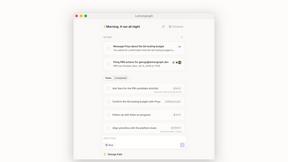
Lemongraph
Almost every conversation ends with a promise. Lemongraph keeps track of them for you and lines up your day the way you would.
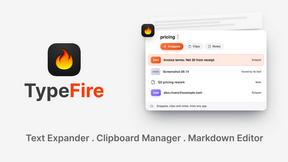
TypeFire
Type a few letters, get the whole reply. Markdown notes as files you own. Find anything you copied.
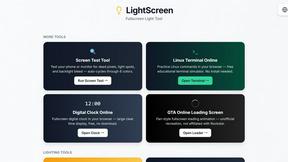
LightScreen
Free light screen tool online. Turn any display into a flashlight, ambient light, or solid-color screen. No download or sign-up.
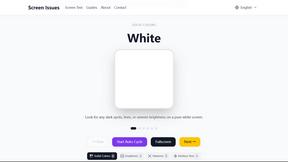
Screen Issues
Free Online Screen Test Tool - Instantly diagnose dead pixels, lines, color issues, and flickering. Multiple test modes, no download needed.

Context Board
Context Board brings your numbers, docs, clients, content and day into one workspace that Claude and Codex can read and update.

@fuck.it - email with attitude
Private email. Pure. Secure. Exclusive. No ads, no tracking, no data selling. GDPR compliant, EU-hosted.

FreeVideoGenerator
Free AI video generator: turn text prompts and photos into video clips with Sora 2, Veo 3.1, Wan and more. Free starter credits, no watermark download
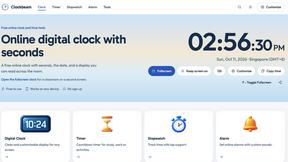

Verla AI
Verla is an AI academic assistant for university and college students, combining AI essay writing, academic research, AI detection, AI humanization

Panzoe
Panzoe is an all-in-one AI platform for personal productivity, business automation, AI assistants, content creation, and custom AI solutions.

Memorable Contact
Memorable Contact helps you remember people, save conversation details, find contacts using AI-powered search, and share digital business cards
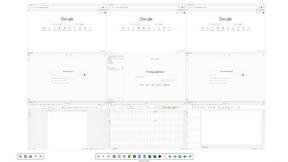
Novastart
Novastart brings apps and files onto an infinite canvas where people and AI agents can work together.



ReadyHermes
Your own hosted Hermes Agent in a minute: memory, self-learning skills, schedules, a real browser and 1,000+ app connections.
About QuickSigner Alternatives
QuickSigner has carved out a serious reputation in the Productivity & Management space as the go-to tool for teams that need to kill the paper chase without killing their workflow. It’s an online eSigning platform that promises to turn what used to be days of emailing PDFs back and forth into a few minutes of frictionless clicking, backed by serious security creds like Adobe Approved Trust List signatures and ISO 27001 certification. But even with all that power, users are starting to shop around. Maybe the pricing structure doesn’t fit a bootstrapped startup, or perhaps the feature set is overkill for a freelancer who just needs a simple signature capture. Others might be hunting for deeper native integrations with specific CRMs or project management tools that QuickSigner doesn’t prioritize. When you start looking for an alternative, you need to laser-focus on your actual signing volume and the complexity of your documents. Don’t get distracted by flashy dashboards. Instead, look for a tool that offers a truly frictionless sender experience—how fast can you upload, tag fields, and hit send? Check if the platform supports bulk sends if you handle contracts at scale, and verify that their security posture matches your industry’s compliance requirements (like HIPAA or GDPR). Most importantly, test the mobile experience. If you or your clients are constantly signing on a phone, a clunky mobile interface will kill adoption faster than a high price tag. The best alternative isn't the one with the most features; it’s the one that disappears into your existing workflow without any headaches.
FAQs about QuickSigner Alternatives
What is QuickSigner?
QuickSigner is an online eSigning platform designed to accelerate the process of signing, sending, and finalizing documents. It belongs to the Productivity & Management category and aims to turn days of back-and-forth document handling into just minutes. The platform is built for simplicity and power, offering a secure environment for digital transactions.
Who is QuickSigner for?
QuickSigner is ideal for businesses of all sizes, from freelancers to large enterprises, that need to streamline their document signing workflows. It is particularly suited for teams that handle high volumes of contracts, agreements, and legal documents and want to reduce turnaround times. The platform’s robust security features also make it a good fit for industries with strict compliance requirements, such as finance and legal.
Is QuickSigner free?
Based on the available product information, QuickSigner is positioned as a premium solution with a focus on security and enterprise-grade features like Adobe Approved Trust List signatures and ISO 27001 certification. While a free trial may be available, the service is typically offered through paid subscription plans that scale with your document volume and team size. Users looking for a free alternative should check the current pricing page for the most accurate details.
What are the main features of QuickSigner?
QuickSigner’s main features include fast document sending and signing capabilities that drastically reduce turnaround times. It provides Adobe Approved Trust List electronic signatures, ensuring legal validity and high trust standards. Additionally, the platform is ISO 27001 certified, guaranteeing a robust information security management system, and it comes with a full API for seamless integration into existing business workflows.