

Alternatives to Online Keyboard Shortcuts
Over 1 million users master Windows, MacOS and Linux faster with the internet's most complete keyboard shortcut guide at OnlineShortcuts.com.
Explore 20 alternatives to Online Keyboard Shortcuts. Compare features, pricing, and find the best fit for your needs.
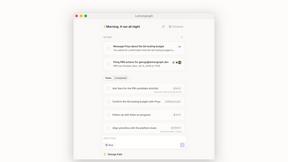
Lemongraph
Almost every conversation ends with a promise. Lemongraph keeps track of them for you and lines up your day the way you would.

TypeFire
Type a few letters, get the whole reply. Markdown notes as files you own. Find anything you copied.

LightScreen
Free light screen tool online. Turn any display into a flashlight, ambient light, or solid-color screen. No download or sign-up.
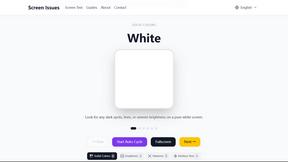
Screen Issues
Free Online Screen Test Tool - Instantly diagnose dead pixels, lines, color issues, and flickering. Multiple test modes, no download needed.

Context Board
Context Board brings your numbers, docs, clients, content and day into one workspace that Claude and Codex can read and update.

@fuck.it - email with attitude
Private email. Pure. Secure. Exclusive. No ads, no tracking, no data selling. GDPR compliant, EU-hosted.

FreeVideoGenerator
Free AI video generator: turn text prompts and photos into video clips with Sora 2, Veo 3.1, Wan and more. Free starter credits, no watermark download


Verla AI
Verla is an AI academic assistant for university and college students, combining AI essay writing, academic research, AI detection, AI humanization

Panzoe
Panzoe is an all-in-one AI platform for personal productivity, business automation, AI assistants, content creation, and custom AI solutions.

Memorable Contact
Memorable Contact helps you remember people, save conversation details, find contacts using AI-powered search, and share digital business cards
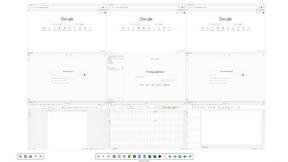
Novastart
Novastart brings apps and files onto an infinite canvas where people and AI agents can work together.



ReadyHermes
Your own hosted Hermes Agent in a minute: memory, self-learning skills, schedules, a real browser and 1,000+ app connections.
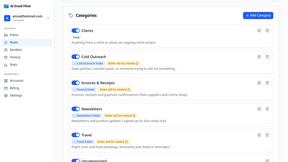
AI Email Filter
AI Email Filter sorts incoming mail into folders using plain-language prompts you write. Works with any IMAP mailbox; bring your own LLM if you want.


Product Launch Checklist
A free launch checklist for SaaS, apps, AI tools and more. Every step says why it matters and when you can skip it.

Kody Tools
Free collection of online developer utilities, code formatters, and digital converters designed to streamline your daily workflow.
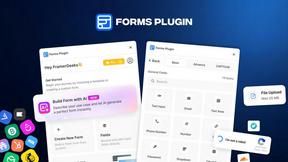
Forms Plugin
The #1 Native Form Builder Plugin for Framer - No Code, No Embeds, No External Platforms.
About Online Keyboard Shortcuts Alternatives
Let’s be real: you’re here because you want to work faster, ditch the mouse, and feel like a productivity wizard. Online Keyboard Shortcuts is a powerhouse in the Productivity & Management category, serving as your ultimate cheat sheet for Windows, MacOS, and Linux commands. It’s the go-to digital reference that hands you every essential key combination to speed up workflows, from basic copy-paste to advanced system navigation. But even the best tools can leave users searching for something different—maybe you need a downloadable app for offline access, a more visual learning interface, or a tool that integrates directly into your browser. Others look for alternatives due to platform-specific gaps, pricing models, or simply wanting a more gamified or community-driven experience. When hunting for the perfect replacement, focus on three core pillars: compatibility, learning curve, and customization. You want a solution that covers all three major operating systems without missing critical shortcuts, because nothing kills momentum like a broken workflow. Look for tools that offer visual guides or interactive practice modes—passive lists can only take you so far. Most importantly, ensure the alternative allows you to create or remap custom shortcuts, because your muscle memory deserves a personal touch. The best alternatives don’t just show you the keys; they help you remember them forever, turning you into the fastest user in the room without ever touching a settings menu again.
FAQs about Online Keyboard Shortcuts Alternatives
What is Online Keyboard Shortcuts?
Online Keyboard Shortcuts is a comprehensive digital reference website that catalogs the most important keyboard shortcuts for Windows, MacOS, and Linux operating systems. It serves as a productivity tool designed to help users accomplish tasks faster and more efficiently by reducing reliance on the mouse. The platform organizes shortcuts by system and function, making it easy to learn and apply key combinations for everyday computing tasks.
Who is Online Keyboard Shortcuts for?
This resource is ideal for anyone looking to boost their daily productivity, from casual computer users to power users and IT professionals. It is particularly valuable for office workers, developers, designers, and students who frequently switch between Windows, MacOS, and Linux environments. By mastering these shortcuts, users can significantly reduce repetitive strain and speed up their workflow without needing to memorize complex commands.
Is Online Keyboard Shortcuts free?
Based on the provided product description, Online Keyboard Shortcuts is positioned as a freely accessible website that lists essential keyboard shortcuts without any mention of paywalls or subscription fees. The site focuses on delivering a straightforward, no-cost utility for learning and referencing key combinations. Users can visit the website at any time to access the full library of shortcuts across all three major operating systems without financial commitment.
What are the main features of Online Keyboard Shortcuts?
The primary feature of Online Keyboard Shortcuts is its curated collection of the most important keyboard shortcuts for Windows, MacOS, and Linux, all in one centralized location. It simplifies the learning process by presenting shortcuts as clear, easy-to-read combinations rather than dense manuals. The website emphasizes efficiency and speed, allowing users to quickly find and apply shortcuts that reduce mouse dependency and improve overall task execution.