

Alternatives to File Studio
Join thousands who trust File Studio to convert, edit, and secure files 100% offline on your computer.
Explore 20 alternatives to File Studio. Compare features, pricing, and find the best fit for your needs.

AI Email Filter
AI Email Filter sorts incoming mail into folders using plain-language prompts you write. Works with any IMAP mailbox; bring your own LLM if you want.

Product Launch Checklist
A free launch checklist for SaaS, apps, AI tools and more. Every step says why it matters and when you can skip it.

Kody Tools
Free collection of online developer utilities, code formatters, and digital converters designed to streamline your daily workflow.
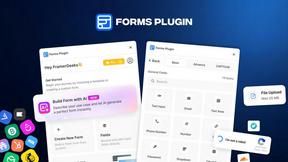
Forms Plugin
The #1 Native Form Builder Plugin for Framer - No Code, No Embeds, No External Platforms.

HomeAnswerBook
Practical, independent guides to home repairs, maintenance, costs, troubleshooting, and everyday fixes.
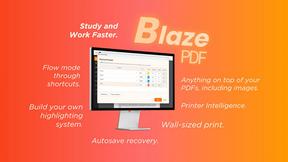
BlazePDF
Highlight faster. Study in flow with custom shortcuts and a workflow built around you. Print smarter, or turn any page into a tiled poster.


Build Mode for Mac
Build Mode is a Mac app that turns focused sessions into visible progress, so you can see the work adding up before the results arrive.



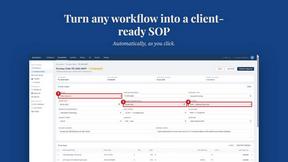
MySOP.guru
Capture any workflow in your browser and export a branded, step-by-step SOP with screenshots. €5 per document, no subscription.


PerPageFax
PerPageFax lets you send a fax online from any browser for a flat $0.50 per page — no account, no subscription, no fax machine.



Glanced
Follow news, blogs, newsletters, and podcasts in a free RSS reader, with AI summaries, top stories, full-text search, saved searches, and a catalog.



About File Studio Alternatives
File Studio is a powerhouse desktop app in the productivity and management category, designed for anyone who needs to convert, edit, and manage PDFs and images with complete privacy. Users often explore alternatives for various reasons, whether they're seeking a different pricing model like a subscription, need specific features not available, or require a tool that works on a different operating system like Linux. When searching for a different solution, it's crucial to consider your core needs. Key factors include whether you require cloud access or demand strict offline processing for security, the specific file formats you work with daily, and your budget preference between one-time purchases and recurring subscriptions. The right tool should align with your workflow without compromise.
FAQs about File Studio Alternatives
What is File Studio?
File Studio is a robust desktop application for converting, editing, and managing PDFs and images entirely offline on your Mac or Windows computer, prioritizing user privacy and security.
Who is File Studio for?
It's ideal for photographers, freelancers, remote workers, and anyone handling sensitive documents like contracts or IDs who wants powerful file tools without uploading data to the cloud.
Is File Studio free?
File Studio operates on a one-time purchase model, not a subscription, and does not require any account, offering a straightforward ownership experience.
Why choose File Studio?
Choose File Studio for its 100% offline processing that keeps files private, its comprehensive set of PDF and image tools, and its ability to batch process hundreds of files without an internet connection.