

Alternatives to cleanvideoaudio.com
Clean your video audio online, remove noise, fix low volume, and preview free without any software.
Explore 20 alternatives to cleanvideoaudio.com. Compare features, pricing, and find the best fit for your needs.

Hotel Lobby AI
Hotel Lobby AI turns two separate portraits into a stylish duet video inside an orange recording booth. Pick each performer's side, framing, and 8- or

GenX
All-in-one AI workspace to generate images, videos, and audio with multiple leading AI models.


Earth Zoom Out AI
Turn any photo into an Earth Zoom Out video, from a close-up to a cosmic Earth view with realistic satellite transitions.

Nano AI
Create and edit AI images, generate videos, and compare models in one creative workbench.

Genjutsu AI
AI video-to-video: Motion Transfer & Object Swap. Preview the credit cost, pay once. No subscription.
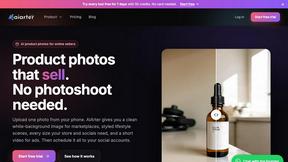
AiArter
AI product photos and UGC video ads for Amazon, Etsy and Shopify sellers, made from one phone photo.
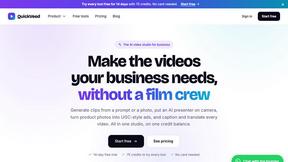
QuickVeed
AI video studio: subtitles translated into 32 languages, AI dubbing in your own voice, podcast-to-clips and 34 free video tools.

BuildingNow Podcast
BuildingNow shares founder conversations and practical lessons on building products, finding customers, and growing a business.

Tip Toe AI
Upload a Dancer photo and a Partner photo and get your own AI Tip Toe barn-dance video. Free 5s preview, 12s HD from $4.90. No subscription.

Ozil Goal AI
Turn one photo into the viral Özil goal meme video: you, your dog, a toy or a drawing scores. Free 5s preview, 10s 720p from $4.90. No subscription.

SaaSHunter
Compare social media scheduling, content creation and monetization tools with verified pricing and side-by-side comparisons.
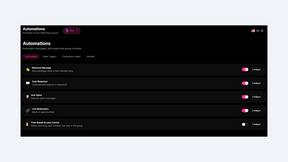
9bot
WhatsApp group bot for moderation, automation and reports: welcomes, anti-spam, link filtering, scheduling, RSS, API and MCP.

Songprint
Free AI music detector. Upload audio, get an AI-generated vs human verdict with a confidence score. 3 free checks/day, no signup.

FreeVideoGenerator
Free AI video generator: turn text prompts and photos into video clips with Sora 2, Veo 3.1, Wan and more. Free starter credits, no watermark download

Posy
A link-in-bio page that looks hand-made. Pick a look, add your links and publish in a minute. Free, open source, and your AI can edit it for you.

Leadeon
AI growth tool for X and LinkedIn: write posts in your voice, schedule at your best times, find leads on X and see what works.
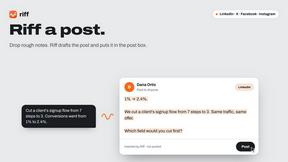
Riff
Free Chrome extension. Paste your rough point and Chrome's built-in AI writes a fresh reply for that post on X, LinkedIn, Facebook or Instagram.

ZombieTrend AI
Turn two photos into a cinematic zombie love story video. Free scene preview, no sign-up needed.
About cleanvideoaudio.com Alternatives
Cleanvideoaudio.com is a browser-based AI tool that lives in the Audio & Music and Video categories, designed to polish speech-focused recordings by removing background noise, fixing low volume, and boosting speech clarity without requiring any software downloads or technical know-how. It’s a go-to for creators who need quick fixes for common audio issues like hums, rumbles, and muffled voices, but users often start hunting for alternatives due to pricing concerns—the pay-per-video model starts at $3 for short clips and $5 for longer ones, which can add up for high-volume editors. Others look elsewhere because they need more advanced features like batch processing, real-time noise reduction, or support for heavier audio problems like music bleed or clipped tracks that this tool isn’t built to handle. When choosing an alternative, prioritize what matters most to your workflow: look for a solution that matches your budget, supports larger file sizes or longer durations, offers a free tier or trial for testing, and handles the specific audio issues you face most often—whether that’s loud background noise, multi-track editing, or seamless integration with your video editing suite. The best alternatives will give you transparent pricing, a preview feature to check results before paying, and the flexibility to work with various file formats and platforms. Since cleanvideoaudio.com is a lightweight, one-stop fix for simple audio cleanup, alternatives should fill the gaps by offering more control over noise profiles, adjustable intensity sliders, or AI that adapts to different environments like outdoor shoots or crowded rooms. Speed and ease of use are still key—nobody wants a steep learning curve—so look for tools that balance advanced capabilities with an intuitive interface. Ultimately, the right choice depends on whether you need occasional polish or heavy-duty, professional-grade audio restoration that can scale with your content production.
FAQs about cleanvideoaudio.com Alternatives
What is cleanvideoaudio.com?
Cleanvideoaudio.com is a browser-based AI tool that cleans up audio in video files without requiring any software installation or technical expertise. It removes background noise, fixes low volume, reduces muffled voices, and eliminates low-frequency rumble from speech-focused recordings. Users simply upload an MP4, MOV, or WebM file up to 500 MB, choose a cleanup mode, and preview a free 30-second sample before purchasing the full cleaned export.
Who is cleanvideoaudio.com for?
This tool is built for YouTube creators, online course instructors, screencasters, webinar presenters, interviewers, and UGC content creators who record outside a professional studio and need clearer audio quickly. It’s ideal for anyone who wants to fix common audio problems like background hum, low volume, or mild muffling without learning complex editing software. It is not designed for heavy distortion, loud music, or heavily clipped recordings.
Is cleanvideoaudio.com free?
Cleanvideoaudio.com offers a free preview that lets you listen to a 30-second sample of your cleaned audio before making any payment. To download the full cleaned MP4 file, pricing starts at $3 for videos up to 5 minutes and $5 for videos up to 20 minutes. This transparent preview-before-paying model allows you to evaluate the results risk-free before committing to a purchase.
What are the main features of cleanvideoaudio.com?
Key features include browser-based operation with no software or plugins needed, support for MP4, MOV, and WebM files up to 500 MB, multiple cleanup modes for noise reduction, volume correction, and speech clarity enhancement, and a free 30-second preview of the cleaned audio. The original video track is preserved wherever possible, and the exported file remains in MP4 format. It handles light noise, volume issues, and mild muffling effectively.