
cleanvideoaudio.com
Clean your video audio online, remove noise, fix low volume, and preview free without any software.
Visit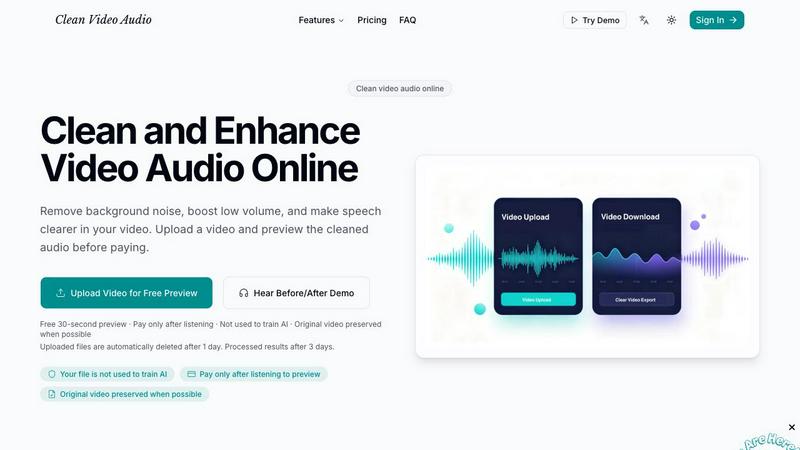
About cleanvideoaudio.com
CleanVideoAudio.com is a revolutionary browser-based AI tool that has taken the content creation world by storm, designed specifically for anyone who records speech-focused videos outside of a professional studio. This platform solves the most common and frustrating audio problems that plague creators everywhere, including background noise, low volume, muffled voices, and low-frequency rumble, all without requiring expensive editing software, complex audio plugins, or any technical knowledge whatsoever. The workflow is incredibly simple and user-friendly: upload a video file in MP4, MOV, or WebM format up to 500 MB, choose a cleanup mode that matches your specific audio issue, and then listen to a free 30-second preview of the cleaned audio to hear the dramatic difference. If the result sounds good, which it almost always does based on user feedback, you can purchase the full cleaned MP4 export starting at just $3 for videos up to 5 minutes and $5 for up to 20 minutes, with the original video track preserved wherever possible. This tool has become the go-to solution for YouTube creators, online course instructors, screencasters, webinar presenters, interviewers, and UGC content creators who need clearer audio quickly and effortlessly. It handles light noise, volume correction, and mild muffling exceptionally well, though it is not designed for heavy distortion, loud music, or heavily clipped recordings. The transparent preview-before-paying model makes it incredibly easy to evaluate results risk-free before committing, which has earned it a loyal following and viral word-of-mouth recommendations across the creator community.
Features of cleanvideoaudio.com
Free 30-Second Preview Before You Pay
This game-changing feature allows you to upload your video and instantly hear a free 30-second preview of the cleaned audio, so you can evaluate the quality and effectiveness of the AI processing before spending a single dollar. You simply choose a cleanup mode, and the system processes a short segment of your video, letting you compare the original audio with the enhanced version side by side. This risk-free approach has become incredibly popular because it eliminates guesswork and ensures you only pay for results that genuinely impress you. The preview feature has been praised by thousands of creators who love being able to test the service without any commitment or subscription requirements.
Multiple Specialized Cleanup Modes
CleanVideoAudio.com offers a comprehensive suite of specialized cleanup tools that target specific audio problems, including Remove Background Noise for fan hum and room tone, Fix Low Volume for quiet speech, Enhance Voice to bring speech forward, Remove Echo for hollow room sound, Remove Wind Noise for outdoor recordings, and Fix Muffled Audio for dull or muddy speech. Each tool is optimized with AI algorithms that understand the specific characteristics of different audio issues, delivering professional-grade results that rival expensive studio processing. This targeted approach ensures you get the best possible cleanup for your particular recording situation, whether you are recording indoors, outdoors, or in a untreated room.
Preserves Original Video Track
One of the most praised features is that CleanVideoAudio processes only the audio track whenever possible, perfectly preserving your original video track without any re-encoding or quality loss. This means your video quality remains exactly as you recorded it, while the audio is transformed to sound crystal clear and professional. The system intelligently separates the audio and video streams, applies the cleanup algorithms exclusively to the audio, and then seamlessly recombines them into a single MP4 file. This feature has been a massive hit with creators who have spent hours perfecting their video content and do not want to compromise on visual quality.
Privacy-First Design with Auto Deletion
Your privacy and data security are taken extremely seriously, with uploaded files automatically deleted after just one day and processed results removed after three days, ensuring your content never lingers on the servers longer than necessary. Even more importantly, your files are never used to train AI models, which has become a major concern for creators in the age of generative AI. This privacy-first approach has earned CleanVideoAudio a stellar reputation among professional creators who handle sensitive or proprietary content and need absolute assurance that their material remains confidential and under their control at all times.
Use Cases of cleanvideoaudio.com
YouTube Content Creators and Vloggers
YouTube creators are flocking to CleanVideoAudio.com to transform their raw recordings into polished, professional-sounding content that keeps viewers engaged and coming back for more. Whether you are recording talking-head videos in your home office with a noisy fan in the background, filming vlogs in a coffee shop with ambient chatter, or producing tutorials in a room with echo, this tool effortlessly removes distractions and makes your voice sound clear, present, and authoritative. Creators report that using CleanVideoAudio has significantly improved their viewer retention rates and reduced negative comments about audio quality, which directly impacts their channel growth and monetization potential. The ability to preview the cleaned audio before paying means you can experiment with different cleanup modes to find the perfect sound for your specific recording environment.
Online Course Instructors and Educators
Course creators and educators who record lectures, tutorials, and training materials are using CleanVideoAudio to ensure their students can hear every word clearly without straining or reaching for the volume control. Low volume, muffled speech, and background noise are common problems in home-recorded educational content, and these issues directly impact student comprehension and course completion rates. By running their videos through this tool, instructors can deliver a professional listening experience that rivals studio-recorded courses, without investing in expensive microphones or soundproofing equipment. The tool is particularly valuable for screencast recordings where the instructor's voiceover may be quiet compared to system sounds or where room noise from a laptop fan distracts from the lesson.
Interviewers and Podcast Hosts
Professionals who conduct interviews via video calls or in-person recordings are finding CleanVideoAudio indispensable for fixing uneven speaker volume, background noise, and muffled audio that often plague multi-speaker recordings. When one participant speaks softly while another is loud, or when an interview is recorded in a noisy environment, the tool automatically balances the volume and removes distracting background hums, fans, and room tone. This creates a consistent, professional listening experience that makes interviews sound like they were recorded in a studio, which is essential for maintaining credibility and audience engagement. The ability to process interviews without requiring technical audio knowledge has made this tool a viral recommendation among podcasters and video interviewers who need quick, reliable results.
Webinar Presenters and Remote Workers
Professionals who host webinars, virtual meetings, and remote presentations are using CleanVideoAudio to polish their recordings before sharing them with colleagues, clients, or broader audiences. Whether you recorded a product demo in a noisy home office, a training session with low microphone volume, or a presentation with distracting echo from an untreated room, this tool cleans up the audio to make you sound professional and prepared. This use case has exploded in popularity as remote work has become the norm, and professionals need to share high-quality recordings that reflect well on their personal brand and their organization. The pay-only-when-satisfied model makes it a no-brainer for professionals who need occasional audio cleanup without committing to expensive monthly subscriptions.
Frequently Asked Questions
What file formats and sizes does CleanVideoAudio support?
CleanVideoAudio supports MP4, MOV, and WebM video file formats with a maximum file size of 500 MB. These are the most common formats used by content creators, smartphone users, and screen recording software, ensuring compatibility with virtually any video source. If your video is in a different format or exceeds the size limit, you can easily convert it using free online tools before uploading. The system is optimized to handle files up to 500 MB efficiently, with most short videos processed in just a few minutes, though longer videos may take more time depending on file size and current server load.
How does the free preview work and what can I expect?
When you upload your video, the system generates a free 30-second preview of the cleaned audio so you can hear the quality before making any payment. You simply select the cleanup mode that matches your audio problem, and the AI processes a short segment of your video, typically from the beginning or a representative section. You can then listen to the original audio and the cleaned version side by side to evaluate the improvement. If the preview sounds good, you can purchase the full cleaned MP4 export starting at $3 for videos up to 5 minutes or $5 for videos up to 20 minutes. If you are not satisfied with the preview, you owe nothing and can try different cleanup modes or upload a different video.
What audio problems does CleanVideoAudio fix best?
CleanVideoAudio works best for speech-focused videos with light background noise such as fan hum, room tone, laptop noise, or light traffic sounds. It excels at fixing low volume issues where the speaker's voice is too quiet even when the video volume is turned up, and it effectively enhances muffled voices that sound dull, covered, or hard to understand. The tool also handles mild echo and reverberation from untreated rooms, and it can balance uneven speaker volume in interview recordings. However, it may not fully fix heavy wind noise from outdoor recordings, loud background music mixed with speech, overlapping speakers talking simultaneously, or severely clipped and distorted audio that has been recorded at too high a volume.
Is my data private and secure when using CleanVideoAudio?
Yes, your privacy and data security are top priorities for CleanVideoAudio. Uploaded files are automatically deleted from the servers after just one day, and processed results are removed after three days, ensuring your content does not linger on the platform. Most importantly, your files are never used to train AI models, which addresses a major concern many creators have about their intellectual property being used without permission. The platform requires you to sign in to preview your own video, but no payment is required for the preview, and your personal information is handled with strict confidentiality. This privacy-first approach has made CleanVideoAudio a trusted choice among professional content creators who handle sensitive or proprietary material.
Pricing of cleanvideoaudio.com
CleanVideoAudio offers a simple, transparent, pay-as-you-go pricing model that has become incredibly popular because there are no subscriptions, no hidden fees, and no monthly commitments. You only pay when you are satisfied with the preview and want to download the full cleaned MP4 file. For videos up to 5 minutes in length, the cost is just $3, which is an absolute steal compared to professional audio editing services or software subscriptions. For longer videos up to 20 minutes, the cost is only $5, making it affordable for even the most budget-conscious creators. This pricing structure has been praised across social media and creator communities as one of the most fair and accessible models in the market, allowing anyone to get professional-quality audio cleanup without breaking the bank or being locked into recurring payments.
Explore more in this category:
Similar to cleanvideoaudio.com
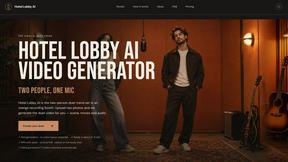
Hotel Lobby AI
Hotel Lobby AI turns two separate portraits into a stylish duet video inside an orange recording booth. Pick each performer's side, framing, and 8- or

GenX
All-in-one AI workspace to generate images, videos, and audio with multiple leading AI models.

Earth Zoom Out AI
Turn any photo into an Earth Zoom Out video, from a close-up to a cosmic Earth view with realistic satellite transitions.
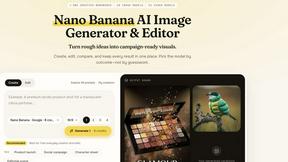
Nano AI
Create and edit AI images, generate videos, and compare models in one creative workbench.

Genjutsu AI
AI video-to-video: Motion Transfer & Object Swap. Preview the credit cost, pay once. No subscription.
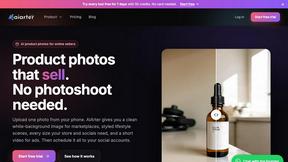
AiArter
AI product photos and UGC video ads for Amazon, Etsy and Shopify sellers, made from one phone photo.
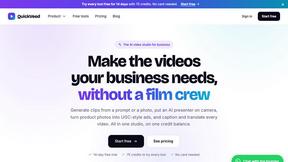
QuickVeed
AI video studio: subtitles translated into 32 languages, AI dubbing in your own voice, podcast-to-clips and 34 free video tools.