
xyOps
xyOps combines fleet scheduling, visual workflow orchestration, server monitoring, and alert response in a fully open-source, self-hosted platform.
Visit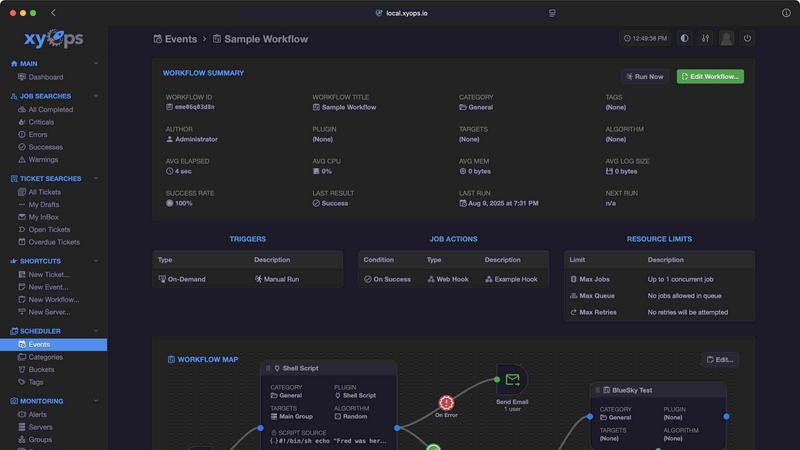
About xyOps
xyOps is designed for operations teams that need to run jobs and understand what is happening on the machines that run them. Schedules can use calendars, intervals, webhooks, custom triggers, or demand; execution can target a single server, a group, or an entire fleet. Live logs and progress expose job activity while built-in and custom monitors provide infrastructure context.
Teams can assemble workflows visually, including conditional paths, parallel work, joins, human approval, replay, and data passing. When a condition is met, xyOps can capture a server snapshot with metrics, processes, connections, running jobs, and alert state. Responders can use that context to open a ticket, send a notification, call a webhook, or begin remediation.
The platform is fully open source under BSD 3-Clause and is self-hosted, with no telemetry or feature gates described on the product page. That means teams retain control of the environment and also manage deployment themselves. Cronicle users can import data and continue with compatible plugins; paid plans provide support options rather than different software features.
Features of xyOps
- Run scripts and plugins using calendar, interval, webhook, custom, or demand-based triggers.
- Coordinate workflows with conditional execution, parallel steps, joins, approvals, and replay.
- Track built-in and custom metrics, processes, connections, jobs, and historical performance.
- Capture alert snapshots and initiate tickets, webhook calls, or automated remediation.
Use Cases of xyOps
- Keep scheduled batch work and the fleet running it visible in one place.
- Coordinate operational tasks that require branching, parallel steps, or human approval.
- Preserve system evidence at alert time to help investigate a failure.
- Move existing Cronicle data and compatible plugins to a successor platform.
Frequently Asked Questions
Can xyOps run work across a fleet?
Yes. Jobs can be targeted to one server, a group, or the entire fleet, with live logs and progress available.
What does an alert snapshot contain?
The product describes snapshots with metrics, processes, network connections, active jobs, and alert state from the triggering moment.
What is included in the free tier?
The free tier is the self-hosted application with every application feature and community support.
Pricing of xyOps
Free self-hosting includes the complete application and community support. Professional support is $200 monthly or $2,000 yearly; Enterprise support is $1,000 monthly or $10,000 yearly, in USD.
Similar to xyOps
Orbi
Orbi turns labeled GitHub Issues into reviewed pull requests and tagged releases, with self-hosted and managed cloud options for software teams.
Ardelia
Ardelia brings free calculators, planners, and templates together to help people move from everyday work questions to practical next steps.
Testsy
Testsy checks AI-built web and mobile products with independent user-flow runs, replays, observed values and prompts for fixing failures.

Leadmatically
Leadmatically helps small businesses spot buyer requests on five social platforms and manage first outreach and replies from one inbox.
GigUp
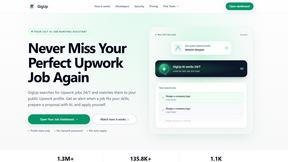
GigUp helps Upwork freelancers spot relevant new jobs through profile based matching, alerts, and proposal drafts that they review before applying.

Ragdom Venture
Ragdom Venture develops custom business software, apps and AI workflows, pairing tailored delivery with a clearly scoped project process.

FloatText
FloatText is an Android floating clipboard that keeps multiple text items above other apps for quick, sequential copying and pasting.
DataLens
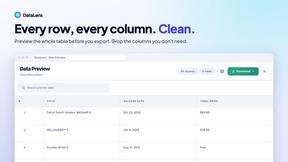
DataLens is a Chrome and Edge extension that turns visible web page data into exportable tables, using your browser session for signed-in pages.