
VidhyaGen
VidhyaGen offers browser-based image conversion and editing, with batch conversion and tools for compression, resizing, cropping, and OCR.
Visit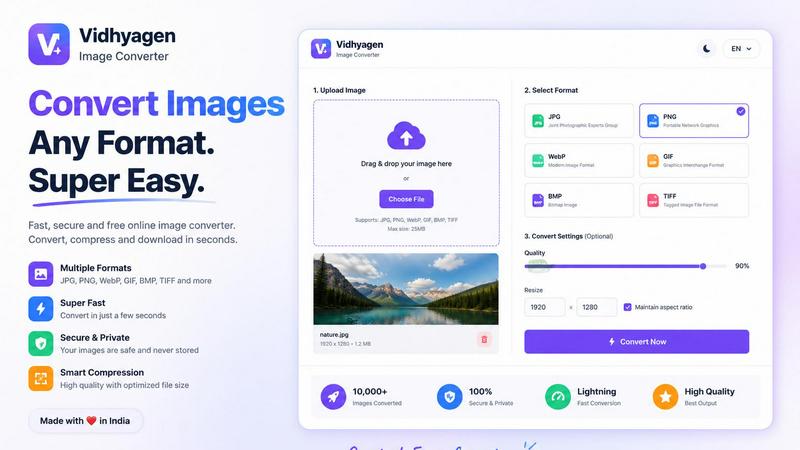
About VidhyaGen
VidhyaGen groups a range of image tasks in one online collection. Users can convert between formats such as PNG, JPG, WebP, GIF, SVG, ICO, HEIC, and BMP, then use separate utilities to compress, resize, crop, or rotate images. The site also lists background removal, metadata viewing, color picking, and text extraction from images.
The workflow is designed for quick jobs: choose a converter or tool, select files, and work in the browser without installing software. Multiple images can be selected for batch conversion. VidhyaGen says image processing happens locally in the browser, but its about information qualifies that processing can be local or server-side depending on the tool. That distinction is worth checking before using a particular tool with sensitive files. The range of utilities suits people handling common image tasks; the right choice depends on the operation and file-handling expectations.
Features of VidhyaGen
- Converts images across popular formats, including HEIC and SVG.
- Offers compression, resizing, cropping, rotation, background removal, and OCR.
- Supports batch conversion and browser-based use without installation.
Use Cases of VidhyaGen
- Change a photo or graphic into a format needed for a submission.
- Crop or resize images for a document or web page.
- Compress a file before sharing or uploading it.
- Read text from a screenshot with the image-to-text tool.
Frequently Asked Questions
What formats does VidhyaGen support?
The listed converters include PNG, JPG, WebP, GIF, SVG, ICO, HEIC, and BMP.
Can I use it without downloading an app?
Yes. The site describes its tools as browser-based and says no software download is required.
Are all files processed on my device?
Not necessarily. VidhyaGen says processing location depends on the tool, so check the specific workflow when local processing is important.
Pricing of VidhyaGen
Free to use, with no subscription or premium features stated on the site.
Explore more in this category:
Similar to VidhyaGen

FoxyLab
FoxyLab turns chat briefs or product URLs into videos and banner sets, with conversational revisions and optional API access.

Orbi
Orbi turns labeled GitHub Issues into reviewed pull requests and tagged releases, with self-hosted and managed cloud options for software teams.

FLUX 3 Max
Make short videos with sound from prompts, photos or keyframes, choosing clip length, format and resolution before generation.
LayerSplit
LayerSplit turns flat images into named, editable layers, rebuilding hidden areas and backgrounds for designers who need reusable assets.
Knit Chart Maker
Knit Chart Maker lets knitters design charts from photos or templates, preview real yarn texture and check color contrast and float lengths.
Testsy
Testsy checks AI-built web and mobile products with independent user-flow runs, replays, observed values and prompts for fixing failures.
Cheso
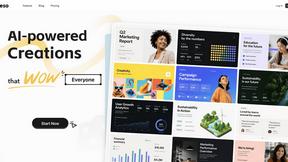
Cheso turns ideas, files, and research into editable presentations, posters, videos, and interactive web pages for teams, students, and creators.
Supastack
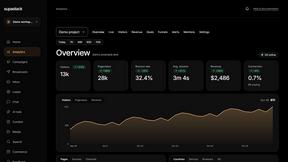
Supastack combines web, mobile and desktop app foundations in one SaaS starter kit, with shared authentication, billing and coding-agent support.