
TinyFast
Compress images, videos, and PDFs instantly on your Mac with TinyFast for fast, private, and hassle-free file shrinking.
Visit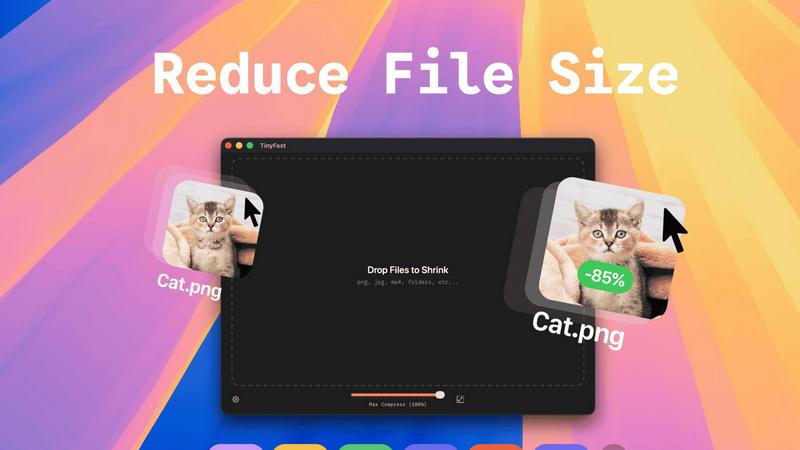
About TinyFast
TinyFast is a game-changing macOS application that revolutionizes the way you handle file compression. Designed for developers, designers, and creators, it emphasizes speed and security while managing various file types, including images, videos, and documents. With TinyFast, you can compress files like PNG, JPEG, MP4, MOV, PDF, SVG, WebP, MP3, and GIF locally on your Mac, ensuring that your sensitive assets remain private and secure. Forget the frustrations of uploading files to unreliable online servers. With just a simple drag and drop, TinyFast delivers instant results, significantly reducing file sizes without compromising quality. Already embraced by over 500 Mac users, TinyFast is the essential tool for anyone prioritizing efficiency and confidentiality in their workflow.
Features of TinyFast
Batch & Drag-Drop Shrink
With TinyFast, you can simply drop entire folders into the application, and it will optimize and compress all files in seconds. This batch processing capability saves you time and effort, making it easier to manage multiple files at once.
Blazing-Fast Compression
TinyFast leverages optimized native engines designed for speed, allowing users to compress large files in mere seconds. Say goodbye to waiting for uploads and downloads; enjoy instantaneous compression that fits seamlessly into your busy schedule.
Resize Resolution
Not only does TinyFast compress files, but it also offers automatic resizing of image and video resolutions. This feature allows you to tailor your media files to specific dimensions, ensuring they fit your project requirements perfectly.
100% Local & Private
TinyFast is built with your privacy in mind. All compression processes occur locally on your device, meaning your files never leave your Mac. No uploads, no cloud servers, just total peace of mind knowing your confidential files are safe.
Use Cases of TinyFast
Quick Image Optimization for Web
Web designers can utilize TinyFast to quickly compress images before uploading them to websites. This ensures faster loading times and improved user experience while maintaining high visual quality.
Video Compression for Social Media
Content creators can leverage TinyFast to compress videos for social media platforms. This allows for quick uploads without sacrificing quality, making it easier to share engaging content with followers.
Document Management for Professionals
Professionals dealing with multiple documents can use TinyFast to compress PDFs and DOCX files. This reduces file sizes, making it easier to share via email or upload to cloud services, streamlining workflows.
Audio File Compression for Musicians
Musicians can take advantage of TinyFast to compress MP3 files without losing audio quality. This is particularly useful for sharing tracks with collaborators or posting music online, ensuring quick downloads for fans.
Frequently Asked Questions
How does TinyFast ensure my files remain private?
TinyFast operates entirely on your Mac, meaning files are never uploaded to external servers. This design guarantees that your confidential assets remain private and secure at all times.
Can I compress multiple files at once?
Absolutely! TinyFast supports batch processing, allowing you to drag and drop entire folders for compression. This feature makes it incredibly efficient to manage multiple files simultaneously.
What types of files can TinyFast compress?
TinyFast supports a wide range of file types, including images (PNG, JPEG, GIF), videos (MP4, MOV), documents (PDF, DOCX), audio files (MP3), and code files (JS, CSS). This versatility makes it an essential tool for various users.
Is there a limit on the number of files I can compress?
With the free version of TinyFast, you can compress up to 5 files per day. For those needing unlimited compression, a lifetime plan or monthly subscription is available to unlock all features without restrictions.
Explore more in this category:
Similar to TinyFast

@fuck.it - email with attitude
Private email. Pure. Secure. Exclusive. No ads, no tracking, no data selling. GDPR compliant, EU-hosted.

FreeVideoGenerator
Free AI video generator: turn text prompts and photos into video clips with Sora 2, Veo 3.1, Wan and more. Free starter credits, no watermark download


ImageGenerator
Create and edit AI images online with multiple models, text-to-image, image-to-image, background removal, and upscaling.

Verla AI
Verla is an AI academic assistant for university and college students, combining AI essay writing, academic research, AI detection, AI humanization

Panzoe
Panzoe is an all-in-one AI platform for personal productivity, business automation, AI assistants, content creation, and custom AI solutions.

AIPetGen
AIPetGen turns a photo of your dog, cat, or other pet, or a written description, into a new picture or a short animation.

AI Object Remover
Remove unwanted objects, people, text and watermarks from photos with AI