
streamgen
StreamGen effortlessly transforms your Twitch streams into viral TikTok clips and YouTube Shorts, saving you time and.
Visit
About streamgen
StreamGen is a groundbreaking AI-powered video editing platform that caters specifically to Twitch streamers eager to elevate their content creation game. By automating the video editing process, StreamGen seamlessly identifies and extracts the most engaging moments from live streams, transforming them into shareable and viral clips ideal for platforms like TikTok and YouTube Shorts. This innovative tool is designed for both novice and experienced content creators, providing a user-friendly interface that allows streamers to focus more on their passion for streaming and less on the intricacies of editing. Trusted by over 1,000 streamers, StreamGen not only saves valuable time but enhances the overall quality of video outputs. With features such as AI captions, intelligent silence removal, and easy scheduling, StreamGen empowers creators to maximize their reach and engagement across multiple social media platforms, unlocking their full potential as digital content creators.
Features of streamgen
AI Twitch Clip Generator
Our advanced AI models analyze entire Twitch VODs to automatically identify viral moments and create highlight clips with intelligent editing. This smart feature ensures that you never miss capturing the best parts of your streams, making it easy to produce engaging content effortlessly.
AI VOD Editor
StreamGen allows you to edit Twitch streams into professionally edited DaVinci Resolve and Adobe Premiere Pro projects. This feature enables you to take your video editing to the next level, providing flexibility and enhancing the quality of your final output.
AI Captions in 90+ Languages
With StreamGen, you can add AI-generated captions in over 90 languages. Choose from multiple styles and fully customize your shorts' appearance for maximum engagement. This feature ensures that your content is accessible to a global audience while maintaining your unique style.
Schedule Your Clips
Connect your TikTok and YouTube accounts to schedule your clips for automatic posting. This feature streamlines your content distribution process, allowing you to maintain a consistent posting schedule with minimal effort, so you can focus on what you love—streaming.
Use Cases of streamgen
Turn Live Streams into Viral Clips
Streamers can effortlessly turn their live Twitch streams into engaging TikTok and YouTube Shorts. By utilizing StreamGen's AI capabilities, users can identify and edit the most entertaining moments quickly, increasing their reach and engagement on social media.
Enhance Content Quality
By automating the editing process, StreamGen helps streamers improve the quality of their video content. With features like intelligent silence removal and AI captions, creators can produce polished videos that attract more viewers without spending hours in the editing suite.
Maximize Engagement Across Platforms
StreamGen enables streamers to create shareable clips tailored for various platforms. This versatility means streamers can effectively engage their audiences across TikTok, YouTube, and more, making the most out of their content and expanding their fan base.
Save Time and Increase Productivity
For streamers balancing full-time jobs and streaming, StreamGen offers a solution to save time. With its fast and efficient editing capabilities, streamers can produce quality shorts weekly without compromising their streaming schedule, allowing for a better work-life balance.
Frequently Asked Questions
How does StreamGen find the best clips from my streams?
StreamGen utilizes advanced AI algorithms to analyze your entire Twitch VODs. It identifies the most engaging moments based on viewer engagement metrics, ensuring you get the best highlights for your social media channels.
Can I customize the appearance of the captions in my videos?
Absolutely! StreamGen offers a variety of caption styles, which you can fully customize to fit your video's theme and branding. This allows you to maintain your unique aesthetic while making your content more accessible.
Is it easy to schedule my clips for posting?
Yes, StreamGen simplifies the scheduling process. Once you connect your TikTok and YouTube accounts, you can effortlessly schedule your clips to post at your preferred times, ensuring consistent content delivery without manual effort.
What if I want to edit my clips further after StreamGen processes them?
StreamGen allows for easy export to professional editing software like DaVinci Resolve and Adobe Premiere Pro. This means you can perform additional edits if necessary, giving you complete control over your final output.
Explore more in this category:
Similar to streamgen

FreeVideoGenerator
Free AI video generator: turn text prompts and photos into video clips with Sora 2, Veo 3.1, Wan and more. Free starter credits, no watermark download

Posy
A link-in-bio page that looks hand-made. Pick a look, add your links and publish in a minute. Free, open source, and your AI can edit it for you.

Leadeon
AI growth tool for X and LinkedIn: write posts in your voice, schedule at your best times, find leads on X and see what works.
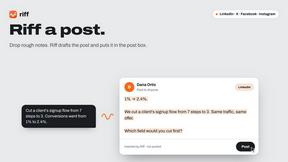
Riff
Free Chrome extension. Paste your rough point and Chrome's built-in AI writes a fresh reply for that post on X, LinkedIn, Facebook or Instagram.

ZombieTrend AI
Turn two photos into a cinematic zombie love story video. Free scene preview, no sign-up needed.
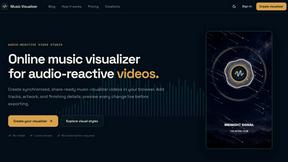

Raindance AI Video Generator
Turn two photos into the Raindance AI pier video with the soundtrack included
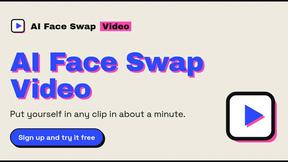
AI Face Swap Video
Swap any face into any video online with AI in minutes. Upload a clip and a photo, get natural lighting and expressions. Free credits on sign-up.