
StatementSheet
Effortlessly convert your PDF bank statements to accurate Excel or CSV files in seconds with StatementSheet's secure.
Visit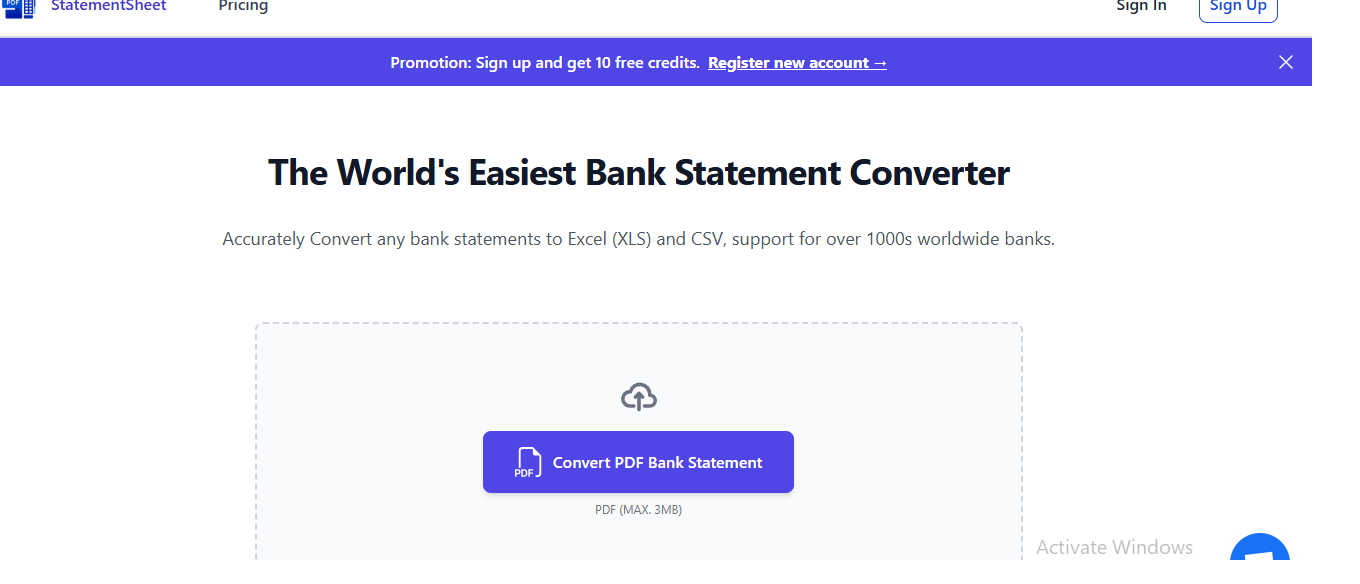
About StatementSheet
StatementSheet is your go-to online solution for converting unstructured bank statement data into organized, usable formats like Excel or CSV. In today's fast-paced financial landscape, whether you're an entrepreneur, accountant, or anyone managing personal finances, dealing with PDF bank statements can be a cumbersome task. StatementSheet revolutionizes this process by enabling users to swiftly transform their bank statements into clean, structured files. This eliminates the tedious task of manual formatting and significantly reduces the risk of data-entry errors. The platform is designed with user-friendliness in mind—there's no need for extensive training. Its secure processing ensures that your financial data is handled safely, allowing you to focus on analysis and budgeting without the usual headaches. Simply upload your statement, and in seconds, you have a neatly organized file ready for your financial tasks.
Features of StatementSheet
Instant Bank Statement Conversion
With StatementSheet, users can convert their PDF bank statements to Excel (XLS/XLSX) or CSV formats in mere seconds. This feature eliminates bottlenecks in financial workflows and streamlines the entire process of data management.
Secure File Processing
StatementSheet prioritizes the security of your financial data. All uploaded PDF files are encrypted during transfer, ensuring that your sensitive information remains confidential. Additionally, files are automatically deleted from the server 24 hours after conversion.
Accurate Data Extraction
The platform employs advanced data extraction algorithms to accurately pull transactions, dates, descriptions, and balances from PDF statements. This ensures that every detail is captured correctly, allowing for reliable financial reporting and analysis.
User-Friendly Interface
No need for complex training! StatementSheet's intuitive interface allows users to easily upload their bank statements and retrieve converted files with minimal effort. This simplicity makes it accessible for everyone, regardless of tech-savviness.
Use Cases of StatementSheet
Streamlining Financial Analysis
Entrepreneurs can utilize StatementSheet to convert multiple bank statements into Excel files, enabling them to analyze their cash flow and financial health efficiently. This quick conversion process saves time and enhances decision-making.
Enhancing Accounting Efficiency
Accountants can use StatementSheet to process numerous client bank statements, transforming them into structured formats for easier bookkeeping. This not only speeds up the accounting process but also minimizes errors in financial reporting.
Simplifying Personal Finance Management
Individuals managing their personal finances can upload their bank statements to StatementSheet, allowing them to quickly create budget plans or expense reports. This feature empowers users to take control of their financial situations without unnecessary hassle.
Facilitating Tax Preparation
During tax season, StatementSheet can be a lifesaver. Users can convert their bank statements into organized spreadsheets, making it easier to track deductible expenses and compile necessary documentation for tax filing, ensuring compliance and maximizing refunds.
Frequently Asked Questions
What is a bank statement converter?
A bank statement converter is an online tool that transforms bank statement files into structured formats like Excel (XLS/XLSX) or CSV. StatementSheet efficiently processes PDF bank statements and provides clean, usable spreadsheet files.
How do I convert a bank statement to Excel or CSV?
To convert a bank statement, simply upload your PDF using the converter tool. The system will automatically extract all transactions, allowing you to review and download the structured file in seconds.
Is my financial data secure when using the converter?
Yes, StatementSheet takes data security seriously. All files are encrypted during transfer, and uploaded documents are automatically deleted after processing, ensuring your information is not stored longer than necessary.
Can I convert multi-page bank statements?
Absolutely! StatementSheet can process multi-page PDF bank statements, extracting transactions from all pages and consolidating them into a single, structured Excel or CSV file for your convenience.
Explore more in this category:
Similar to StatementSheet

@fuck.it - email with attitude
Private email. Pure. Secure. Exclusive. No ads, no tracking, no data selling. GDPR compliant, EU-hosted.

FreeVideoGenerator
Free AI video generator: turn text prompts and photos into video clips with Sora 2, Veo 3.1, Wan and more. Free starter credits, no watermark download



Verla AI
Verla is an AI academic assistant for university and college students, combining AI essay writing, academic research, AI detection, AI humanization


Panzoe
Panzoe is an all-in-one AI platform for personal productivity, business automation, AI assistants, content creation, and custom AI solutions.

Memorable Contact
Memorable Contact helps you remember people, save conversation details, find contacts using AI-powered search, and share digital business cards