
RoomCreator
Transform any photo into stunning AI-designed spaces effortlessly and visualize your dream room in seconds with RoomCreator.
Visit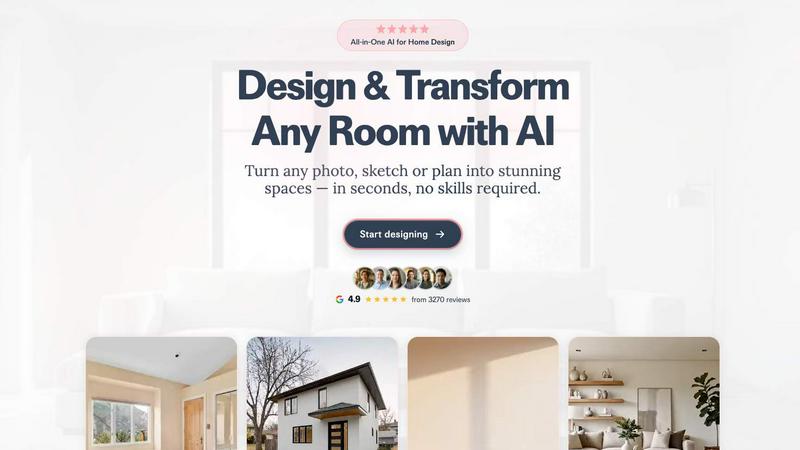
About RoomCreator
RoomCreator is revolutionizing how homeowners and DIY enthusiasts approach interior design. This innovative AI-powered tool allows users to upload a single photo of any room—be it a kitchen, bedroom, living room, or even the exterior of a house—and receive stunning, hyper-realistic redesigns in just 10 seconds. With no design skills required, RoomCreator democratizes the design process, making it accessible to everyone, from seasoned decorators to first-time homeowners. The main value proposition lies in its ability to visualize potential changes instantly, aiding in confident decision-making before any financial investment is made. Whether you're looking to refresh your space, prepare for a sale, or simply experiment with new styles, RoomCreator stands ready to transform your vision into reality swiftly and efficiently.
Features of RoomCreator
AI Room Design in Seconds
Experience the power of AI as RoomCreator takes your uploaded photo and generates realistic room designs within seconds. This feature eliminates the guesswork and allows you to see potential changes instantly, making it perfect for quick renovations.
Smart Layout Optimization
RoomCreator analyzes your space and suggests smart layouts that enhance flow and function. This feature ensures that every inch of your room is utilized effectively, creating an inviting and functional environment tailored to your lifestyle.
Instant Visual Changes
With RoomCreator, you can experiment with instant wall colors, flooring options, and furniture arrangements. This feature allows for seamless trial and error, letting you find the perfect combination that resonates with your personal style without the hassle of physical changes.
Realistic 3D Previews
Enjoy hyper-realistic 3D previews that showcase your redesigned space with natural lighting. This feature gives you a true-to-life representation of how your room will look after your envisioned changes, ensuring you make informed choices.
Use Cases of RoomCreator
Homeowners Looking to Renovate
Homeowners can leverage RoomCreator to visualize how their space could look before diving into costly renovations. By experimenting with different styles and layouts, they can confidently make decisions that reflect their taste and enhance their living environment.
Real Estate Agents Enhancing Listings
Real estate agents can use RoomCreator to create stunning visuals that elevate their property listings. By transforming empty or outdated spaces into beautifully staged interiors, agents can attract more buyers and help properties stand out in a competitive market.
Investors Evaluating Renovation Potential
Individual investors can utilize RoomCreator to assess renovation potential without incurring high staging costs. By generating realistic visuals for properties they aim to flip or rent, investors can showcase future value to potential buyers or tenants effectively.
Designers Seeking Quick Visualization
Interior designers can benefit from RoomCreator by quickly visualizing their ideas. With the ability to upload sketches or photos and receive instant feedback, designers can streamline their creative process, saving time and enhancing client presentations.
Frequently Asked Questions
How does RoomCreator work?
RoomCreator uses advanced AI technology to analyze your uploaded room photo, applying various design styles, colors, and layouts to produce multiple realistic redesigns in seconds.
Is there a limit to how many photos I can upload?
Users receive 10 free credits to explore the tool, allowing for multiple uploads and design attempts without any initial cost or credit card requirement.
Can I customize my designs?
Absolutely! RoomCreator allows you to choose from various design styles, colors, and layouts, and you can even brush over specific areas to make precise adjustments without regenerating the entire image.
Is RoomCreator suitable for small spaces?
Yes! RoomCreator is perfect for small spaces as it offers smart layout suggestions to maximize functionality while showcasing different design options that can make spaces feel larger and more inviting.
Similar to RoomCreator


Memorable Contact
Memorable Contact helps you remember people, save conversation details, find contacts using AI-powered search, and share digital business cards

SnitchFeed
SnitchFeed is an agentic social listening tool that surfaces high-intent conversations on LinkedIn, X, Hackernews, and more for GTM and product teams.


Motion Control AI
Reference-driven AI character motion video generation


dobenchmark
Compare PC game requirements and GPUs with sourced specs in a free browser tool.

Labrynth AI
AI regulatory intelligence platform that turns complex requirements into cited, audit-ready outputs.