
Push My App
Push My App writes optimized metadata, scans for rejection risks, and submits directly to both stores from one dashboard.
Visit
About Push My App
Push My App is the all-in-one platform that lets indie developers and studios prepare, optimize, and submit App Store and Play Store listings in a single afternoon. Instead of spending days on launch-week busywork, you get AI-powered tools that handle the entire submission pipeline. The platform writes your search-optimized metadata, designs your screenshots, flags rejection risks before you submit, and pushes straight to Apple and Google from one dashboard. Built for developers who would rather be coding than wrestling with store requirements, Push My App turns a week of manual effort into a confident, one-click submission. Drop your .ipa, .apk, or .aab file, and the platform extracts your bundle ID, version, and icon, validates compliance against 80+ known rejection reasons, and submits directly to App Store Connect and Google Play. You can also generate a website and get a support mailbox for your app using the same metadata and screenshots with a few clicks. What used to take days by hand now takes minutes. Ship your next release 5x faster with Push My App.
Features of Push My App
AI-Generated ASO Metadata
Generate your app name, subtitle, keywords, description, and release notes optimized for discoverability in seconds. The AI scores each element against App Store and Play Store best practices, giving you a keyword score out of 100 and suggesting up to 8 additional keyword opportunities. No more afternoons spent brainstorming titles or tweaking descriptions. The system drafts, scores, and presents ready-to-approve metadata that maximizes your app's visibility from day one.
Pre-Flight Rejection Scanner
Scan your build and listing against 80+ known Apple and Google rejection reasons before you hit submit. The scanner checks for privacy manifest issues, missing permissions, improper icon sizes, metadata violations, and dozens of other common blockers that cause rejection headaches. It flags problems with clear explanations and actionable fixes, so you can resolve issues before they delay your launch. One blocker flagged for privacy manifest? Fix it in minutes instead of waiting days for a rejection notice.
Screenshot Resizer and Translator
Upload one set of iPhone screenshots and automatically generate every required device size for both stores, complete with device frames and dynamic marketing text overlays. Then translate your entire listing into 14 languages, with keywords re-optimized per locale. The translation engine doesn't just convert text; it adjusts your ASO strategy for each language market, ensuring your app ranks well in Spanish, German, French, Japanese, Portuguese, and eight more languages. No more manual resizing or hiring translators.
Direct Submission with Version Tracking
Submit to App Store Connect and Google Play in one click, with pre-submission validation that catches errors before they reach Apple or Google. The platform tracks your submission status automatically, stores version history, and shows a diff against your last submission so you always know what changed. Drop your .ipa, .apk, or .aab, and the system extracts bundle ID, version, and icon, then uploads directly to both stores. One platform, one click, both stores covered.
Use Cases of Push My App
Solo Indie Developer Launching a New App
You have built an amazing app but dread the App Store submission process. Push My App handles everything from AI-generated metadata that ranks high in search results to automated screenshot resizing for all device sizes. Drop your build file, scan for rejection risks, and submit to both stores in one afternoon instead of a week. The platform even generates a support website and mailbox for your new app, giving you a professional launch presence without extra work.
Studio Team Shipping Regular Updates
Your studio releases updates every two weeks, and each release requires updated metadata, new screenshots, and submission to both stores. Push My App reduces this cycle from hours to minutes. The AI generates fresh release notes and keywords for each update, the screenshot resizer handles new feature images, and version tracking shows a diff against the last submission. Your team ships 5x faster, spending more time on features and less on store administration.
Developer Expanding into International Markets
You have a successful English-language app and want to launch in Spanish, German, French, and Japanese markets. Push My App translates your entire listing into 14 languages with keywords re-optimized per locale. The translation engine adjusts your ASO strategy for each market, so your app ranks well globally. No need to hire translators or research keywords in each language. Submit translated listings to both stores simultaneously from one dashboard.
Freelancer Managing Multiple Client Apps
You manage App Store and Play Store listings for multiple clients, each with different apps and update schedules. Push My App gives you a single dashboard to track all apps, versions, and submission statuses. The Pre-Flight Rejection Scanner catches issues across all client builds before submission, saving you from embarrassing rejection emails. Generate client websites and support mailboxes with one click. What used to take a full day per client now takes an hour.
Frequently Asked Questions
What file formats does Push My App support for direct submission?
Push My App supports .ipa files for iOS, and .apk or .aab files for Android. Simply drag and drop your build file into the dashboard, and the platform automatically extracts your bundle ID, version number, and app icon. It validates compliance with store requirements and prepares the file for direct submission to App Store Connect and Google Play Console in one click.
How does the Pre-Flight Rejection Scanner work?
The scanner checks your build and listing metadata against a database of 80+ known rejection reasons from Apple and Google. It looks for issues like missing privacy manifests, incorrect permission descriptions, improper icon sizes, metadata violations, and binary compatibility problems. Each issue is flagged with a clear explanation and suggested fix. The scan runs before you submit, so you can resolve problems immediately instead of waiting days for a rejection notice from the stores.
Can I translate my app listing into multiple languages with Push My App?
Yes, Push My App translates your full listing into 14 languages, including Spanish, German, French, Japanese, Portuguese, and eight more. The translation engine doesn't just convert text; it re-optimizes your keywords per locale for maximum ASO performance. This means your app's discoverability is maintained or improved in each language market. You can preview all translations before submission and make adjustments if needed.
Is there a free trial or free tools available?
Push My App offers a free Starter plan with no credit card required, plus a 30-day Growth trial for full access to all features. You can also try free tools without creating an account, including the AI metadata generator and the Pre-Flight Rejection Scanner. These tools give you a taste of the platform's capabilities before committing to a paid plan. The free Starter plan is perfect for indie developers testing the waters.
Similar to Push My App
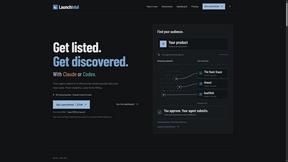
LaunchIntel
Your AI agent picks relevant directories, submits your product in your browser and tracks every step. One-time purchase.
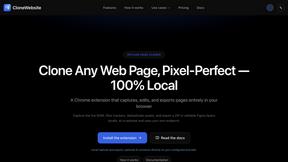
CloneWebsite
Clone any webpage pixel-perfect, export HTML/CSS/ZIP or React/Vue components.
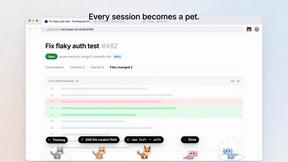
Agent Pets
Your Claude Code & Codex sessions as pets in Chrome. Approve, deny and reply to your coding agents from any tab.
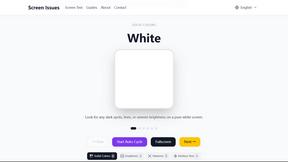
Screen Issues
Free Online Screen Test Tool - Instantly diagnose dead pixels, lines, color issues, and flickering. Multiple test modes, no download needed.
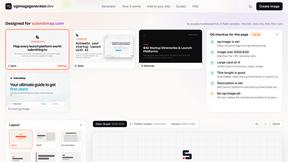
OG Image Generator
Paste a URL and AI designs on-brand Open Graph images from your page's colours, fonts and logo. Free, no sign-up.