
PhotoWeather
Get instant alerts for ideal photo conditions so you can capture breathtaking moments when they happen.
Visit
About PhotoWeather
PhotoWeather is a revolutionary app designed specifically for outdoor photographers who want to capture the best moments in nature without the hassle of constantly checking weather forecasts. Unlike standard weather apps, PhotoWeather actively monitors the weather around the clock and sends alerts only when conditions align with your photography aspirations. Whether you're aiming for the perfect sunrise fog, dramatic storm clouds, or that magical golden-hour light, PhotoWeather ensures you never miss a chance to capture stunning images. With its intuitive interface, photographers can easily add their favorite locations, set specific conditions, and receive notifications tailored to their unique needs. This app is perfect for landscape, astro, and wildlife photographers who seek to optimize their shooting opportunities based on real-time weather data. With PhotoWeather, you can focus on your passion for photography, confident that you'll be alerted when the conditions are just right.
Features of PhotoWeather
Powerful Rule Builder
PhotoWeather offers a robust rule-building feature that enables users to define specific weather conditions for alerts. With over 80 parameters available—including clouds, visibility, humidity, and astronomical events—photographers can create highly customized alerts. The logical combinations of AND/OR/NOT allow users to tailor their experience to their exact needs, ensuring they never miss ideal shooting conditions.
Ready-Made Templates
To make the process even simpler, PhotoWeather includes an array of pre-made templates tailored specifically for photographers. These templates cover a variety of conditions, such as fog, blue hour, auroras, and storm intensity. This feature allows users to quickly set alerts without needing to understand complex weather data, making it accessible for photographers of all skill levels.
Smart Notifications
Stay informed and prepared with PhotoWeather's smart notification system. Users receive daily digests and real-time alerts, so they never miss an opportunity. Notifications can be customized for timing, whether you prefer reminders before events start or updates when forecasts change. Additionally, calendar synchronization ensures that you have all your photography opportunities seamlessly integrated into your planning.
Trusted Forecast Sources
PhotoWeather prides itself on providing reliable and accurate weather data sourced from top meteorological services such as ECMWF, NOAA, and Météo-France. This commitment to quality ensures users can trust the alerts they receive, empowering them to make informed decisions about their photography outings based on reliable forecasts.
Use Cases of PhotoWeather
Landscape Photography
Landscape photographers can leverage PhotoWeather to capture the perfect conditions for their shoots. By setting alerts for specific weather phenomena, such as fog or dramatic cloud formations, they can ensure they are in the right place at the right time to create stunning compositions.
Astro Photography
Astro photographers will find PhotoWeather invaluable for planning their night shoots. With alerts for astronomical events, moon phases, and low cloud coverage, users can prepare in advance and take advantage of optimal conditions for capturing the night sky.
Wildlife Photography
For wildlife photographers, the ability to monitor weather conditions is crucial. PhotoWeather allows them to set alerts for specific weather scenarios that may encourage animal activity, such as rain or clear skies, leading to better opportunities for capturing wildlife in their natural habitats.
Event Photography
Event photographers can use PhotoWeather to ensure they are prepared for outdoor weddings, festivals, or gatherings. By setting alerts based on forecasted conditions, they can plan ahead for lighting changes and weather disruptions, ultimately enhancing their ability to deliver stunning images to clients.
Frequently Asked Questions
How do I get started with PhotoWeather?
Getting started with PhotoWeather is easy. Simply download the app from the App Store or Google Play, create an account, and begin adding your favorite shooting locations. You can then set your desired weather conditions and start receiving alerts tailored to your photography needs.
How accurate are the forecasts provided by PhotoWeather?
PhotoWeather sources its data from reputable meteorological services such as NOAA and ECMWF, ensuring that users receive accurate and reliable forecasts. The app continuously updates weather information, allowing you to trust the alerts you receive.
Can I create my own rules for weather alerts?
Absolutely! PhotoWeather features a powerful rule builder that allows users to define their own specific conditions based on over 80 different weather parameters. This customization ensures that you only receive alerts that match your unique photography goals.
Does PhotoWeather support calendar synchronization?
Yes, PhotoWeather offers calendar synchronization, allowing users to seamlessly integrate their photography opportunities into their personal calendars. You can receive automatic updates and reminders, ensuring you are always prepared for the best shooting conditions.
Similar to PhotoWeather
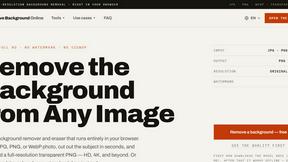
Free AI Image Background Remover
Remove image backgrounds free — no uploads, no signup, no watermark, full resolution. The AI runs in your browser; photos never touch a server.

99x Prompts
Discover 50,000+ ready-to-use AI prompts for text, image, and video generation. Save time and create better results with AI.

AIEnhancer
AI enhancer for photos, images, videos, and creative effects with guided workflows and a shared asset library.
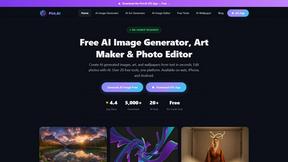
Pict AI - Image Generator & Editor
Pict AI generates stunning images and edits photos with 20+ free tools, no signup required, on web and mobile.
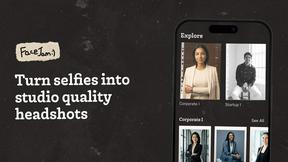
Facejam
Transform your selfies into stunning professional headshots in minutes with Facejam's AI-powered photo generation.
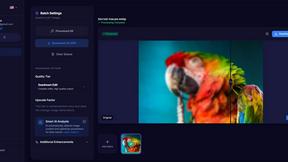
MyImageUpscaler
Join 54 founding members and upscale your photos instantly with AI while keeping text perfectly sharp.
ShinePhoto
Transform your photos instantly with ShinePhoto's smart auto-crop and restoration for stunning, share-ready images.

Looktara
Looktara is your private AI photographer creating real you photos for any platform in minutes.