
MindMap AI
Transform your ideas into structured mind maps effortlessly with MindMap AI's intelligent co-editing and multi-language.
Visit
About MindMap AI
MindMap AI is a cutting-edge, AI-powered mind mapping software designed for professionals, teams, and students looking to transform their brainstorming and idea management processes. Unlike traditional mind mapping tools, MindMap AI acts as an intelligent co-pilot, turning chaotic thoughts, messy notes, PDFs, meeting recordings, slides, and images into visually stunning and dynamic mind maps. It caters to those who need to think critically, collaborate effectively, and navigate the complexities of modern work. With features like AI Thinking Mode, which understands context, hierarchy, and relationships, MindMap AI ensures that every mind map is not only structured but meaningful from the very first attempt. The platform enables users to engage with their creations through Co-Pilot Chat, allowing for real-time collaboration and insight discovery. Loved by over a million thinkers globally, MindMap AI is highly rated with a stellar 4.9/5 on G2 and 4.7/5 on Product Hunt, making it the go-to tool for turning ideas into actionable workflows and clear strategies in record time.
Features of MindMap AI
AI Thinking Mode
MindMap AI utilizes a sophisticated step-by-step reasoning engine that comprehends context, hierarchy, and relationships. This ensures that your mind maps are not just random collections of branches but are structured accurately and meaningfully from the start.
File-to-Map Conversion
With MindMap AI, you can effortlessly convert a wide range of content—including text, PDFs, images, audio, video, Markdown, and CSV files—into beautifully organized mind maps. This feature saves you time and allows you to focus on ideation rather than formatting.
Multi-Language Support
MindMap AI supports over 25 languages, enabling users to create and edit mind maps with the same level of accuracy and structure across different languages. This feature is perfect for international teams and multilingual projects.
Continuous Editing
This feature allows users to build their mind maps either manually or through AI co-creation. MindMap AI respects your edits, enabling you to expand, summarize, and reorganize content seamlessly while maintaining full control over your design.
Use Cases of MindMap AI
Product Launch Planning
When planning a product launch, MindMap AI helps teams visualize timelines, marketing strategies, and key milestones. The intuitive layout allows for quick adjustments and collaboration, ensuring everyone is aligned on objectives.
Workshop Knowledge Capture
After a workshop, users can transform discussion notes and insights into structured mind maps. This simplifies the process of retaining critical knowledge and sharing it with team members who could not attend.
Strategic Team Alignment
For organizations looking to align their strategies, MindMap AI provides a clear visual representation of goals, initiatives, and responsibilities. This clarity fosters better communication and collaboration among team members.
Complex Research Analysis
Researchers can use MindMap AI to distill complex information from various sources into manageable mind maps. This allows for easier synthesis of findings and promotes clearer presentation of research insights.
Frequently Asked Questions
How does MindMap AI enhance collaboration?
MindMap AI includes Co-Pilot Chat, which allows users to interact with their mind maps in real-time. This feature facilitates discussions, idea refinement, and the discovery of insights collaboratively.
Can I use MindMap AI on multiple devices?
Yes, MindMap AI is designed to work seamlessly across web, mobile, and browser extensions. This flexibility ensures that you can access your mind maps anytime, anywhere.
Is there a free trial available?
Absolutely! MindMap AI offers 50 free credits monthly with no credit card required, allowing you to explore its features and capabilities without any financial commitment.
What types of content can I convert into mind maps?
You can convert a wide array of content, including text, PDFs, images, audio, video, Markdown, and CSV files, into well-structured mind maps. This versatility makes it a powerful tool for various applications.
Explore more in this category:
Similar to MindMap AI

@fuck.it - email with attitude
Private email. Pure. Secure. Exclusive. No ads, no tracking, no data selling. GDPR compliant, EU-hosted.

FreeVideoGenerator
Free AI video generator: turn text prompts and photos into video clips with Sora 2, Veo 3.1, Wan and more. Free starter credits, no watermark download

Verla AI
Verla is an AI academic assistant for university and college students, combining AI essay writing, academic research, AI detection, AI humanization

Panzoe
Panzoe is an all-in-one AI platform for personal productivity, business automation, AI assistants, content creation, and custom AI solutions.

Memorable Contact
Memorable Contact helps you remember people, save conversation details, find contacts using AI-powered search, and share digital business cards
Novastart
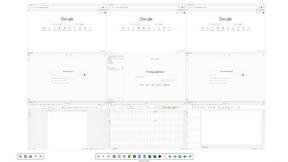
Novastart brings apps and files onto an infinite canvas where people and AI agents can work together.

AUTOMATER.ai
A tray helper for every AI coding tool: sessions, alerts and usage in one place