
JustPDF
JustPDF is a fast, free, and privacy-first PDF toolkit offering 17 powerful tools to manage your files directly in your browser.
Visit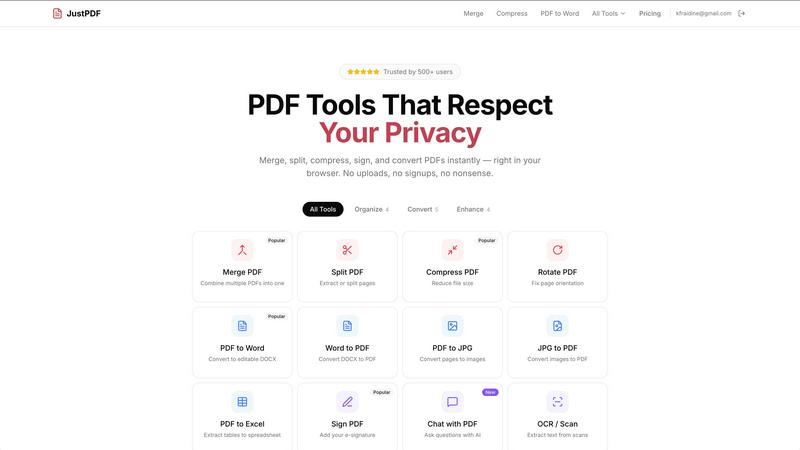
About JustPDF
JustPDF is an innovative online platform that delivers a suite of 17 professional-grade PDF tools, all operational directly in your web browser. Unlike traditional PDF tools like Smallpdf and iLovePDF, which require uploading files to remote servers, JustPDF leverages advanced technologies such as JavaScript and WebAssembly. This unique approach ensures that all file processing occurs locally on your device, guaranteeing privacy and security—your files never leave your browser. This makes JustPDF an ideal solution for professionals and students alike, especially in educational settings, as it is FERPA-compliant. Users can effortlessly merge, split, compress, and convert PDFs without the hassle of creating an account, enjoying up to three free operations per day. For frequent users, the Pro subscription starts at an affordable $4 per month, providing unlimited access to all tools and functionalities. With JustPDF, you can handle your PDF tasks quickly, efficiently, and privately, making it the go-to choice for anyone needing reliable PDF management.
Features of JustPDF
Merge PDF
The Merge PDF feature allows users to combine multiple PDF documents into a single file seamlessly. This is perfect for organizing reports, presentations, or any other multi-page documentation without losing the original formatting. Just drag and drop your files, and watch them merge in seconds—all within your browser, ensuring maximum privacy.
Compress PDF
Compressing PDFs has never been easier with JustPDF. This tool reduces file sizes in just a few seconds, maintaining high quality without adding watermarks. Perfect for email attachments or reducing storage space, users can quickly compress their PDFs without any signup or server uploads, making it a hassle-free experience.
PDF to Word
Transform your PDFs into editable Word documents effortlessly with the PDF to Word feature. This tool converts your static PDF files into dynamic DOCX formats, allowing for easy editing and formatting. Whether you need to update a report or extract information, this feature is essential for anyone working with PDF documents regularly.
Chat with PDF (AI)
Introducing the Chat with PDF feature, which utilizes AI to engage in interactive conversations with your PDF documents. Users can ask questions, extract information, and clarify details directly from their PDFs. This innovative tool is perfect for students and professionals who need to quickly reference information without scanning through pages manually.
Use Cases of JustPDF
Educational Use
Students can utilize JustPDF’s comprehensive tools for a variety of academic needs. Whether merging lecture notes, splitting chapters, or converting PDFs for assignments, JustPDF offers a user-friendly solution that enhances productivity and organization without compromising privacy.
Professional Document Management
In the corporate world, managing documents efficiently is crucial. JustPDF enables professionals to compress large reports for easy sharing, merge multiple files into cohesive presentations, or convert essential documents for editing—all while keeping sensitive information secure and private.
Creative Projects
Designers and content creators can leverage JustPDF’s capabilities to convert images into PDFs or create portfolios by merging multiple design files. The ability to rotate, flatten, and edit PDFs ensures that creative professionals can present their work in the best possible format.
Research and Data Management
Researchers can benefit from the OCR/Scan feature to convert scanned documents into editable text, making it easier to organize and analyze data. Additionally, the ability to convert PDFs to Excel allows for seamless data manipulation, enhancing research efficiency.
Frequently Asked Questions
How does JustPDF ensure my files are secure?
JustPDF processes all files locally in your browser using JavaScript and WebAssembly. This means your files never leave your device, ensuring maximum security and privacy.
Do I need to create an account to use JustPDF?
No, JustPDF allows users to access its basic features without the need for an account. You can perform up to three operations per day for free.
What types of files can I convert with JustPDF?
JustPDF supports various conversions including PDF to Word, Word to PDF, JPG to PDF, PDF to JPG, PDF to Excel, and more, making it a versatile tool for all your document needs.
Is JustPDF suitable for educational use?
Absolutely! JustPDF is FERPA-compliant, making it a secure choice for educational institutions. It offers students and educators a range of tools to manage PDF documents effectively while ensuring data privacy.
Explore more in this category:
Similar to JustPDF

Verla AI
Verla is an AI academic assistant for university and college students, combining AI essay writing, academic research, AI detection, AI humanization

Panzoe
Panzoe is an all-in-one AI platform for personal productivity, business automation, AI assistants, content creation, and custom AI solutions.

Memorable Contact
Memorable Contact helps you remember people, save conversation details, find contacts using AI-powered search, and share digital business cards
Novastart
Novastart brings apps and files onto an infinite canvas where people and AI agents can work together.

AUTOMATER.ai
A tray helper for every AI coding tool: sessions, alerts and usage in one place
AI Email Filter
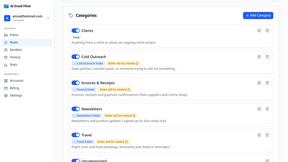
AI Email Filter sorts incoming mail into folders using plain-language prompts you write. Works with any IMAP mailbox; bring your own LLM if you want.
Product Launch Checklist
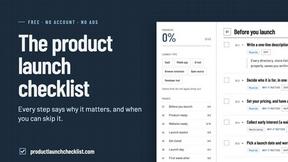
A free launch checklist for SaaS, apps, AI tools and more. Every step says why it matters and when you can skip it.
Kody Tools
Free collection of online developer utilities, code formatters, and digital converters designed to streamline your daily workflow.