
Grok Imagine
Create stunning AI-generated videos and images effortlessly with Grok Imagine's innovative tools and free credits to start your journey.
Visit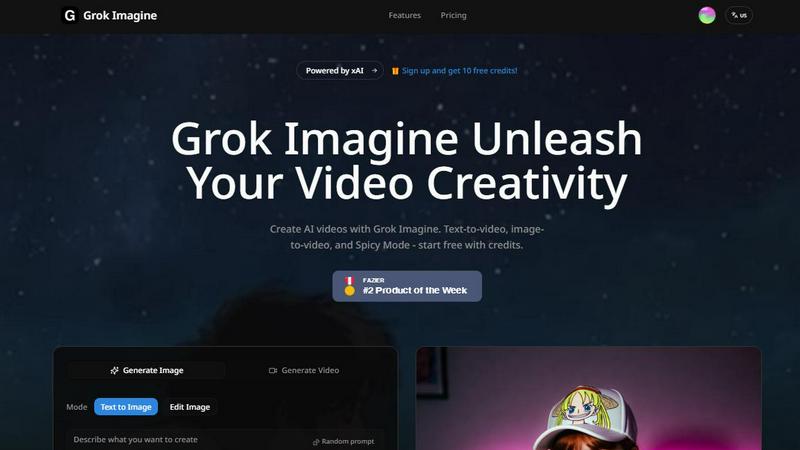
About Grok Imagine
Grok Imagine is an innovative AI-powered tool designed to revolutionize how users create stunning videos. With its advanced text-to-video and image-to-video capabilities, Grok Imagine is perfect for content creators, marketers, educators, and anyone looking to enhance their visual storytelling. The platform harnesses the power of the xAI Aurora engine, allowing users to generate high-quality videos in seconds. Whether you want to convert a simple text prompt into a captivating video or animate an image with synchronized audio, Grok Imagine provides an intuitive interface and versatile options. Users can choose from three different creative modes—Normal, Fun, or Spicy—tailoring their projects to match the desired mood and audience engagement. With the ability to start for free using credits, Grok Imagine opens the door for everyone to unleash their creativity and produce visually striking content.
Features of Grok Imagine
Fast Generation
Grok Imagine allows users to create videos ranging from 6 to 30 seconds in length in mere seconds. This rapid generation process ensures that you can quickly produce content without sacrificing quality, making it ideal for time-sensitive projects.
Synced Audio
One of the standout features of Grok Imagine is its ability to auto-generate background music and sound effects that are perfectly synced with the visuals. This feature enhances the overall viewing experience, giving your videos a professional touch without the need for additional audio editing.
Image to Video
Grok Imagine excels in converting static images into dynamic videos. Users can take any image and transform it into an engaging video, supporting all three creative modes. This is particularly useful for marketers looking to animate product images or for creators wanting to add depth to their visual content.
Multiple Ratios
Flexibility is key in video production, and Grok Imagine supports five different image and video ratios, including 1:1, 2:3, 3:2, 9:16, and 16:9. This allows users to tailor their content to fit various platforms, whether it be social media, websites, or presentations.
Use Cases of Grok Imagine
Social Media Content Creation
Grok Imagine is perfect for social media managers and influencers who need to produce eye-catching videos quickly. With the tool's fast generation and audio syncing capabilities, users can create engaging posts that capture attention and drive interactions.
Marketing Campaigns
Marketers can utilize Grok Imagine to bring product images to life or create promotional videos from textual content. The ability to choose from different creative modes allows for tailored messaging that resonates with specific target audiences.
Educational Videos
Educators and trainers can leverage Grok Imagine to create instructional videos that include animated visuals and audio explanations. This enhances learning experiences and makes complex subjects more accessible and engaging for students.
Personal Projects and Creative Expression
Artists, hobbyists, and creatives can use Grok Imagine to experiment with their ideas and bring their artistic visions to life. Whether for personal enjoyment or portfolio development, the platform provides an easy way to explore creativity through video.
Frequently Asked Questions
What types of videos can I create with Grok Imagine?
With Grok Imagine, you can create a variety of videos including text-to-video and image-to-video formats. The platform's flexibility allows for diverse creative projects ranging from promotional content to artistic expressions.
Is there a limit to the video length I can generate?
Yes, Grok Imagine allows users to generate videos ranging from 6 to 30 seconds. This range is ideal for creating brief yet impactful content suitable for various platforms.
How does the audio synchronization work?
Grok Imagine automatically generates background music and sound effects that are synchronized with your video content. This feature ensures a polished final product without requiring additional audio editing skills.
Can I use Grok Imagine for free?
Yes, you can start using Grok Imagine for free with credits. The platform offers an accessible entry point for users to explore its capabilities without any initial investment. Sign up today and receive 10 free credits to get started.
Explore more in this category:
Similar to Grok Imagine
AI Face Swap Video
Swap any face into any video online with AI in minutes. Upload a clip and a photo, get natural lighting and expressions. Free credits on sign-up.

DanseAI - Alors on Danse AI Video Genera
Make the Alors on Danse AI meme video from two photos, soundtrack included
Opus 5.5 Video Generator
Turn a prompt into a 1080p motion-graphics MP4 planned and coded by Claude Opus 5.5

Rumpelstiltskin AI Video Generator
Make the viral Rumpelstiltskin tiptoe dance meme video from two photos.
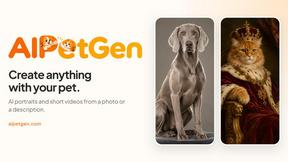
AIPetGen
AIPetGen turns a photo of your dog, cat, or other pet, or a written description, into a new picture or a short animation.

AI Object Remover
Remove unwanted objects, people, text and watermarks from photos with AI