
BlitzCut
BlitzCut transforms raw videos into viral-ready clips in minutes by auto-cutting silence and adding stylish captions.
Visit
About BlitzCut
BlitzCut is revolutionizing the way content creators edit videos for social media platforms. Designed specifically for TikTok, Instagram Reels, and YouTube Shorts, this AI-powered video editor transforms the tedious process of video editing into a seamless and efficient experience. With BlitzCut, creators can import their raw video clips and, in just two minutes, have a polished, post-ready video complete with automatic silence removal and stylish captions. The app is built with a mobile-first approach, making it accessible for users on iPhone, iPad, and Mac. BlitzCut empowers content creators by allowing them to focus on their creativity rather than getting bogged down in the editing process. The main value proposition lies in its ability to drastically reduce editing time, making daily posting not only possible but also sustainable.
Features of BlitzCut
Automatic Silence Removal
BlitzCut's Automatic Silence Removal feature uses advanced AI technology to detect and eliminate all pauses in your video instantly. This means that tedious manual editing work is no longer necessary, allowing you to focus on crafting engaging content without the frustration of traditional editing delays.
AI Captions
With over 95% accuracy, the AI Captions feature generates styled captions for your videos in real time. This not only enhances accessibility for viewers but also ensures that your videos are optimized for engagement, as viral caption styles are automatically applied to attract more attention.
Text-Based Editing
The Text-Based Editing feature allows users to edit their videos directly from the transcription. Simply delete sentences or sections that you don’t want, and the AI will adjust the video accordingly. This intuitive method makes it easier than ever to refine your content and produce high-quality videos quickly.
2-Minute Workflow
BlitzCut provides a streamlined 2-Minute Workflow where users can go from importing a clip to exporting a finished video in under two minutes. This rapid editing process is designed to fit the fast-paced lifestyle of content creators, enabling them to maintain a consistent posting schedule.
Use Cases of BlitzCut
Daily Social Media Posting
Content creators who need to post daily can greatly benefit from BlitzCut's rapid editing capabilities. The ability to quickly remove silence and add captions allows for a consistent flow of engaging content, helping users maintain relevance and visibility on social media.
Quick Turnaround for Influencers
Influencers often need to produce high-quality videos on short notice. With BlitzCut, they can transform raw footage into polished videos in minutes, ensuring they never miss a trending moment or opportunity to engage with their audience.
Efficient Content Creation for Brands
Brands looking to enhance their social media presence can utilize BlitzCut to create compelling promotional videos quickly. The app’s features allow for fast editing without sacrificing quality, making it an essential tool for marketers and brand managers.
Educational Content Production
Educators and trainers can use BlitzCut to create instructional videos efficiently. The automatic silence removal and captioning ensure that lessons are clear and engaging, making it easier for learners to absorb information without distractions.
Frequently Asked Questions
How does BlitzCut remove silence from videos?
BlitzCut uses advanced AI algorithms to detect pauses and silent moments in your video. It automatically removes these sections, streamlining your editing process and saving you significant time.
Is BlitzCut free to use?
Yes! BlitzCut is free to download and use on iPhone and Mac, making it accessible for all content creators. There’s no need to create an account to get started, allowing you to dive right into video editing.
What types of videos can I edit with BlitzCut?
BlitzCut is highly versatile and supports any length and format of talking-head videos. Whether you are creating content for TikTok, Instagram Reels, or YouTube Shorts, BlitzCut can handle it all efficiently.
Can I export my videos directly to social media?
Absolutely! BlitzCut allows you to export your finished videos in full quality HDR directly to platforms like TikTok, Instagram, and YouTube right from your phone, making sharing content easier than ever.
Explore more in this category:
Similar to BlitzCut

BuildingNow Podcast
BuildingNow shares founder conversations and practical lessons on building products, finding customers, and growing a business.

FreeVideoGenerator
Free AI video generator: turn text prompts and photos into video clips with Sora 2, Veo 3.1, Wan and more. Free starter credits, no watermark download

Posy
A link-in-bio page that looks hand-made. Pick a look, add your links and publish in a minute. Free, open source, and your AI can edit it for you.

Leadeon
AI growth tool for X and LinkedIn: write posts in your voice, schedule at your best times, find leads on X and see what works.
Riff
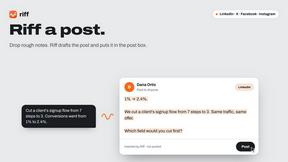
Free Chrome extension. Paste your rough point and Chrome's built-in AI writes a fresh reply for that post on X, LinkedIn, Facebook or Instagram.

ZombieTrend AI
Turn two photos into a cinematic zombie love story video. Free scene preview, no sign-up needed.

Raindance AI Video Generator
Turn two photos into the Raindance AI pier video with the soundtrack included